Prompt injection in AI desktop apps and how to prevent it
Desktop applications treat untrusted data as system instructions, allowing local files to be exfiltrated through hidden text.

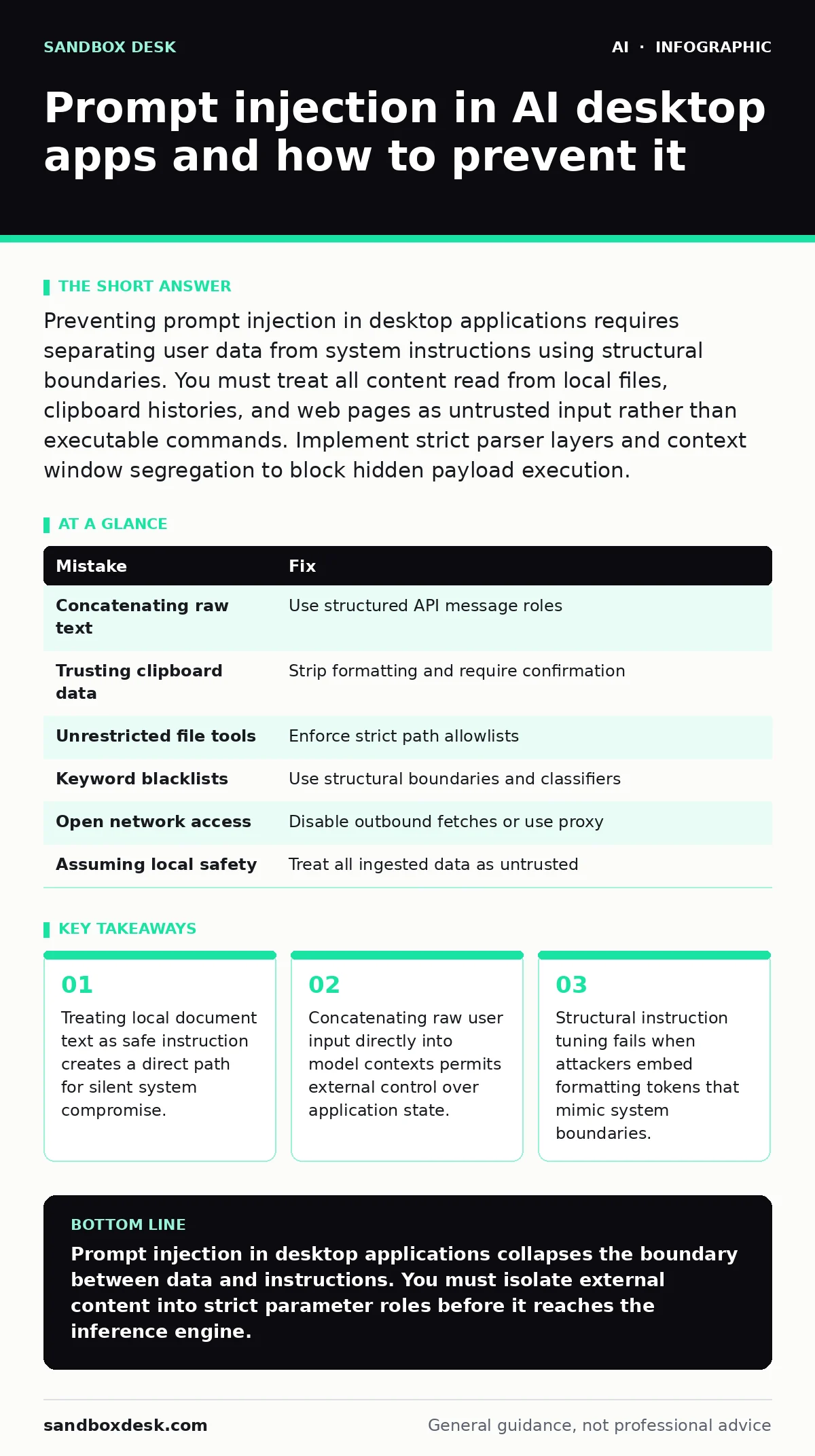
Preventing prompt injection in desktop applications requires separating user data from system instructions using structural boundaries. You must treat all content read from local files, clipboard histories, and web pages as untrusted input rather than executable commands. Implement strict parser layers and context window segregation to block hidden payload execution.
Mistake 1: Concatenating raw document text directly into the system prompt
Why it hurts:
Merging local file contents directly into the system instructions creates a single continuous text stream where the Large Language Model, a neural network trained to predict subsequent tokens, cannot distinguish developer instructions from user data. When you read a text file containing malicious instructions, the model executes those commands as if they originated from the application creator.
The fix:
Isolate user data into clearly bounded message roles using the API schema rather than string concatenation. Pass document contents exclusively through developer-defined user roles or context parameters, ensuring the underlying inference engine evaluates the text as passive data rather than executable directives.
Mistake 2: Trusting clipboard contents read during background monitoring
Why it hurts:
Desktop applications often monitor the system clipboard to provide instant assistance, yet clipboard data frequently originates from untrusted web pages or external documents. If you feed clipboard text directly to an inference pipeline without sanitization, malicious strings hidden on web pages can hijack the assistant to perform unauthorized local actions.
The fix:
Strip all control characters, markdown formatting tokens, and suspected instruction markers from clipboard text before ingestion. Require explicit user confirmation before any text retrieved from the clipboard is passed to an AI model configured with local execution tools.
Mistake 3: Exposing local file system tools without strict parameter validation
Why it hurts:
Giving an assistant the capability to read or write files on your local machine turns prompt injection into a mechanism for data theft. An attacker who slips malicious instructions into an email or local document can trick the model into reading sensitive configuration files and appending their contents to an outbound network request.
The fix:
Enforce strict allowlists on file system tool parameters, restricting read and write operations to designated scratch directories. Never allow tool arguments to be populated solely by model generation without validating that the targeted paths fall within authorized boundaries.
Mistake 4: Relying on keyword blacklists to filter malicious inputs
Why it hurts:
Blacklisting specific words or phrases like ignore previous instructions provides a false sense of security because attackers easily bypass string filters using character encoding, synonyms, or multi-language prompts. Natural language processing models interpret semantic meaning across diverse representations, rendering static blocklists ineffective against creative injections.
The fix:
Implement structural separation and dual-model classification pipelines where a separate, smaller classifier inspects inputs for anomalous command patterns before reaching the primary reasoning engine. Focus defenses on architectural boundaries rather than trying to predict every phrasing variation an attacker might employ.
Mistake 5: Failing to restrict network access in tool-enabled execution environments
Why it hurts:
Desktop applications often run with the full network privileges of the logged-in user, making data exfiltration trivial if an injection succeeds. When a model gains unauthorized access to network fetch tools, injected instructions can silently upload local files to external servers via standard web requests.
The fix:
Disable network fetching capabilities entirely within the assistant runtime unless explicitly required for core functionality. Route any necessary outbound requests through a proxy that inspects payloads and blocks transmission of sensitive local file contents to unknown destinations.
See also: How Large Language Models Change Security Decision Making · Jailbreaking AI Chatbots: Risks and Protection for Small Businesses
Mistake 6: Assuming local execution eliminates remote attack vectors
Why it hurts:
Developers frequently assume that software running locally on a single machine is immune to remote threats, ignoring the reality that local applications constantly ingest data from the internet via web pages, email clients, and downloaded documents. This false confidence leads to lax input handling in desktop tools that process external files.
The fix:
Treat every piece of data originating outside the local application binary as untrusted, regardless of how it arrived on the machine. Apply the same rigorous threat modeling used in web services to desktop software, acknowledging that generative AI introduces unique vulnerabilities distinct from traditional software flaws, as documented in guides like OWASP Top 10 for LLM applications.
| Mistake | Fix |
|---|---|
| Concatenating raw text | Use structured API message roles |
| Trusting clipboard data | Strip formatting and require confirmation |
| Unrestricted file tools | Enforce strict path allowlists |
| Keyword blacklists | Use structural boundaries and classifiers |
| Open network access | Disable outbound fetches or use proxy |
| Assuming local safety | Treat all ingested data as untrusted |
Key takeaways
- Treating local document text as safe instruction creates a direct path for silent system compromise.
- Concatenating raw user input directly into model contexts permits external control over application state.
- Structural instruction tuning fails when attackers embed formatting tokens that mimic system boundaries.
Prompt injection in desktop applications collapses the boundary between data and instructions. You must isolate external content into strict parameter roles before it reaches the inference engine.
Frequently asked questions
Can local AI models run entirely offline prevent prompt injection?
Running a model locally prevents data from leaking to third-party servers during an exploit, but it does not stop injected instructions from manipulating local tools or reading sensitive files on your machine.
Why do traditional software input sanitization methods fail against prompt injections?
Traditional sanitization targets malformed syntax or execution payloads like SQL commands, whereas prompt injections use natural language that remains syntactically valid while altering the semantic intent of the application.
How do desktop applications differ from web services regarding prompt injection risks?
Desktop applications possess broader access to local file systems, operating system APIs, and personal data stores, turning a successful injection into a direct threat to your local machine rather than just a server-side session.
What role does model temperature play in susceptibility to prompt injection?
Higher temperature settings increase output randomness, which sometimes helps models bypass rigid instruction guardrails and increases the likelihood that they will follow unexpected injected commands.
How this guide was produced: written by the Sandbox Desk editorial team with AI assistance, checked against the public references listed below, and reviewed when the facts change. See our editorial policy or report an error.