How CORS Misconfigurations Work: Step-by-Step Attack Breakdown
Browsers enforce CORS rules before sending the request, allowing attackers to extract sensitive data from misconfigured endpoints without triggering server-side authentication checks.

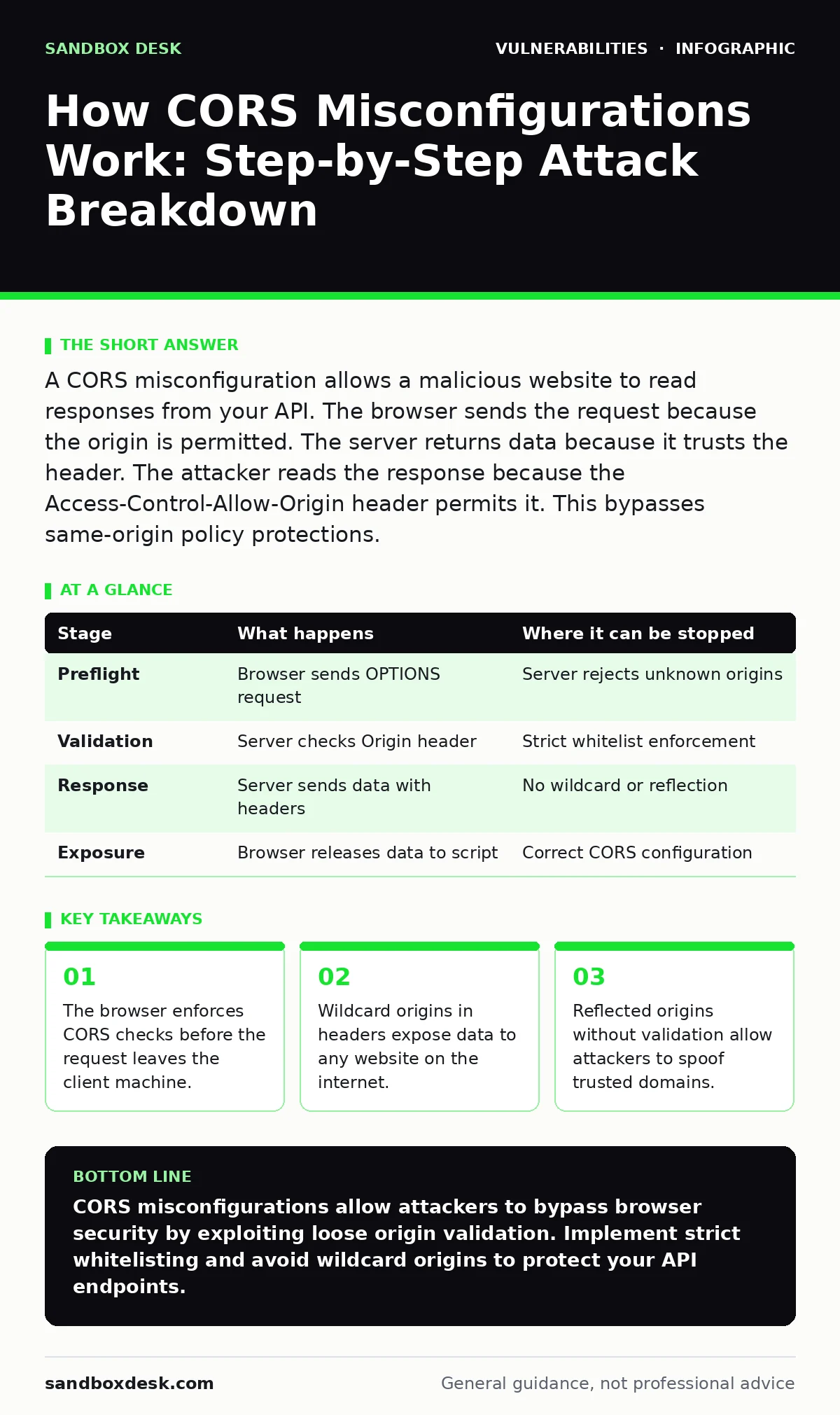
A CORS misconfiguration allows a malicious website to read responses from your API. The browser sends the request because the origin is permitted. The server returns data because it trusts the header. The attacker reads the response because the Access-Control-Allow-Origin header permits it. This bypasses same-origin policy protections.
The Same-Origin Policy Foundation
Browsers enforce a strict same-origin policy to isolate web applications. This policy prevents a script from one domain from reading data from another domain. Cross-Origin Resource Sharing provides a controlled exception to this rule. Web servers must explicitly grant permission for cross-origin requests. The mechanism relies on HTTP headers to negotiate access rights. Without these headers, the browser blocks the response from reaching the client-side code.
The protection exists at the browser level, not the server level. The server receives every request regardless of origin. The browser decides whether to expose the response to the requesting script. This distinction creates a unique attack surface. Attackers do not need to bypass server authentication. They only need to convince the browser to release the data. The server remains unaware of the unauthorized access attempt.
Stage 1: The Preflight Request
Complex requests require a preflight check before the actual request. The browser sends an OPTIONS request to the target server. This request includes headers indicating the intended method and origin. The server must respond with specific CORS headers to approve the request. If the server does not respond correctly, the browser aborts the operation. The actual data request never occurs.
This stage is the first line of defense. It allows the server to reject unsafe methods or origins. A misconfiguration here allows any origin to proceed. The attacker observes the OPTIONS response to determine if the endpoint is vulnerable. If the server returns a wildcard origin, the attacker knows the next steps will succeed. The preflight request reveals the server’s security posture without exposing sensitive data.
Stage 2: Origin Validation Failure
The server evaluates the Origin header sent by the browser. This header identifies the domain making the request. The server must compare this origin against a whitelist of allowed domains. A common error is using a wildcard asterisk in the Access-Control-Allow-Origin header. This setting permits any domain to access the resource. Another error is reflecting the received origin back to the client. This allows an attacker to inject their own domain name into the response.
Imagine a server that reflects any origin it receives. An attacker sends a request from their malicious site. The server sees the malicious origin and includes it in the response header. The browser trusts the server’s explicit permission. It assumes the server validated the origin. The attacker gains access to the response body. This flaw bypasses the intended security boundary.
| Stage | What happens | Where it can be stopped |
|---|---|---|
| Preflight | Browser sends OPTIONS request | Server rejects unknown origins |
| Validation | Server checks Origin header | Strict whitelist enforcement |
| Response | Server sends data with headers | No wildcard or reflection |
| Exposure | Browser releases data to script | Correct CORS configuration |
Stage 3: Credential Inclusion Risks
Many APIs require authentication via cookies or HTTP headers. Browsers do not send credentials in cross-origin requests by default. The server must explicitly allow credentials using the Access-Control-Allow-Credentials header. When this header is set to true, the browser includes cookies with the request. This combination creates a high-risk scenario. The attacker can access authenticated data if the origin check fails.
The risk increases when the server allows credentials with a wildcard origin. This configuration is technically invalid but often implemented incorrectly. Browsers may still process the request depending on the implementation. Attackers exploit this to steal session tokens. They can then impersonate the victim user. The server sees the request as legitimate because the credentials are valid. The browser exposes the response because the headers permit it.
Stage 4: The Malicious Request
The attacker’s website contains a script that initiates the request. This script targets the vulnerable API endpoint. The browser sends the request to the server. The server processes the request and generates a response. The response includes the sensitive data. The server also includes the CORS headers in the response. These headers tell the browser whether to allow the script to read the data.
The attacker does not need to intercept the traffic. The data flows directly from the server to the attacker’s browser. The browser acts as a proxy that validates the security headers. If the headers permit access, the browser makes the response available to the script. The script can then extract the data. It can send the data to the attacker’s server. The victim user may not notice any unusual activity.
See also: Apache Struts Vulnerability Prevention Checklist for Secure Deployments · SEO Poisoning Mistakes That Compromise Your Site Authority
Stage 5: Data Extraction and Exfiltration
Once the browser releases the response, the attacker’s script can read it. The script parses the JSON or XML data. It extracts the sensitive information. This might include personal details, financial records, or API tokens. The script then sends this data to a remote server controlled by the attacker. The exfiltration happens silently in the background. The victim user continues browsing without interruption.
The success of this stage depends entirely on the previous steps. If the CORS policy is strict, the browser blocks the data. The script receives an error or no data. The attacker cannot proceed. If the policy is loose, the data flows freely. The attacker can automate this process to target many users. The scale of the breach depends on the number of victims who visit the malicious site.
Stage 6: Server-Side Blind Spots
The server logs the request as a normal API call. It sees the valid credentials and the correct origin header. The origin header matches the allowed list or is reflected. The server has no way to know the request came from a malicious page. It trusts the browser to enforce the security policy. This trust is the core of the CORS model. It also creates a blind spot for server-side monitoring.
Traditional intrusion detection systems may not flag this activity. The traffic looks legitimate. The request succeeds. The response is valid. The only anomaly is the source of the request. Server logs do not capture the context of the web page making the request. They only record the HTTP headers. This limitation makes detection difficult. You must rely on client-side security measures.
Mitigation Strategies for Developers
Preventing CORS misconfigurations requires strict header management. Define a precise list of allowed origins. Do not use wildcards unless the data is public. Validate the Origin header against this list on the server. Reject requests from unknown origins. This validation must happen before generating the response.
Implement the Access-Control-Allow-Credentials header carefully. Only enable it when necessary. Ensure that the allowed origin is specific and not a wildcard. Test your CORS configuration with automated tools. Vulnerability scanning can help identify misconfigured endpoints. Regular reviews of API security settings are necessary.
Consider the interaction with other security mechanisms. Cross-site WebSocket hijacking presents similar risks for real-time connections. WebSocket vulnerabilities often stem from weak origin checks. Hardening a WordPress site or other platforms requires careful attention to these headers. Default credentials in API management tools can also expose configuration settings. Change management for security patches ensures that updates do not introduce new CORS flaws. PHP application vulnerabilities often include improper header handling. Null pointer dereference bugs are less relevant here but highlight the need for robust input validation.
The Hidden Cost of Flexibility
Developers often misconfigure CORS to avoid debugging errors. A loose policy makes integration easier during development. It allows quick testing with local servers. This convenience carries a hidden cost. The security boundary erodes when origins are not strictly validated. The ease of access benefits attackers as much as developers.
The trade-off is between flexibility and security. Strict policies require more configuration effort. They may break legitimate third-party integrations if not managed correctly. However, the risk of data exposure outweighs the convenience. You must balance usability with security requirements. Document your allowed origins clearly. Review them periodically to ensure they remain necessary.
Interrupting the Attack Chain
The attack chain can be interrupted at multiple stages. The preflight request is the first opportunity. Rejecting unknown origins here stops most attacks. The origin validation stage is the second opportunity. Strict whitelisting prevents reflection attacks. The credential inclusion stage is the third opportunity. Disabling credentials for public endpoints reduces risk.
You cannot stop the request from being sent. The browser will send it regardless of the CORS policy. You can only control whether the response is exposed. This limitation means server-side validation is insufficient. You must rely on correct header configuration. Automated testing helps catch misconfigurations early. Manual reviews provide an additional layer of assurance.
Key takeaways
- The browser enforces CORS checks before the request leaves the client machine.
- Wildcard origins in headers expose data to any website on the internet.
- Reflected origins without validation allow attackers to spoof trusted domains.
- Credentials are often sent automatically if the server permits cross-origin cookies.
CORS misconfigurations allow attackers to bypass browser security by exploiting loose origin validation. Implement strict whitelisting and avoid wildcard origins to protect your API endpoints.
Frequently asked questions
Does CORS protect against all cross-site attacks?
No, CORS only controls data access from other domains. It does not prevent injection or other client-side vulnerabilities.
Can I use wildcards for public APIs?
Yes, if the data is truly public and does not require authentication. Never use wildcards with credentials.
How do I know if my CORS policy is secure?
Review your allowed origins list. Ensure no wildcards or reflection logic exists. Test with automated security tools.
Does HTTPS fix CORS misconfigurations?
No, HTTPS encrypts the traffic but does not enforce origin validation. CORS headers must still be configured correctly.
How this guide was produced: written by the Sandbox Desk editorial team with AI assistance, checked against the public references listed below, and reviewed when the facts change. See our editorial policy or report an error.