How Vulnerability Scanning Works: The Hidden Mechanics and Limits
Scanners identify known flaws by matching signatures and behavior, but they cannot see logic errors or missing security controls in custom code.

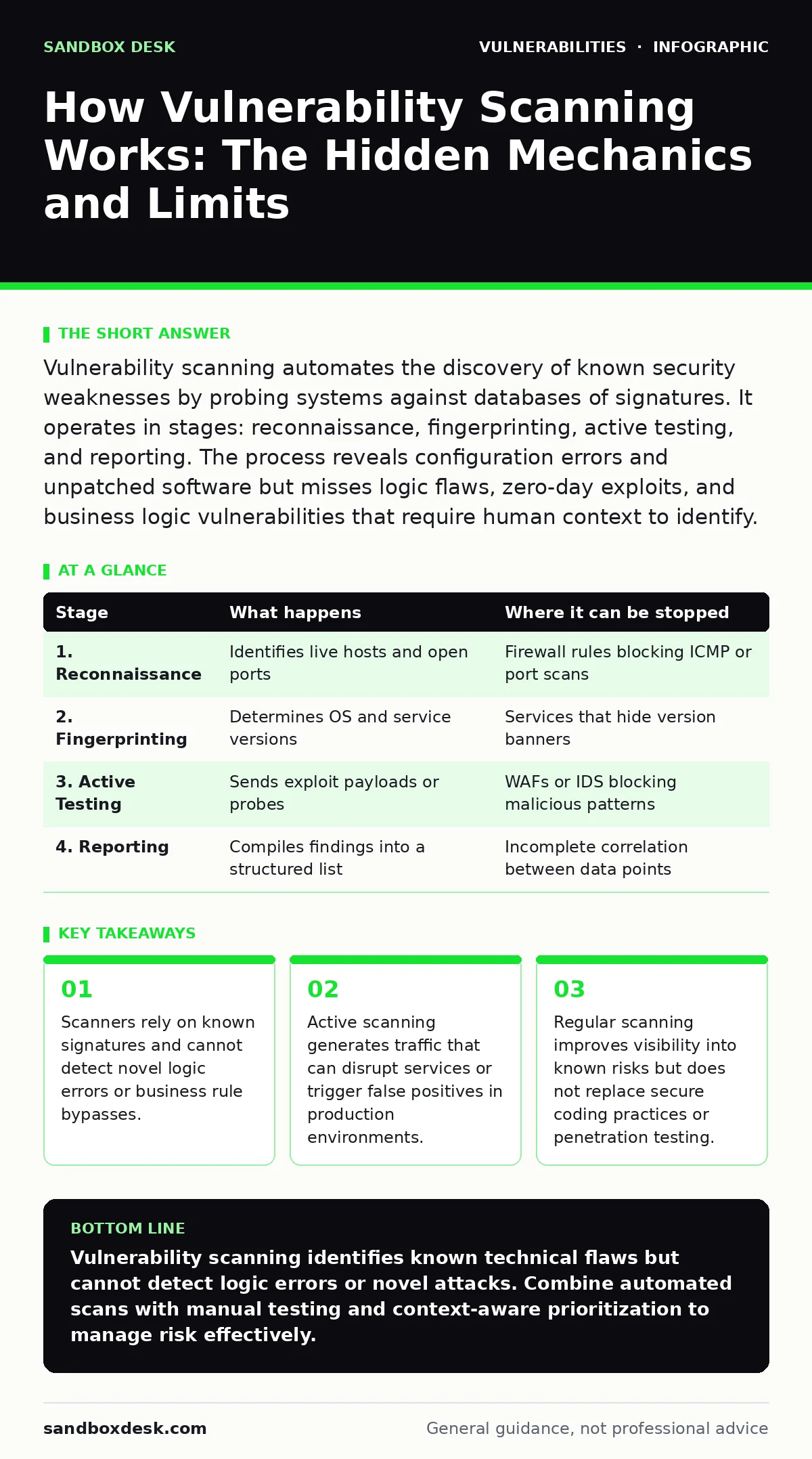
Vulnerability scanning automates the discovery of known security weaknesses by probing systems against databases of signatures. It operates in stages: reconnaissance, fingerprinting, active testing, and reporting. The process reveals configuration errors and unpatched software but misses logic flaws, zero-day exploits, and business logic vulnerabilities that require human context to identify.
The Core Mechanism of Automated Discovery
Vulnerability scanning works by comparing the target system’s characteristics against a database of known weaknesses. The scanner acts as an automated auditor, sending specific requests and analyzing responses to identify mismatches. This process relies on the assumption that known vulnerabilities exist in the software or configuration. The scanner does not understand the application’s intent; it only recognizes patterns that match previously documented flaws.
The mechanism separates into distinct phases. Each phase adds detail to the picture of the target. Early phases gather passive information, while later phases actively interact with the system. This separation allows operators to control the level of intrusion. Passive methods risk little disruption, while active methods provide higher confidence in findings but carry operational risk. Understanding these phases helps you interpret results and manage the impact on your infrastructure.
Stage 1: Reconnaissance and Asset Discovery
The scanner first identifies what exists on the network. It discovers live hosts, open ports, and running services. This step maps the attack surface. Without accurate asset discovery, the scanner cannot test the right targets. The process often uses standard network protocols to ping hosts or scan port ranges. It records which ports accept connections and which services respond. This data forms the foundation for all subsequent testing. Missing an asset here means missing its vulnerabilities.
| Stage | What happens | Where it can be stopped |
|---|---|---|
| 1. Reconnaissance | Identifies live hosts and open ports | Firewall rules blocking ICMP or port scans |
| 2. Fingerprinting | Determines OS and service versions | Services that hide version banners |
| 3. Active Testing | Sends exploit payloads or probes | WAFs or IDS blocking malicious patterns |
| 4. Reporting | Compiles findings into a structured list | Incomplete correlation between data points |
Stage 2: Service Fingerprinting and Version Detection
Once the scanner knows what services are running, it attempts to identify their exact versions. It sends crafted requests that elicit unique responses from specific software builds. The scanner compares these responses against its signature database. Accurate version detection is critical. A generic web server response might match multiple versions, leading to uncertainty. The scanner may use multiple probes to narrow down the version. This stage determines which known vulnerabilities are theoretically applicable to the target.
Stage 3: Active Vulnerability Testing
The scanner sends specific probes to verify if a potential vulnerability exists. These probes mimic the steps an attacker would take to exploit the flaw, but they often stop before full exploitation. The scanner looks for specific error messages, unexpected behavior, or successful authentication bypasses. This stage is the most intrusive. It generates traffic that resembles attacks. Systems with strict security controls may block this traffic, leading to false negatives. The scanner records any positive response as a confirmed vulnerability.
Stage 4: Result Correlation and Reporting
The scanner compiles all findings into a structured report. It correlates the detected vulnerabilities with severity scores and remediation advice. This stage filters out noise and prioritizes findings. The report includes details like the affected component, the vulnerability identifier, and the potential impact. It does not provide context about the business value of the asset. A high-severity finding on an isolated test server is less urgent than a low-severity finding on a public-facing payment processor. Human judgment is required to prioritize remediation.
The Hidden Costs of Automated Scanning
Vulnerability scanning introduces operational overhead that many teams underestimate. The scanner consumes network bandwidth and server resources. High-frequency scanning can degrade performance for legitimate users. More significantly, scanners generate false positives. These are findings that appear vulnerable but are not exploitable in the current context. Investigating false positives wastes time and erodes trust in the tool. Teams often ignore alerts after repeated false alarms, creating a dangerous blind spot.
The scanner cannot distinguish between a vulnerable configuration and a vulnerable implementation. It sees the same signature in a test environment and a production database. It reports both as critical. This lack of context forces security teams to manually verify every finding. The manual verification process is slow and error-prone. It becomes a bottleneck in the remediation cycle.
Limits of Signature-Based Detection
Scanners are limited by their knowledge base. They can only find vulnerabilities that have been documented and added to their signature database. New vulnerabilities, known as zero-day exploits, are invisible to scanners until a signature is released. This creates a window of exposure where systems are vulnerable but appear secure. The scanner provides a false sense of security during this window.
Logic flaws are another major blind spot. A scanner cannot understand business logic. It cannot detect that a user can bypass payment steps by manipulating the order of API calls. It cannot see that an admin function is accessible if the user changes their role ID in the URL. These flaws require human reasoning to identify. Relying solely on automated scanning leaves these critical risks unaddressed.
Integrating Scanning into the Development Cycle
Effective vulnerability management requires integrating scanning into the secure software development lifecycle. Waiting until production to scan is too late. Fixing vulnerabilities early in development is cheaper and less disruptive. Developers should run lightweight scans during the build process. These scans check for common coding errors and insecure dependencies.
Regular scanning of staging environments provides a safety net before deployment. It catches configuration errors and unpatched libraries. However, scanning alone is not enough. Teams must also address weak password policies and default credentials, which are common sources of compromise. Scanners can detect these issues, but fixing them requires policy changes, not just technical patches.
Interpreting Severity and Prioritization
Not all vulnerabilities are equal. Severity scores help prioritize remediation efforts, but they lack context. A CVSS score provides a standardized measure of exploitability and impact. It does not consider the asset’s exposure or the organization’s risk tolerance. A high score on an internal tool with no external access is less urgent than a moderate score on a public API.
Security teams should cross-reference scanner findings with security bulletins and the National Vulnerability Database. This provides additional context about the vulnerability’s prevalence and exploit availability. Prioritization should also consider the difficulty of exploitation. Vulnerabilities that require user interaction are less urgent than those that allow remote code execution without authentication.
See also: Compensating Controls Explained: How to Secure Systems When Patches Fail · Security Culture Survey: How to Measure Behavior and Fix It
The Role of Human Expertise
Automated scanning is a tool, not a solution. It provides data, not decisions. Human experts are needed to interpret results, validate findings, and prioritize remediation. Penetration testing complements scanning by actively attempting to exploit vulnerabilities. It tests the effectiveness of security controls and identifies logic flaws that scanners miss.
Teams should also consider specific attack vectors like NoSQL injection or cross-site WebSocket hijacking, which may not be fully covered by standard scans. These require specialized testing configurations. Combining automated scanning with manual testing provides a more complete view of security posture. This layered approach reduces the risk of missing critical vulnerabilities.
Key takeaways
- Scanners rely on known signatures and cannot detect novel logic errors or business rule bypasses.
- Active scanning generates traffic that can disrupt services or trigger false positives in production environments.
- Regular scanning improves visibility into known risks but does not replace secure coding practices or penetration testing.
Vulnerability scanning identifies known technical flaws but cannot detect logic errors or novel attacks. Combine automated scans with manual testing and context-aware prioritization to manage risk effectively.
Frequently asked questions
Can vulnerability scanners find zero-day exploits?
No, scanners rely on known signatures. They cannot detect vulnerabilities that have not been publicly disclosed or added to their database.
How do I reduce false positives from scanning?
Validate findings manually, tune scanner configurations to your environment, and exclude non-critical assets from frequent scans.
Is scanning enough for application security?
No, scanning misses logic flaws and business rule violations. Combine it with code reviews, penetration testing, and secure coding practices.
How often should I run vulnerability scans?
Run scans regularly, ideally after every code change or configuration update, and at least monthly for production environments.
How this guide was produced: written by the Sandbox Desk editorial team with AI assistance, checked against the public references listed below, and reviewed when the facts change. See our editorial policy or report an error.