Patching Change Management: 6 Misconceptions That Break Security
Treating security patches as routine updates ignores the systemic risk they introduce to your application’s stability and availability.

Change management for patches is not just about speed or approval forms. It requires testing compatibility, understanding dependency conflicts, and planning rollbacks. Misunderstanding these mechanics leads to outages that expose systems longer than the original vulnerability would have.
Misreading: Change management is only about speed
Correct reading: Change management balances risk reduction against system stability. Applying patches immediately without verification can introduce instability that exceeds the original threat. You must assess the severity of the vulnerability using a CVSS score to determine urgency. High-severity issues require faster action, but speed without testing creates new entry points for attackers. A rushed patch may break critical dependencies, leaving your system in a broken state that is easier to exploit than the original flaw.
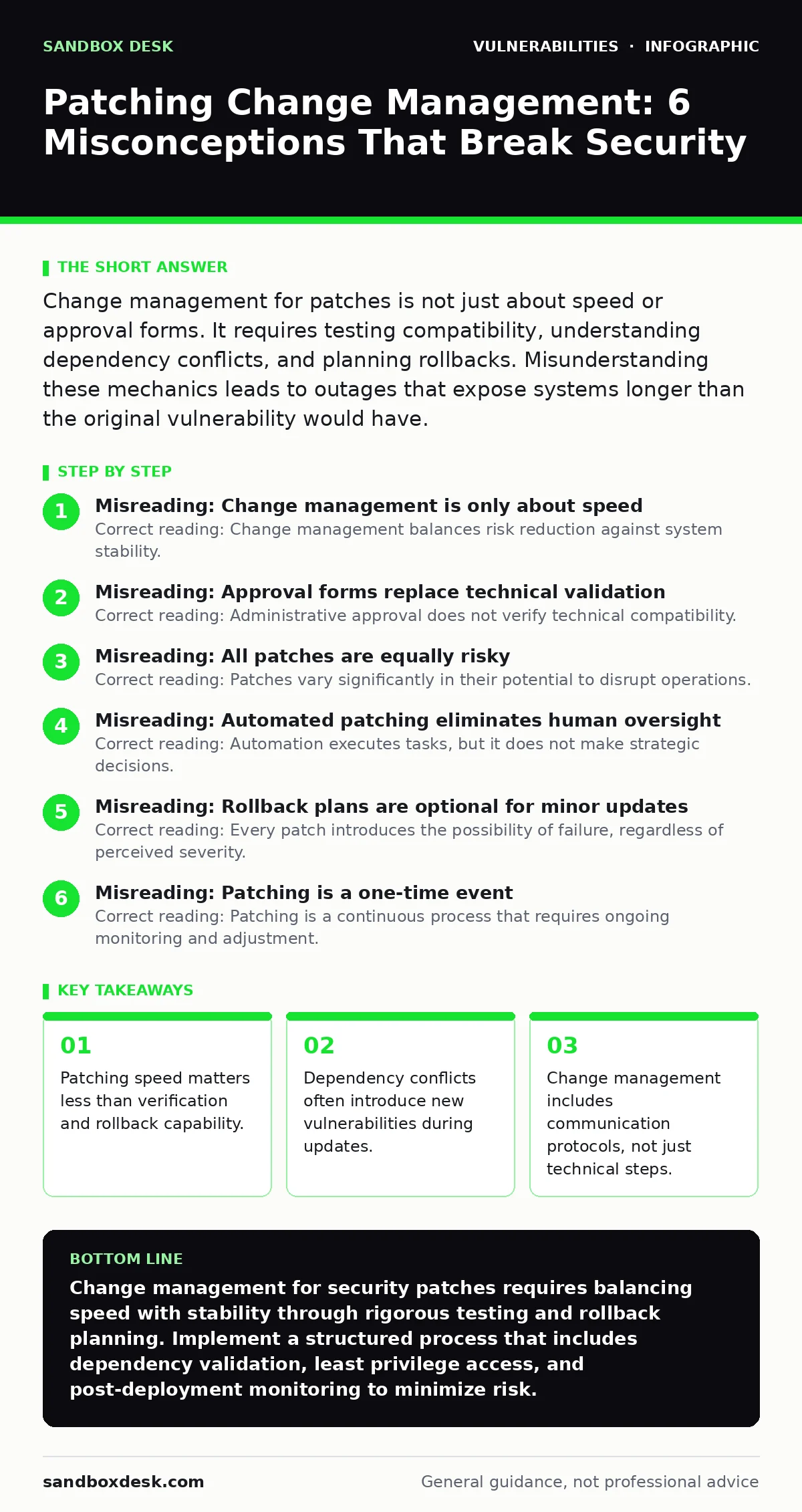
Misreading: Approval forms replace technical validation
Correct reading: Administrative approval does not verify technical compatibility. A signed form confirms that someone reviewed the request, but it does not test whether the patch conflicts with existing code. You need automated testing pipelines that validate patches in staging environments before production deployment. This technical validation ensures the patch functions as intended without breaking other components. Relying solely on human approval ignores the complexity of modern software dependencies and increases the likelihood of deployment failures.
Misreading: All patches are equally risky
Correct reading: Patches vary significantly in their potential to disrupt operations. Some patches update core libraries that affect many applications, while others fix isolated functions. You must categorize patches by their scope and impact. Critical infrastructure components require more rigorous testing than peripheral services. Understanding the dependency tree of your application helps you identify which patches carry higher risks. This differentiation allows you to allocate testing resources efficiently and prioritize stability for high-impact components.
Misreading: Automated patching eliminates human oversight
Correct reading: Automation executes tasks, but it does not make strategic decisions. Automated systems can apply patches quickly, but they cannot assess business context or unexpected side effects. You must design automation with guardrails that pause deployment if anomalies are detected. Human oversight is required to interpret test results and decide whether to proceed. Without this oversight, automated patching can propagate errors across multiple systems simultaneously, creating widespread outages that are difficult to isolate and resolve.
Misreading: Rollback plans are optional for minor updates
Correct reading: Every patch introduces the possibility of failure, regardless of perceived severity. A minor update may conflict with a recently deployed feature, causing unexpected behavior. You must maintain rollback capabilities for all changes, not just major releases. This includes having previous versions of software readily available and tested. Rollback plans reduce the time required to restore service if a patch fails. Treating minor updates as low-risk without rollback plans leaves you vulnerable to prolonged downtime when conflicts arise.
Misreading: Patching is a one-time event
Correct reading: Patching is a continuous process that requires ongoing monitoring and adjustment. New vulnerabilities emerge regularly, and patches may need updating as dependencies evolve. You must integrate patch management into your secure software development lifecycle to ensure continuous security. This includes regular vulnerability scanning to identify new threats and assess the effectiveness of applied patches. Continuous monitoring allows you to detect issues early and adjust your patching strategy as your environment changes.
Misreading: Security patches do not affect availability
Correct reading: Security patches often modify system behavior, which can impact availability. A patch that restricts access to protect against unauthorized use may inadvertently block legitimate users or services. You must evaluate the potential impact on availability before deployment. This includes testing with representative workloads to ensure performance remains acceptable. Ignoring availability impacts can lead to service disruptions that affect users and damage trust. Balancing security and availability requires careful planning and testing.
Misreading: External tools replace internal processes
Correct reading: External tools provide data, but they do not replace internal decision-making. Vulnerability scanning tools identify potential issues, but they do not determine the appropriate response. You must use the National Vulnerability Database to understand the context of each vulnerability. This context helps you prioritize patches based on your specific environment and risk tolerance. Relying solely on external tools without internal analysis can lead to misprioritization and resource waste. Internal processes must interpret external data to make informed decisions.
Misreading: Change management ends after deployment
Correct reading: Change management continues after deployment to ensure long-term stability. You must monitor systems for unexpected issues that may arise days or weeks after patching. This includes reviewing logs and performance metrics to detect anomalies. Post-deployment monitoring allows you to identify and address issues before they become critical. It also provides data to improve future patching processes. Ignoring post-deployment monitoring leaves you blind to emerging problems and reduces the effectiveness of your security efforts.
Misreading: Least privilege access is irrelevant during patching
Correct reading: Patching processes must adhere to least privilege access principles. Granting excessive permissions for patch deployment increases the risk of accidental or malicious changes. You must restrict access to only what is necessary for the task. This includes using temporary credentials that expire after deployment. Adhering to least privilege access reduces the attack surface during the patching process. It also limits the potential damage if credentials are compromised. Integrating least privilege access into patch management strengthens overall security posture.
Misreading: Patching does not require communication
Correct reading: Effective patching requires clear communication with all stakeholders. Users need to be informed about potential downtime or changes in system behavior. Developers need to understand the impact of patches on their code. Operations teams need to coordinate deployment schedules. Clear communication reduces confusion and resistance to change. It also ensures that everyone is prepared for the patching process. Ignoring communication can lead to misalignment and inefficiencies that delay deployment and increase risk.
Misreading: Hardening a WordPress site is different from general patching
Correct reading: The principles of patching apply to all software, including content management systems. Hardening a WordPress site involves regular updates and security configurations, but it follows the same change management principles. You must test updates for compatibility with plugins and themes. You must plan for rollbacks if updates cause issues. You must communicate with users about potential downtime. Treating WordPress patching as separate from general patching creates inconsistencies and increases risk. Applying consistent change management practices across all software ensures uniform security standards.
Misreading: Cross-site WebSocket hijacking is unrelated to patching
Correct reading: Patches often address vulnerabilities like cross-site WebSocket hijacking, which requires careful change management. This vulnerability allows attackers to hijack WebSocket connections, potentially accessing sensitive data. Patching this vulnerability may require changes to authentication mechanisms or session management. You must test these changes thoroughly to ensure they do not break legitimate connections. Understanding the specific vulnerability being patched helps you tailor your testing and communication strategies. Ignoring the nature of the vulnerability can lead to inadequate testing and deployment failures.
Misreading: Change management is a security team responsibility
Correct reading: Change management requires collaboration across multiple teams. Security teams identify vulnerabilities, but development teams implement patches. Operations teams deploy and monitor changes. IT teams manage infrastructure dependencies. Clear roles and responsibilities ensure that all aspects of change management are addressed. Siloed efforts lead to gaps in testing, deployment, and monitoring. Collaborative change management ensures that all perspectives are considered and that risks are mitigated effectively.
Misreading: Documentation is unnecessary for routine patches
Correct reading: Documentation provides a record of decisions and actions taken during patching. It helps identify patterns and improve future processes. You must document the rationale for each patch, the testing performed, and the results. This documentation is critical for audits and incident response. It also provides knowledge transfer for team members. Ignoring documentation creates knowledge silos and makes it difficult to troubleshoot issues. Consistent documentation ensures transparency and accountability in change management.
Misreading: Patching frequency is determined by vendor schedules
Correct reading: Your patching frequency should be based on your risk assessment and operational needs. Vendor schedules provide guidance, but they do not account for your specific environment. You must evaluate the severity of vulnerabilities and the impact on your systems. This allows you to prioritize patches based on your unique risk profile. Aligning patching frequency with vendor schedules without consideration of your environment can lead to either excessive risk or unnecessary downtime. Customizing your patching strategy ensures optimal security and stability.
Key takeaways
- Patching speed matters less than verification and rollback capability.
- Dependency conflicts often introduce new vulnerabilities during updates.
- Change management includes communication protocols, not just technical steps.
- Automated patching without testing creates silent failures in production.
Change management for security patches requires balancing speed with stability through rigorous testing and rollback planning. Implement a structured process that includes dependency validation, least privilege access, and post-deployment monitoring to minimize risk.
Frequently asked questions
How do I prioritize patches when multiple vulnerabilities are discovered?
Use a CVSS score to assess severity, then evaluate the impact on your specific environment. Prioritize patches that address critical vulnerabilities with high potential for exploitation in your context.
What is the role of vulnerability scanning in change management?
Vulnerability scanning identifies potential issues, but change management determines the appropriate response. Scanning provides data, while change management executes the mitigation strategy.
How often should I review my patching process?
Review your process after each major deployment and periodically to incorporate lessons learned. Regular reviews ensure that your process adapts to changing risks and technologies.
Can automated patching replace manual testing?
No, automated patching can execute tasks, but manual testing is required to assess business context and unexpected side effects. Automation should support, not replace, human oversight.
How this guide was produced: written by the Sandbox Desk editorial team with AI assistance, checked against the public references listed below, and reviewed when the facts change. See our editorial policy or report an error.