PHP Application Vulnerabilities Prevention Checklist
Most PHP application failures stem from configuration defaults and implicit type handling rather than complex logic errors in custom code.
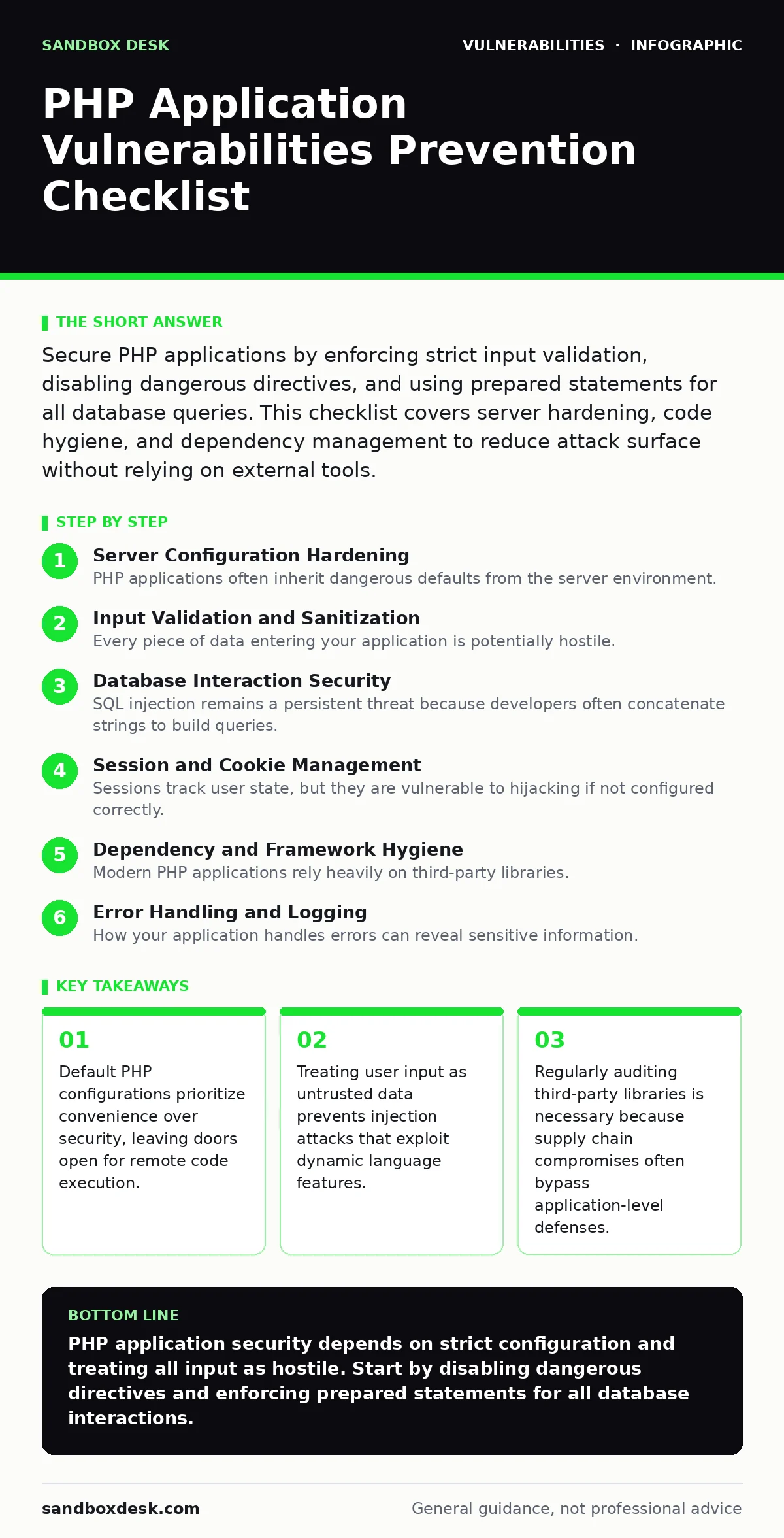
Secure PHP applications by enforcing strict input validation, disabling dangerous directives, and using prepared statements for all database queries. This checklist covers server hardening, code hygiene, and dependency management to reduce attack surface without relying on external tools.
Server Configuration Hardening
PHP applications often inherit dangerous defaults from the server environment. You must adjust these settings before deploying code. The configuration file controls how the interpreter handles requests, errors, and external data. Misconfigurations here allow attackers to bypass application logic entirely.
- Disable
register_globals: This prevents variables from being automatically created from request data, stopping attackers from overwriting internal state. - Set
display_errorstoOff: Error messages reveal file paths and code structure, giving attackers a map of your application internals. - Restrict
open_basedir: This limits file operations to specific directories, preventing attackers from accessing sensitive system files outside the web root. - Disable
allow_url_include: This stops the application from loading remote files, blocking a common vector for remote code execution via malicious URLs.
Input Validation and Sanitization
Every piece of data entering your application is potentially hostile. You must validate data against a strict whitelist of acceptable formats. Sanitization removes unwanted characters, but validation ensures the data structure is correct. Relying on one without the other creates gaps that attackers can exploit.
- Validate input types explicitly: Use strict type checking to ensure integers are integers and strings are strings, preventing type juggling attacks.
- Sanitize output for HTML contexts: Encode special characters before rendering user data to prevent cross-site scripting, which executes malicious scripts in other users' browsers.
- Reject unexpected file extensions: When handling uploads, verify the file header bytes rather than relying on the file extension, which users can easily spoof.
- Limit input length strictly: Define maximum lengths for all text fields to prevent buffer overflow issues and reduce the processing load of malformed data.
Database Interaction Security
SQL injection remains a persistent threat because developers often concatenate strings to build queries. You must separate code from data. Prepared statements with parameterized queries ensure that the database engine treats user input as literal values, not as executable commands. This distinction stops attackers from altering query logic.
- Use prepared statements exclusively: Never concatenate user input into SQL strings, as this allows attackers to inject arbitrary commands into the database engine.
- Apply least privilege to database users: The application account should only have permissions to read and write specific tables, preventing an attacker from dropping databases or modifying users.
- Escape identifiers carefully: Table and column names must be whitelisted, not interpolated from user input, to prevent injection via meta-characters in identifiers.
- Log failed query attempts: Record and monitor unusual query patterns to detect automated scanning tools that probe for injection vulnerabilities.
Session and Cookie Management
Sessions track user state, but they are vulnerable to hijacking if not configured correctly. You must secure the transmission and storage of session identifiers. Cookies should be marked with flags that restrict how browsers handle them. Without these flags, attackers can steal session tokens via cross-site scripting or network sniffing.
- Set
HttpOnlyflag on cookies: This prevents JavaScript from accessing the cookie, reducing the impact of cross-site scripting attacks that attempt to steal session tokens. - Enable
Secureflag on cookies: This ensures cookies are only transmitted over HTTPS, preventing interception by attackers on the same network. - Regenerate session IDs after login: This prevents session fixation attacks, where an attacker sets a known session ID and waits for the user to authenticate with it.
- Implement session timeouts: Automatically expire inactive sessions to limit the window of opportunity for an attacker who has stolen a valid session token.
Dependency and Framework Hygiene
Modern PHP applications rely heavily on third-party libraries. You must treat these dependencies as part of your attack surface. A vulnerability in a library can compromise your entire application, regardless of how secure your own code is. Keeping dependencies updated is a continuous process, not a one-time task.
- Audit dependencies regularly: Use automated tools to scan for known vulnerabilities in your library versions, referencing the National Vulnerability Database for current threat data.
- Pin library versions: Avoid using floating version constraints that might pull in untested or vulnerable updates during deployment.
- Remove unused dependencies: Every library you include adds potential attack vectors. Remove any package that is not actively used in your codebase.
- Monitor security bulletins: Subscribe to notifications for critical libraries to receive immediate alerts when new vulnerabilities are disclosed.
Error Handling and Logging
How your application handles errors can reveal sensitive information. You must implement structured logging that records security events without exposing details to end users. Logs are your primary source for incident response, but they must be protected from tampering and unauthorized access.
- Log security events centrally: Store logs on a separate server or in a secure log management system to prevent attackers from deleting evidence of their intrusion.
- Avoid verbose error messages: Return generic error codes to users while logging detailed stack traces internally for debugging purposes.
- Monitor for unusual activity: Set up alerts for patterns that indicate automated attacks, such as rapid login failures or unusual API usage spikes.
- Rotate log files regularly: Ensure old logs are archived or deleted securely to prevent disk space issues and reduce the amount of data available in a breach.
Key takeaways
- Default PHP configurations prioritize convenience over security, leaving doors open for remote code execution.
- Treating user input as untrusted data prevents injection attacks that exploit dynamic language features.
- Regularly auditing third-party libraries is necessary because supply chain compromises often bypass application-level defenses.
PHP application security depends on strict configuration and treating all input as hostile. Start by disabling dangerous directives and enforcing prepared statements for all database interactions.
Frequently asked questions
How do I check for PHP vulnerabilities in my current project?
Run a static analysis tool on your codebase and scan your dependencies against the National Vulnerability Database for known issues.
Is it safe to use older PHP versions for legacy applications?
No, older versions lack security patches and modern features like improved type handling, making them inherently risky.
What is the biggest risk with third-party PHP libraries?
Supply chain attacks, where a maintainer compromises a popular library, can introduce backdoors into your application without your knowledge.
How often should I update my PHP dependencies?
Update dependencies immediately when security patches are released, and perform regular audits to catch new vulnerabilities.
How this guide was produced: written by the Sandbox Desk editorial team with AI assistance, checked against the public references listed below, and reviewed when the facts change. See our editorial policy or report an error.