SEO Poisoning Mistakes That Compromise Your Site Authority
Search engine optimization poisoning exploits trust signals to redirect users to malicious payloads, bypassing traditional perimeter defenses by leveraging the victim's own credibility.

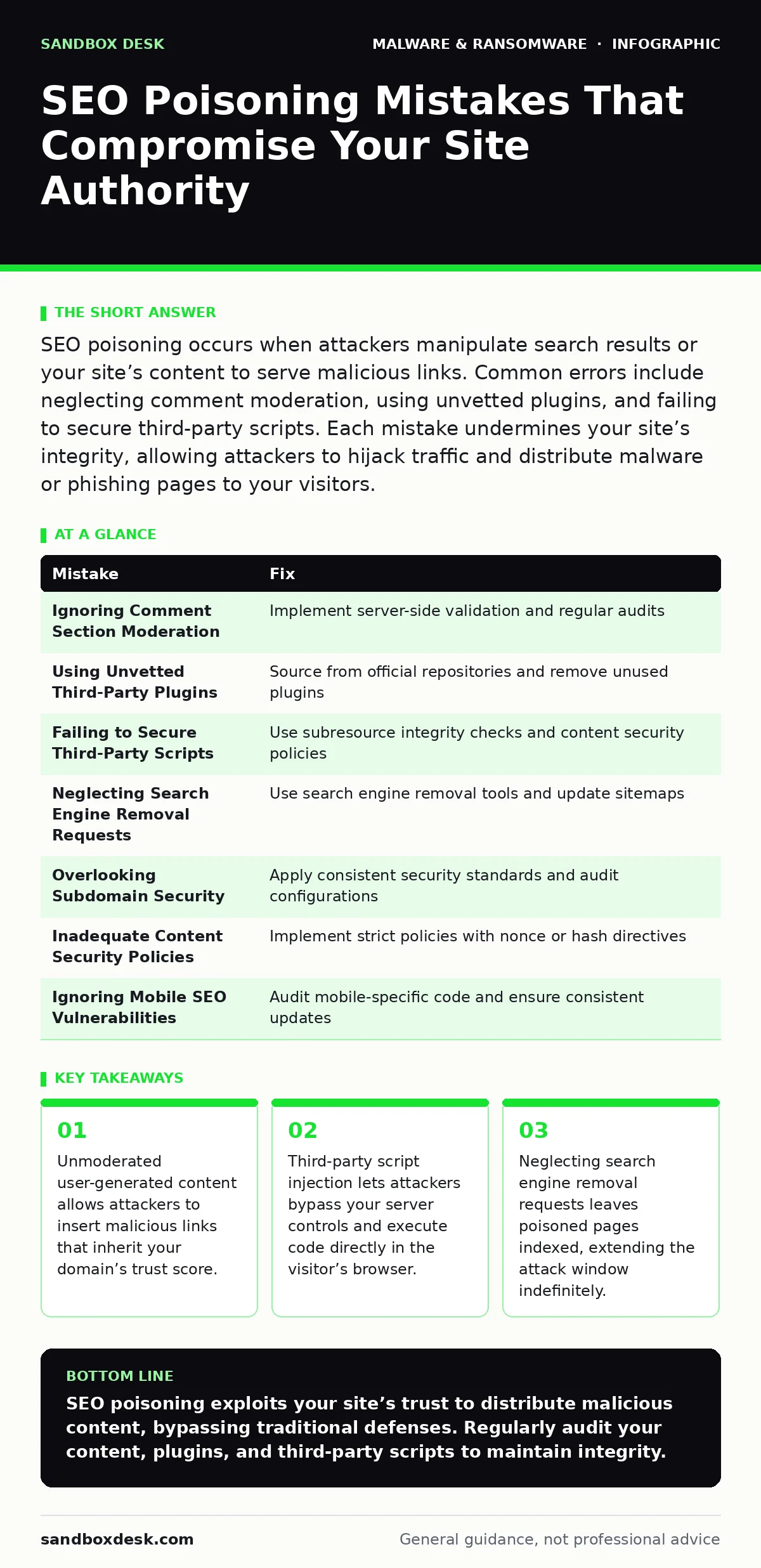
SEO poisoning occurs when attackers manipulate search results or your site’s content to serve malicious links. Common errors include neglecting comment moderation, using unvetted plugins, and failing to secure third-party scripts. Each mistake undermines your site’s integrity, allowing attackers to hijack traffic and distribute malware or phishing pages to your visitors.
Mistake 1: Ignoring Comment Section Moderation
Allowing anonymous comments without technical validation invites spam bots to post malicious URLs. These links appear legitimate because they reside on your trusted domain. Search engines crawl these pages and may index the malicious links, associating your authority with the attacker’s destination. The consequence is immediate: users clicking these results bypass their browser’s warning systems because the initial click originates from a reputable source. This technique, often called SEO poisoning, uses your reputation to lower the user’s guard.
Why it hurts:
The primary damage is reputational and technical. Your domain authority transfers to the malicious site, improving its search ranking. Users who click the link may encounter ransomware incident response scenarios if the destination hosts a payload. Even if the link leads only to a phishing page, your site becomes the vector. You lose control over the narrative, and search engines may penalize your ranking if they detect the association with spam. The trust you built with your audience erodes quickly when they encounter malware from your pages.
The fix:
Implement server-side validation for all user inputs. Use a web application firewall to filter known malicious patterns in URLs. Require user registration before commenting, adding friction for automated bots. Regularly audit comment sections for links to domains with poor reputations. Delete suspicious entries immediately. Configure your server to return a 410 Gone status for deleted pages, signaling to search engines that the content is permanently removed. This prevents the cached version from appearing in search results.
Mistake 2: Using Unvetted Third-Party Plugins
Installing plugins from unofficial repositories or outdated sources introduces hidden vulnerabilities. These plugins often contain backdoors or insecure code that attackers exploit. Once compromised, the plugin can modify your site’s content dynamically. Attackers inject malicious scripts that redirect users to harmful sites only under specific conditions, such as geographic location or browser type. This selective targeting makes detection difficult. The consequence is a silent takeover of your user experience.
Why it hurts:
The attack vector is invisible to standard content audits. The malicious code executes in the browser, not on your server’s static files. This means your server logs may show normal traffic while users receive poisoned content. The attacker can update the malicious payload remotely, keeping the attack active even if you patch the plugin. Your site becomes a distributor for command and control servers, facilitating further attacks on your visitors. The integrity of your application code is completely compromised.
The fix:
Source plugins only from official, verified repositories. Check the developer’s history and the plugin’s update frequency. Disable plugins that are no longer maintained. Regularly scan your codebase for unexpected changes using file integrity monitoring tools. Remove unused plugins entirely to reduce the attack surface. Implement a content security policy that restricts which domains can load scripts on your page. This limits the ability of injected code to communicate with external malicious servers.
Mistake 3: Failing to Secure Third-Party Scripts
Embedding scripts from external providers, such as analytics or advertising networks, expands your trust boundary. If the provider is compromised, or if the script is served from a shared domain, attackers can inject malicious code. This is known as a supply chain attack. The script executes with the privileges of your domain. Attackers can use this access to redirect users or steal session cookies. The consequence is that your security posture depends on the security of every third-party service you embed.
Why it hurts:
You have no direct control over the security of the third-party script. If the provider suffers a breach, your users are exposed. The malicious code can mimic legitimate behavior, evading behavior-based detection systems that look for anomalies. Users see a trusted domain in the address bar, reducing suspicion. The attack can persist even if you secure your own server, as the malicious payload originates externally. Your site becomes an unwitting participant in a broader attack campaign.
The fix:
Subresource integrity checks verify that the script loaded matches the expected hash. Add the integrity attribute to your script tags to ensure the content has not been tampered with. Use a content security policy to whitelist specific domains for script execution. Regularly review the security advisories of your third-party providers. Consider hosting critical scripts locally if possible, reducing reliance on external networks. Monitor network traffic for unexpected connections from your embedded scripts.
Mistake 4: Neglecting Search Engine Removal Requests
When you discover poisoned content, deleting the page from your server is insufficient. Search engines cache pages, and the cached version may remain accessible for days or weeks. Attackers rely on this delay to maximize exposure. If you do not request removal, the malicious link continues to appear in search results. The consequence is prolonged exposure of your users to threats. Your reputation suffers as users report issues, and search engines may downgrade your ranking due to the association with spam.
Why it hurts:
The cached page serves as a persistent threat vector. Users clicking the cached result bypass your server entirely, making it impossible for you to intervene. The search engine’s algorithm may still associate your domain with the malicious content, affecting your overall visibility. The longer the poisoned page remains indexed, the more damage it causes. Recovery becomes more complex, requiring additional steps to clear the cache and restore trust.
The fix:
Use the search engine’s removal tool to request immediate de-indexing of compromised pages. Submit a sitemap that excludes the affected URLs. Monitor search results regularly for unexpected listings. Implement a robots.txt directive to disallow crawling of sensitive directories. Once the page is removed, update your content to prevent recurrence. Communicate with your audience if necessary, explaining the incident and the steps taken. This transparency helps rebuild trust.
Mistake 5: Overlooking Subdomain Security
Subdomains are often managed separately from the main domain, leading to inconsistent security practices. Attackers target less secure subdomains to gain a foothold. Once compromised, a subdomain can be used to host malicious content or redirect users. Search engines may treat the subdomain as a separate entity, but users perceive it as part of your brand. The consequence is a breach of trust that extends to your primary domain. The attacker leverages the subdomain’s association with your brand to bypass user skepticism.
Why it hurts:
The attack exploits the psychological trust users place in your brand. Even if the main domain is secure, a compromised subdomain can serve malware or phishing pages. Search engines may index the subdomain separately, but the visual similarity confuses users. The attacker can use the subdomain to host command and control servers, hiding their infrastructure behind your reputation. This makes takedown efforts more difficult, as you must prove ownership and compromise.
The fix:
Apply the same security standards to all subdomains as you do to the main domain. Use wildcard certificates carefully, ensuring they do not expose unused subdomains. Regularly audit subdomain configurations and remove unnecessary ones. Implement DNS security extensions to prevent hijacking. Monitor subdomain traffic for anomalies. Ensure that all subdomains are included in your vulnerability scanning routine. Consistency in security posture prevents attackers from finding weak links.
See also: Data Scraping Meaning: How Automated Extraction Works and What It Costs · Malware Droppers and Loaders: Prevention Checklist for Secure Systems
Mistake 6: Inadequate Content Security Policies
A weak or missing content security policy allows attackers to inject malicious scripts into your pages. Without strict rules, the browser executes any script it encounters. Attackers exploit this by injecting code through cross-site scripting vulnerabilities. The injected code can redirect users to malicious sites or steal data. The consequence is that your site becomes a platform for drive-by downloads. Users visiting your site may inadvertently download malware droppers and loaders without interacting with any obvious malicious elements.
Why it hurts:
The attack vector is internal to the user’s browser. Traditional perimeter defenses cannot stop code that executes after the page loads. The malicious script can communicate with external servers, sending stolen data or receiving further instructions. This makes detection difficult, as the traffic appears to originate from a legitimate site. The user’s trust in your domain is exploited to bypass security warnings. Your site’s integrity is compromised without any change to your server files.
The fix:
Implement a strict content security policy that defines which sources are allowed to execute scripts. Use the nonce or hash directives to allow specific scripts while blocking others. Regularly update the policy to reflect changes in your site’s architecture. Test the policy in a reporting-only mode before enforcing it to avoid breaking functionality. Monitor violation reports to identify potential injection attempts. This proactive approach reduces the risk of cross-site scripting attacks.
Mistake 7: Ignoring Mobile SEO Vulnerabilities
Mobile sites often have different configurations than desktop sites, leading to security gaps. Attackers target mobile-specific vulnerabilities, such as insecure API endpoints or weak authentication mechanisms. The consequence is that mobile users are exposed to unique threats. Search engines prioritize mobile-friendly sites, making them high-value targets for SEO poisoning. Attackers know that mobile users are less likely to inspect the URL or security details, making them easier targets for phishing and malware distribution.
Why it hurts:
The mobile experience is often less scrutinized by security teams. Updates may be delayed, and security patches may not be applied consistently. Attackers exploit these delays to inject malicious content. The smaller screen size and different user behavior reduce the likelihood of detection. Users may click links without fully reading the context. The result is a higher rate of successful attacks on mobile devices. Your brand suffers as users associate your site with poor security practices.
The fix:
Treat your mobile site with the same security rigor as your desktop site. Regularly audit mobile-specific code and configurations. Ensure that mobile APIs are secured with strong authentication and encryption. Monitor mobile traffic for anomalies. Implement responsive design principles that do not compromise security. Test your mobile site for vulnerabilities using automated tools. Ensure that security updates are applied promptly to all platforms. Consistency across devices prevents attackers from exploiting platform-specific weaknesses.
| Mistake | Fix |
|---|---|
| Ignoring Comment Section Moderation | Implement server-side validation and regular audits |
| Using Unvetted Third-Party Plugins | Source from official repositories and remove unused plugins |
| Failing to Secure Third-Party Scripts | Use subresource integrity checks and content security policies |
| Neglecting Search Engine Removal Requests | Use search engine removal tools and update sitemaps |
| Overlooking Subdomain Security | Apply consistent security standards and audit configurations |
| Inadequate Content Security Policies | Implement strict policies with nonce or hash directives |
| Ignoring Mobile SEO Vulnerabilities | Audit mobile-specific code and ensure consistent updates |
Key takeaways
- Unmoderated user-generated content allows attackers to insert malicious links that inherit your domain’s trust score.
- Third-party script injection lets attackers bypass your server controls and execute code directly in the visitor’s browser.
- Neglecting search engine removal requests leaves poisoned pages indexed, extending the attack window indefinitely.
SEO poisoning exploits your site’s trust to distribute malicious content, bypassing traditional defenses. Regularly audit your content, plugins, and third-party scripts to maintain integrity.
Frequently asked questions
How do I know if my site is being used for SEO poisoning?
Monitor your search engine rankings for unexpected drops and check cached pages for malicious links. Review server logs for unusual traffic patterns and analyze user reports.
How long does it take to recover from an SEO poisoning attack?
Recovery time varies depending on the extent of the compromise. Removing malicious content, requesting search engine de-indexing, and restoring user trust can take days to weeks.
How this guide was produced: written by the Sandbox Desk editorial team with AI assistance, checked against the public references listed below, and reviewed when the facts change. See our editorial policy or report an error.