Whaling Attacks: Spotting the Subtle Signs That Bypass Filters
Executive impersonation attacks succeed not through technical flaws, but by exploiting the psychological pressure of urgency and hierarchy within your organization.

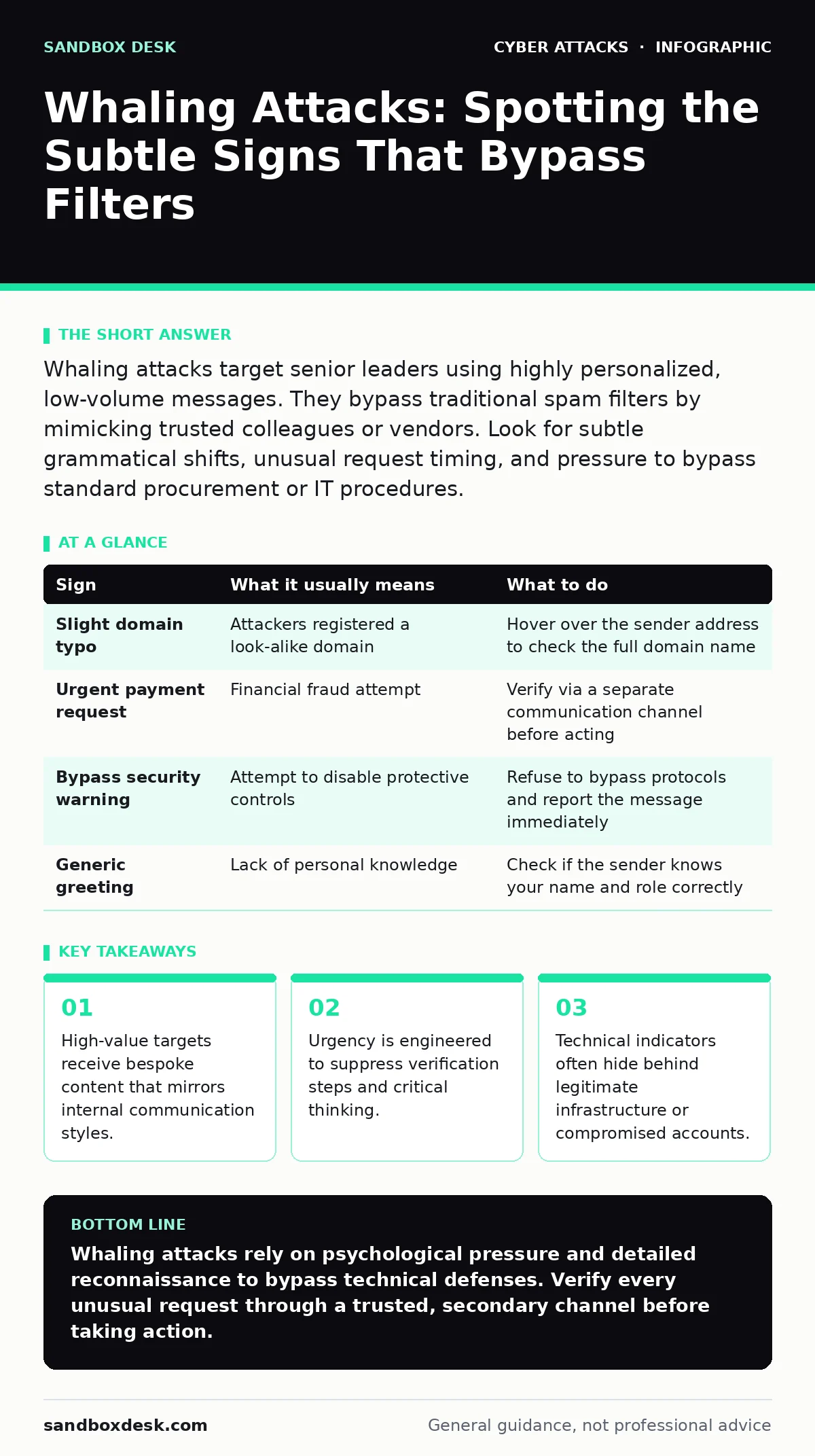
Whaling attacks target senior leaders using highly personalized, low-volume messages. They bypass traditional spam filters by mimicking trusted colleagues or vendors. Look for subtle grammatical shifts, unusual request timing, and pressure to bypass standard procurement or IT procedures.
The Illusion of Legitimacy
Whaling differs from standard phishing because it relies on reconnaissance rather than volume. An attacker studies your organization’s structure, recent projects, and public statements. They craft a message that feels like an extension of an existing conversation. You might see a request for a contract revision or a sensitive data export. The email arrives from an address that looks correct at a glance. It uses the right branding, the right tone, and the right context. This precision allows it to slip past automated filters designed for mass spam.
First Signs: The Visible Anomalies
Some indicators are obvious if you pause to check them. The sender’s email address may contain a slight misspelling of the domain name. The message might lack specific details that a real colleague would include, such as a project code or a reference to a recent meeting. Requests for immediate payment or data transfer are common. These demands create a sense of emergency that discourages verification. If a message asks you to ignore standard security protocols, it is a significant red flag. This pressure tactic is central to the attack’s success.
Hidden Signs: The Subtle Deviations
More sophisticated attacks hide their malicious intent in plain sight. The grammar might be perfect, but the vocabulary could feel slightly off. A CEO who rarely uses emojis might suddenly include one. A finance director who usually writes concise emails might send a verbose, emotional plea. These inconsistencies are hard to spot when you are reading quickly. The attacker studies your writing style to mimic it, but they often miss the nuance. They may use formal language in a context where casual tone is the norm. This mismatch is a strong signal of impersonation.
The Role of Compromised Infrastructure
Attackers sometimes use legitimate infrastructure to send malicious emails. They might compromise a vendor’s account or a partner’s server. This means the email passes SPF checks, which verify that the sending server is authorized to send mail for the domain. The email arrives in your primary inbox, not the spam folder. It may even show as "signed" if the attacker has stolen digital certificates. You cannot rely on technical validation alone to confirm identity. The email system confirms the sender is who they claim to be, but it does not confirm their intent.
Psychological Manipulation Tactics
Whaling attacks exploit social dynamics. The attacker positions themselves as an authority figure who needs immediate help. They may claim to be in a meeting, traveling, or under pressure from the board. This context explains why they cannot talk on the phone. It also justifies why they need you to act quickly without consulting others. The request often involves bypassing normal approval chains. You are asked to be the exception to the rule. This creates a moral obligation to help, overriding your security instincts.
See also: Email Encryption Protocols: How TLS and S/MIME Actually Work · Email Account Compromise: How Attackers Steal Access and What You Can Do
Verification as the Only Defense
There is no software patch for human psychology. You must verify the request through a secondary channel. Call the person using a known, trusted phone number. Do not use the contact information in the suspicious email. Speak to their assistant or a different colleague to confirm the request. If the person is unavailable, delay the action. Urgent requests that cannot wait for verification are rarely legitimate. Establish a culture where questioning authority is rewarded, not punished. This reduces the effectiveness of social engineering.
| Sign | What it usually means | What to do |
|---|---|---|
| Slight domain typo | Attackers registered a look-alike domain | Hover over the sender address to check the full domain name |
| Urgent payment request | Financial fraud attempt | Verify via a separate communication channel before acting |
| Bypass security warning | Attempt to disable protective controls | Refuse to bypass protocols and report the message immediately |
| Generic greeting | Lack of personal knowledge | Check if the sender knows your name and role correctly |
Integrating Broader Security Measures
Whaling is just one vector for initial access. Attackers often combine it with other techniques. They might use callback phishing to confirm details over the phone. They could attempt USB drop attacks to install malware on executive devices. A layered defense reduces risk. Implement zero trust security principles to limit lateral movement. Use intrusion detection systems to monitor for unusual activity. Web filtering can block access to malicious sites linked in emails. A strong security culture ensures employees recognize these threats.
Building Long-Term Resilience
Technical controls alone cannot stop whaling. You need a combination of technology and training. Regular drills help employees recognize social engineering. Simulated attacks provide safe practice. Review incident reports to update defenses. Share lessons learned across the organization. Make verification easy and fast. Remove barriers to reporting suspicious activity. The goal is to create friction for attackers while maintaining workflow. This balance is difficult but necessary.
Key takeaways
- High-value targets receive bespoke content that mirrors internal communication styles.
- Urgency is engineered to suppress verification steps and critical thinking.
- Technical indicators often hide behind legitimate infrastructure or compromised accounts.
Whaling attacks rely on psychological pressure and detailed reconnaissance to bypass technical defenses. Verify every unusual request through a trusted, secondary channel before taking action.
Frequently asked questions
How do I know if an email is spoofed?
Check the sender’s full email address for subtle typos. Hover over links to see the true destination. Look for inconsistencies in tone or urgency.
Can email filters stop whaling attacks?
Filters can catch obvious spam, but whaling emails are often too personalized to trigger automated rules. Human verification is still required.
What is SPF and does it help?
SPF verifies that an email comes from an authorized server for the domain. It helps block obvious forgeries but does not prevent compromised account abuse.
How often should I verify requests?
Verify any request that involves money, sensitive data, or bypassing standard procedures. Do not assume frequency makes a request safe.
How this guide was produced: written by the Sandbox Desk editorial team with AI assistance, checked against the public references listed below, and reviewed when the facts change. See our editorial policy or report an error.