Detect USB Drop Attacks: Logs, Artifacts, and Blind Spots
USB drop attacks hide in plain sight, using hardware enumeration events and delayed execution to bypass standard network perimeter defenses.

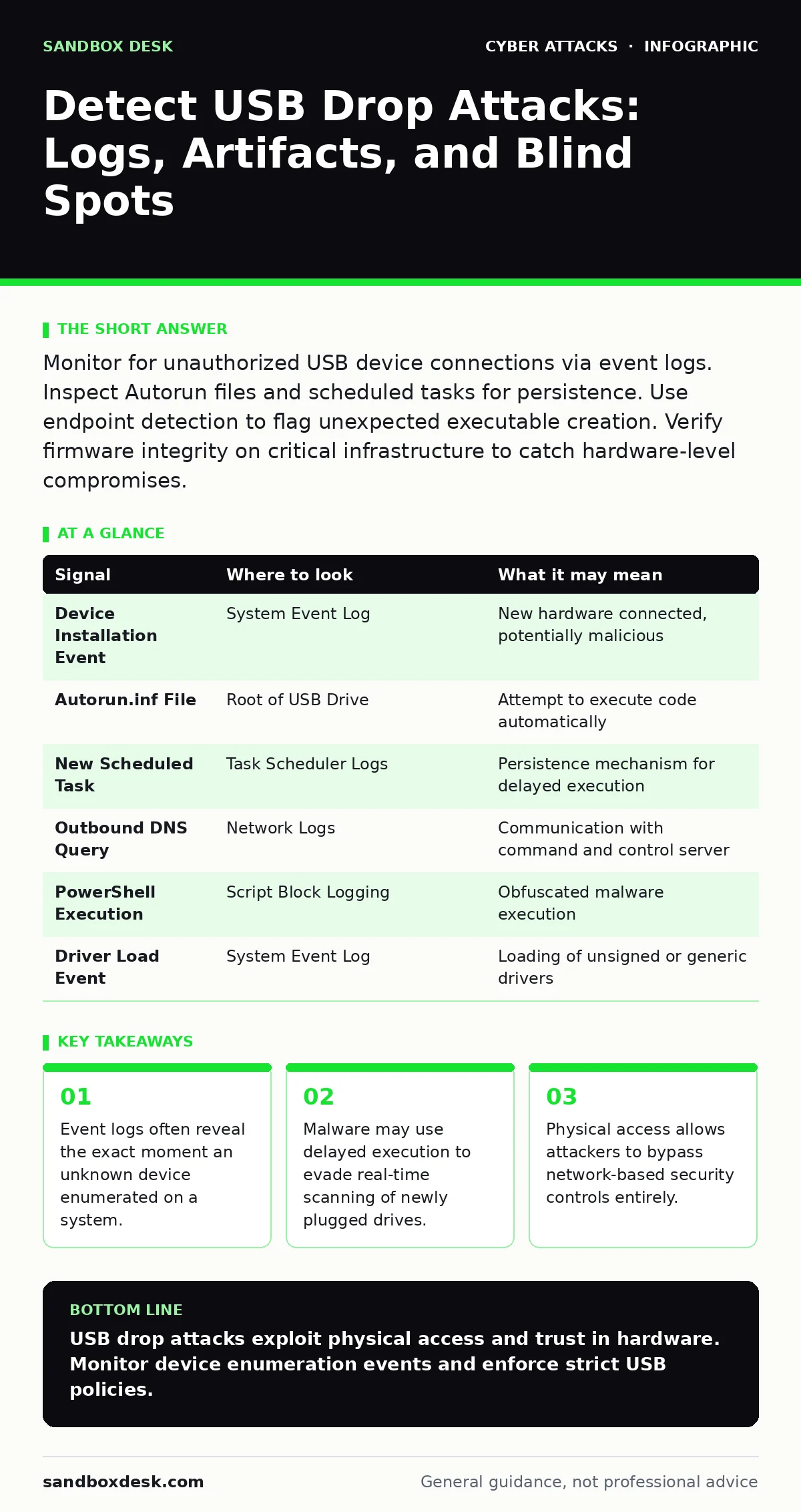
Monitor for unauthorized USB device connections via event logs. Inspect Autorun files and scheduled tasks for persistence. Use endpoint detection to flag unexpected executable creation. Verify firmware integrity on critical infrastructure to catch hardware-level compromises.
The Physical Vector and Initial Enumeration
A USB drop attack relies on human curiosity and the convenience of universal serial bus ports. An attacker leaves a malicious device in a visible location, hoping a victim plugs it in. Once connected, the device enumerates itself to the operating system. This process generates specific events that differ from standard storage media.
The operating system treats the device as a new hardware component. It loads drivers and assigns identifiers. If the device masquerades as a network adapter or keyboard, it may execute commands before any file transfer occurs. This behavior is distinct from a standard flash drive. You must observe the device class, not just the storage capacity.
Operating System Event Logs
The first line of evidence appears in the system event logs. When a USB device connects, the operating system records a device installation event. Look for entries indicating a new device class that does not match the expected hardware inventory. A generic USB mass storage device is common. A USB network adapter or Human Interface Device appearing unexpectedly is not.
Filter logs for device installation events with high severity. Check the hardware ID and driver path. Attackers often use generic drivers to avoid signature detection. The timestamp of the connection provides a baseline for further investigation. Correlate this time with user activity logs to identify who was at the workstation.
File System Artifacts and Autorun Mechanisms
Legacy systems often rely on autorun.inf files to execute code upon insertion. Modern operating systems disable automatic execution of media, but the file may still exist. Inspect the root directory of the mounted drive for these configuration files. Their presence suggests an attempt to trigger execution automatically.
Attackers may also place executable files with benign names. These files might mimic system utilities or common documents. Check file creation timestamps against the device connection time. If an executable was created milliseconds after connection, it was likely generated by the device itself. This indicates a sophisticated tool rather than a pre-loaded payload.
Registry and Scheduled Task Persistence
If the initial payload fails to execute, the attacker may install persistence mechanisms. These ensure the malware runs after a reboot or at a specific interval. Inspect the Windows Registry for new entries in the Run keys. Look for values pointing to directories on the USB drive or temporary folders.
Scheduled tasks are a common method for delayed execution. An attacker may create a task that runs a script every hour. This bypasses immediate detection by allowing time for the user to disconnect the device. Review task creation events in the security logs. Identify tasks with unusual triggers or commands that invoke PowerShell or Command Prompt.
Network Beaconing and Lateral Movement
Once code executes, it may attempt to communicate with a command and control server. This traffic often looks like normal web browsing. However, the destination IP addresses may be newly registered domains or known malicious infrastructure. Intrusion detection systems can flag this outbound connection if the signature is current.
The malware may also scan the local network for other vulnerable systems. This lateral movement generates internal traffic spikes. Monitor for unusual port scanning activity originating from a workstation. If a host that typically only accesses the internet suddenly connects to internal servers, investigate the source.
Endpoint Detection and Response Capabilities
Endpoint Detection and Response tools provide visibility into process behavior. These agents monitor for suspicious actions such as injecting code into other processes. They can detect when a USB device spawns a command shell. Configure alerts for any executable launched from a removable drive.
Behavioral analysis is more effective than signature scanning for this threat. Signatures may miss new or modified malware. Behavior focuses on what the code does, not what it is. Look for alerts indicating script execution, registry modification, or network connection attempts from unexpected processes.
Common Blind Spots in Detection
Many organizations focus on network perimeter security, ignoring physical access risks. A USB drop attack bypasses firewalls and web filtering. If your security culture assumes that internal networks are safe, you leave a gap. Physical security measures must complement digital controls.
Another blind spot is the assumption that disabling autorun is sufficient. Modern attacks do not rely on autorun.inf. They use drivers or firmware to execute code. You must understand the device class and the driver loading process. Simply blocking mass storage devices may not stop a device that appears as a keyboard.
| Signal | Where to look | What it may mean |
|---|---|---|
| Device Installation Event | System Event Log | New hardware connected, potentially malicious |
| Autorun.inf File | Root of USB Drive | Attempt to execute code automatically |
| New Scheduled Task | Task Scheduler Logs | Persistence mechanism for delayed execution |
| Outbound DNS Query | Network Logs | Communication with command and control server |
| PowerShell Execution | Script Block Logging | Obfuscated malware execution |
| Driver Load Event | System Event Log | Loading of unsigned or generic drivers |
Firmware and Hardware Integrity
Some attacks target the firmware of the USB device itself. This allows the device to behave maliciously every time it is plugged in. Standard antivirus scans may not detect firmware-level code. You must verify the integrity of critical hardware components.
If a device behaves inconsistently across different systems, suspect firmware manipulation. Compare the device descriptors with known good versions. This requires specialized tools and knowledge. It is often overlooked in standard incident response procedures.
Integrating Zero Trust Principles
Zero trust security assumes no implicit trust, even for internal devices. Apply this principle to USB connections. Require authentication for any device connecting to a corporate workstation. Restrict the types of devices allowed based on job role.
A receptionist may need to print documents. A developer may need to transfer code. Each role has different requirements. Define policies that restrict USB access to only necessary functions. This reduces the attack surface without hindering productivity.
Key takeaways
- Event logs often reveal the exact moment an unknown device enumerated on a system.
- Malware may use delayed execution to evade real-time scanning of newly plugged drives.
- Physical access allows attackers to bypass network-based security controls entirely.
USB drop attacks exploit physical access and trust in hardware. Monitor device enumeration events and enforce strict USB policies.
Frequently asked questions
How do I distinguish a malicious USB device from a legitimate one?
Check the device class, driver signature, and behavior. Legitimate devices usually have signed drivers and predictable behavior.
Can a USB drop attack bypass endpoint detection?
Yes, if it uses firmware-level attacks or delayed execution. Behavioral monitoring is more effective than signature scanning.
Should I disable all USB ports?
Disabling all ports may hinder operations. Instead, restrict access by role and monitor all connections for anomalies.
What is the role of zero trust in USB security?
Zero trust requires verifying every device and user, regardless of location. It prevents implicit trust of internal hardware.
How this guide was produced: written by the Sandbox Desk editorial team with AI assistance, checked against the public references listed below, and reviewed when the facts change. See our editorial policy or report an error.