Email Encryption Protocols: How TLS and S/MIME Actually Work
Transport layer security protects the path between servers, while message encryption protects the content from every server that touches it.

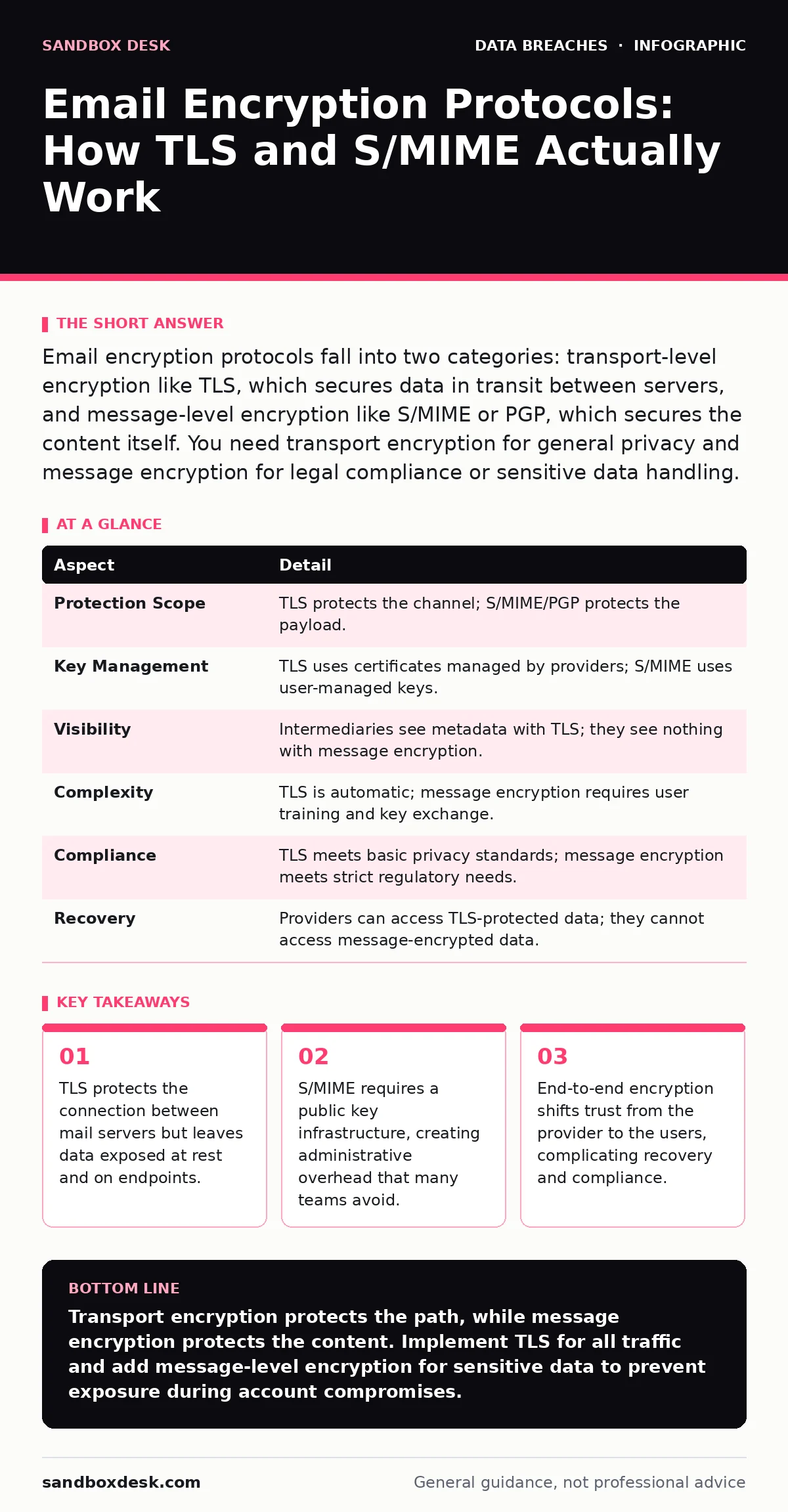
Email encryption protocols fall into two categories: transport-level encryption like TLS, which secures data in transit between servers, and message-level encryption like S/MIME or PGP, which secures the content itself. You need transport encryption for general privacy and message encryption for legal compliance or sensitive data handling.
Understanding Email Encryption Protocols
Imagine sending a sealed letter through the postal service. The postal worker cannot read the contents, but they can see the address on the envelope. If the mail truck is stolen, the thief gets the letter, but only if they break the seal. Email encryption protocols function similarly, but with two distinct layers of protection. One layer secures the truck, and the other secures the envelope. Understanding the difference between these layers determines whether your data remains private or becomes accessible to intermediaries.
The term "email encryption protocols" refers to the technical standards that scramble data so only authorized parties can read it. Transport Layer Security (TLS) encrypts the connection between mail servers. Secure/Multipurpose Internet Mail Extensions (S/MIME) and Pretty Good Privacy (PGP) encrypt the message content itself. TLS is the default for most modern email providers. S/MIME and PGP require explicit action by the sender or administrator.
| Aspect | Detail |
|---|---|
| Protection Scope | TLS protects the channel; S/MIME/PGP protects the payload. |
| Key Management | TLS uses certificates managed by providers; S/MIME uses user-managed keys. |
| Visibility | Intermediaries see metadata with TLS; they see nothing with message encryption. |
| Complexity | TLS is automatic; message encryption requires user training and key exchange. |
| Compliance | TLS meets basic privacy standards; message encryption meets strict regulatory needs. |
| Recovery | Providers can access TLS-protected data; they cannot access message-encrypted data. |
How Transport Layer Security Works
TLS establishes an encrypted tunnel between the sending mail server and the receiving mail server. When you send an email, your client talks to your provider via TLS. Your provider then talks to the recipient's provider via TLS. If both servers support TLS, the data travels as ciphertext. If the recipient's server does not support TLS, the connection may downgrade to plaintext, depending on your organization's policy.
This mechanism prevents network eavesdropping. A hacker sitting on the same Wi-Fi network cannot read the email headers or body. However, the receiving mail server decrypts the message to store it in the inbox. The provider holds the keys. This means the provider, or anyone who compromises the provider, can read the email. This is why TLS alone does not prevent data exfiltration from the server side.
How Message-Level Encryption Works
Message-level encryption encrypts the email content before it leaves your device. S/MIME uses digital certificates issued by a trusted Certificate Authority. PGP uses a web of trust model where users sign each other's keys. The recipient must possess the corresponding private key to decrypt the message. If they do not have the key, they see gibberish.
This approach provides end-to-end security. No intermediate server can read the message. The private key never leaves the recipient's device. This protects against account takeover fraud, as an attacker who steals the email password still cannot read the encrypted messages without the private key passphrase. The trade-off is complexity. Users must manage keys, handle certificate expiration, and ensure their recipients have the correct public keys.
What People Usually Get Wrong
Many organizations assume that enabling TLS is sufficient for all sensitive communications. This is a false sense of security. TLS protects data in transit, not at rest. If an attacker compromises the email account, they bypass TLS entirely. They read the emails directly from the inbox. This is why email account compromise remains a primary vector for data loss.
Another common mistake is assuming that encrypted emails are invisible to metadata analysis. Even with S/MIME, the sender, recipient, timestamp, and subject line are often visible. Subject lines can reveal sensitive information. Users often put confidential details in the subject line for convenience. This defeats the purpose of encryption. You must treat the subject line as public information.
The Hidden Costs of Implementation
Implementing message-level encryption introduces friction. Users must install certificates or software. They must handle key rotation. If a user loses their private key, the encrypted messages are permanently unreadable. There is no "forgot password" option for PGP. This creates a support burden. IT teams must decide whether to manage keys centrally or leave it to users. Central management reduces risk but increases administrative overhead.
There is also the issue of interoperability. S/MIME works well within organizations that use the same Certificate Authority. PGP works across different platforms but requires careful key management. Mixing protocols leads to confusion. Some email clients do not support S/MIME natively. This forces users to use web interfaces or third-party plugins, which may have their own security vulnerabilities.
See also: Vendor Email Compromise Mistakes That Leave Your Accounts Open · Email Account Compromise: How Attackers Steal Access and What You Can Do
Who Is Affected and Why It Matters
Every organization that handles personal data, financial records, or intellectual property is affected. Regulations often require specific types of encryption. HIPAA requires encryption for protected health information. GDPR requires appropriate technical measures. TLS is often considered a baseline measure. Message-level encryption is required for higher-risk data.
Developers building applications that send email must consider these protocols. If your application sends notifications, it should enforce TLS. If it sends sensitive data, it should support S/MIME or PGP. You cannot rely on the email provider to handle this automatically. You must design the application to handle encryption keys and certificate validation. This prevents misdirected emails from exposing sensitive data to the wrong recipients.
What To Do About It
Start by enforcing TLS for all outbound and inbound connections. Most modern email providers support this by default. Verify that your organization’s mail transfer agent rejects connections that cannot establish TLS. This prevents accidental downgrades to plaintext. This is the first line of defense against network-level interception.
For sensitive data, implement a message-level encryption solution. S/MIME is easier to manage in enterprise environments with Active Directory. PGP is better for external communications with partners who do not use certificates. Train users on how to identify encrypted messages. Teach them to never put sensitive information in the subject line.
Audit your email flows regularly. Check for misconfigurations that allow plaintext fallback. Monitor for unusual patterns that might indicate data scraping or unauthorized access. Integrate email security with your broader incident response plan. If an account is compromised, revoke access immediately. This limits the window for data exfiltration.
Consider the lifecycle of your keys. Establish a process for key rotation and revocation. If an employee leaves, revoke their keys and certificates. Log retention should include records of encryption failures or downgrades. These logs provide evidence in case of a security incident.
Balancing Security and Usability
High security often reduces usability. Users will find ways to bypass encryption if it is too difficult. They might use personal email accounts or instant messaging apps. This creates shadow IT data exposure that is hard to monitor. You must find a balance. Automate encryption where possible. Use clear indicators in the email client to show when a message is encrypted.
Provide easy-to-use tools for key management. If users have to manually export and import certificates, they will make mistakes. Integrate encryption into the workflow. Make it the default option for certain types of messages. This reduces the cognitive load on the user. Security should be invisible when possible, and obvious when necessary.
Key takeaways
- TLS protects the connection between mail servers but leaves data exposed at rest and on endpoints.
- S/MIME requires a public key infrastructure, creating administrative overhead that many teams avoid.
- End-to-end encryption shifts trust from the provider to the users, complicating recovery and compliance.
- Hybrid approaches often fail because users forget to encrypt attachments or use insecure fallback methods.
Transport encryption protects the path, while message encryption protects the content. Implement TLS for all traffic and add message-level encryption for sensitive data to prevent exposure during account compromises.
Frequently asked questions
Does TLS encrypt the subject line?
TLS encrypts the entire email payload during transmission, including the subject line. However, once the email reaches the recipient's server, the subject line is stored in plaintext in the inbox database.
Can I use TLS for external emails?
Yes, if the recipient's mail server supports TLS. Most major providers do. If the recipient's server does not support TLS, your server may send the email in plaintext unless you configure it to reject non-TLS connections.
What is the difference between S/MIME and PGP?
S/MIME uses certificates from a central authority, making it easier to manage in corporate environments. PGP uses a decentralized trust model, which is more flexible but harder to scale for large organizations.
How do I know if my email is encrypted?
Look for a lock icon or a specific indicator in your email client. For S/MIME, you may see a signature verification message. For TLS, you can check the message headers for "TLS" or "Encrypted" flags, though this requires technical knowledge.
How this guide was produced: written by the Sandbox Desk editorial team with AI assistance, checked against the public references listed below, and reviewed when the facts change. See our editorial policy or report an error.