Prevent Misdirected Emails: 7 Configuration Mistakes To Fix Now
Most data leaks from misdirected emails stem from silent configuration errors that bypass standard spam filters and allow sensitive payloads to reach unintended recipients without alerting the sender.
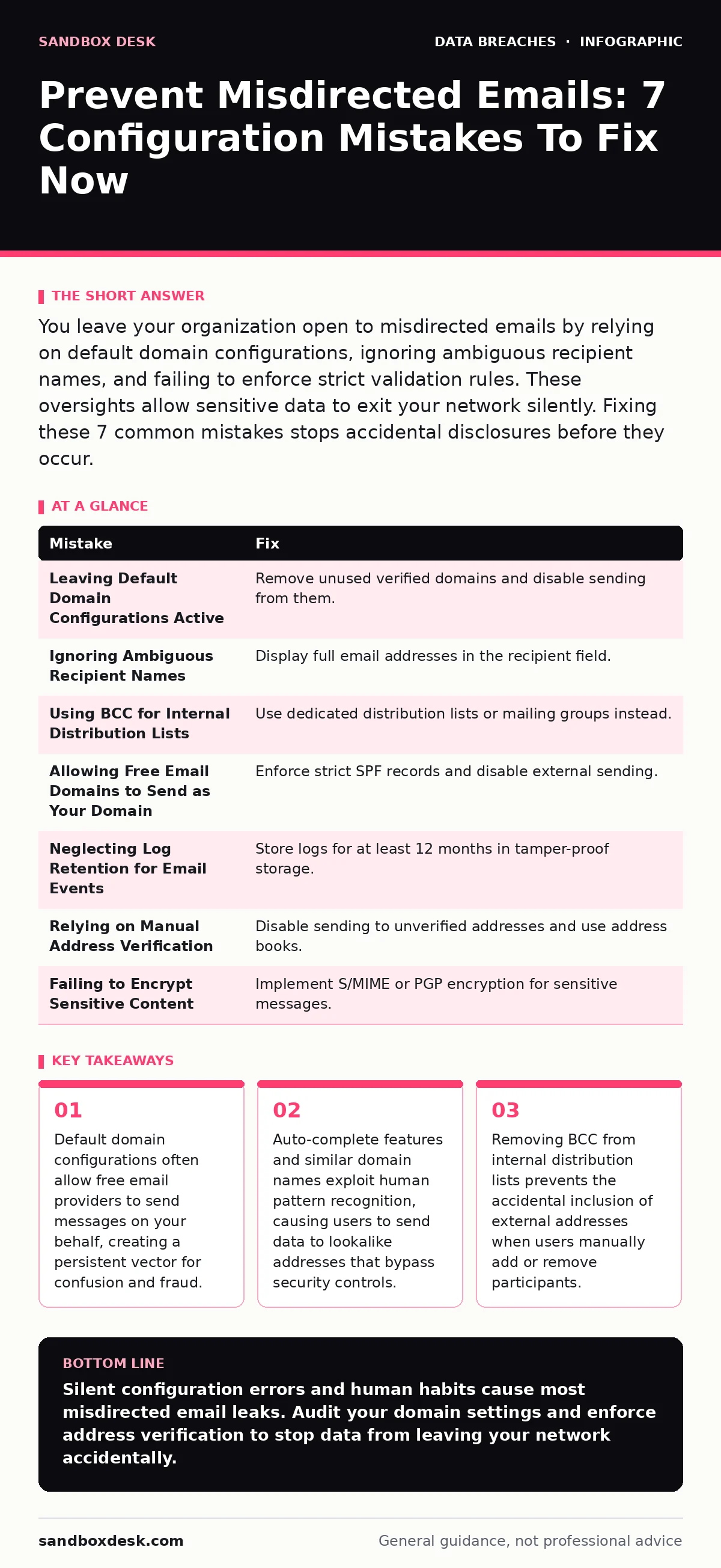
You leave your organization open to misdirected emails by relying on default domain configurations, ignoring ambiguous recipient names, and failing to enforce strict validation rules. These oversights allow sensitive data to exit your network silently. Fixing these 7 common mistakes stops accidental disclosures before they occur.
Mistake 1: Leaving Default Domain Configurations Active
Cloud email services often enable additional domains by default during setup. You might add a secondary domain for branding but forget to disable the primary verification domain. This leaves the original domain active and unmonitored. Attackers exploit this by registering similar domains or using the unused primary domain to send phishing emails that appear legitimate. The system treats these messages as trusted because the domain is verified. This creates a persistent entry point for social engineering attacks that mimic your official communications.
Why it hurts:
External actors send emails from your verified but unused domain. These messages bypass spam filters that trust your domain’s authentication records. Recipients see your company name and logo, lowering their guard. This facilitates account takeover fraud by tricking users into clicking malicious links or revealing credentials. The damage occurs silently, as the emails originate from a technically valid source within your own infrastructure.
The fix:
Audit all verified domains in your email provider’s console. Remove any domains you do not actively use for sending mail. Disable the ability to send from these domains entirely. Configure your DNS records to reject mail from unauthorized sources. Regularly review your domain list to ensure no new, unused domains remain active. This closes the loophole that allows attackers to impersonate your organization using your own trusted infrastructure.
Mistake 2: Ignoring Ambiguous Recipient Names
Many users rely on the display name rather than the actual email address when selecting recipients. If two contacts have similar names, such as "John Smith" and "J. Smith," the user may select the wrong one. This is especially risky when the wrong contact is external. The email client often shows only the display name in the composition window. The user never sees the full address until the message is sent. This human error leads to sensitive data reaching parties who have no business receiving it.
Why it hurts:
Data exfiltration occurs without any technical breach. The user acts with good intent but selects the wrong target. Sensitive project details, financial information, or personal data leave the secure network. This violates data subject rights if personal information is involved. The organization faces legal liability and reputational damage. There is no malware, no hack, and no intrusion. The loss stems purely from a lack of visual verification at the point of sending.
The fix:
Configure your email client to always display the full email address in the recipient field, not just the display name. This forces the user to see the actual destination. Train users to hover over contact names to verify the address before hitting send. Implement warnings for recipients outside the organization. These steps add friction but prevent costly mistakes. The extra second of verification stops the majority of accidental disclosures.
Mistake 3: Using BCC for Internal Distribution Lists
Business Correspondence Control (BCC) hides recipients from each other. Many administrators use BCC for internal newsletters or mass updates to protect privacy. The problem arises when users reply to these emails. If the original message used BCC, the "Reply All" function often includes the sender’s address but excludes the hidden recipients. However, if the user manually adds recipients or forwards the message, they may inadvertently include external addresses or the wrong internal group. The hidden nature of the list creates a false sense of security.
Why it hurts:
When users forward or reply to BCC’d messages, they often copy the entire thread. If an external address was previously included in a different version of the thread, it may reappear. This exposes internal discussions to outsiders. The error is subtle because the user believes they are communicating only with the original group. This mistake frequently leads to the leakage of strategic information or confidential personnel matters. The damage is hard to detect because the email appears normal to the sender.
The fix:
Avoid using BCC for recurring internal communications. Use dedicated distribution lists or mailing groups instead. These groups have fixed membership and clear boundaries. Configure the email system to prevent forwarding messages from these groups. This restricts the flow of information to the intended audience. If BCC is necessary, use a dedicated alias that forwards to the list. This ensures that replies go to a single inbox, not the entire group, reducing the risk of accidental exposure.
Mistake 4: Allowing Free Email Domains to Send as Your Domain
Some organizations allow employees to send email from their personal free email accounts, such as Gmail or Yahoo, using their corporate domain. This is often done for convenience or during onboarding. It creates a significant security gap. These free providers have weaker security controls and less visibility into sending patterns. Attackers can compromise the personal account and use it to send malicious messages that appear to come from the corporate domain. The corporate email system cannot easily monitor or filter these outbound messages.
Why it hurts:
The corporate domain’s reputation suffers when spam or phishing originates from these loose connections. Spam filters may block legitimate corporate emails because the domain is associated with malicious activity. This disrupts business operations. Furthermore, if the personal account is compromised, attackers can bypass corporate security checks. This facilitates identity theft protection failures, as the attacker uses a trusted channel to target colleagues. The organization loses control over its own communication channels.
The fix:
Disable the ability to send from your corporate domain via external providers. Enforce strict SPF (Sender Policy Framework) records that only authorize your corporate mail servers. Monitor for unauthorized sending attempts and block them immediately. Require all employees to use the corporate email system for business communications. This centralizes control and visibility. It ensures that all outbound messages pass through your security filters and logging systems.
Mistake 5: Neglecting Log Retention for Email Events
Email systems generate vast amounts of logs. Many organizations delete these logs quickly to save storage space. This shortens the retention period for email activity. When a misdirected email occurs, there is no record to trace its path. You cannot determine who sent it, where it went, or if it was opened. This lack of visibility hinders incident response and forensic analysis. Without logs, you cannot prove whether the error was accidental or malicious. This ambiguity complicates regulatory compliance and legal defense.
Why it hurts:
You lose the ability to investigate data leaks. If a breach occurs, you cannot reconstruct the timeline. This delays containment and remediation. Regulatory bodies may penalize the organization for failing to maintain adequate records. The absence of logs also prevents you from identifying patterns of misuse. You cannot distinguish between a one-time error and a systematic problem. This leaves the organization vulnerable to repeated incidents. The cost of storage is trivial compared to the cost of an uninvestigated breach.
The fix:
Implement a robust log retention policy for all email events. Store logs for at least 12 months, or longer if required by industry standards. Use a secure, tamper-proof storage solution. Regularly audit the logs for anomalies. This provides the evidence needed for investigations. It also helps in identifying trends that indicate training needs or configuration flaws. Proper log management is a foundational element of security hygiene.
See also: Email Account Compromise: How Attackers Steal Access and What You Can Do · Whaling Attacks: Spotting the Subtle Signs That Bypass Filters
Mistake 6: Relying on Manual Address Verification
Users often type addresses manually when they do not have a saved contact. This introduces typos and errors. A single character mistake can route the email to an entirely different organization. If the typo matches an existing domain, the email may be delivered successfully. The sender receives no bounce message. They assume the message reached the intended recipient. This silent failure allows sensitive data to disappear into the void. The user has no way of knowing the error occurred.
Why it hurts:
Data is lost to unknown entities. There is no way to retrieve it. The organization may face legal consequences if the data contains personal information. This violates privacy regulations. The error is undetectable without manual follow-up. Users rarely call to confirm receipt. This creates a blind spot in the organization’s security posture. The risk accumulates over time, leading to significant exposure. Manual verification is unreliable and inefficient.
The fix:
Disable the ability to send to unverified addresses. Force users to select contacts from a global address book or a pre-approved list. This eliminates typing errors. For external recipients, require explicit confirmation. Display the full address and ask the user to confirm. Add a warning if the recipient is not in the address book. These controls add steps but prevent catastrophic errors. The friction is a small price for data security.
Mistake 7: Failing to Encrypt Sensitive Content
Many users send sensitive information in plain text. They assume the email system is secure enough. This is a dangerous assumption. Email travels through multiple servers and networks. Each hop is a potential point of interception. If the message is not encrypted, anyone with access to the transit infrastructure can read it. This includes internet service providers, intermediaries, and potential attackers. The content is exposed from the moment it leaves the sender’s device.
Why it hurts:
Data is exposed during transit. Attackers can intercept and read the message. This leads to data breaches and privacy violations. The organization loses control over its information. Compliance requirements may mandate encryption for certain types of data. Failing to encrypt can result in fines and penalties. The risk is not just from hackers but from systemic vulnerabilities in the email infrastructure. Plain text is never secure in transit.
The fix:
Implement email encryption for all sensitive communications. Use standards like S/MIME or PGP. Require encryption for messages containing keywords such as "confidential" or "SSN." Educate users on when to use encryption. Make the process easy and intuitive. If encryption is cumbersome, users will avoid it. Integrate encryption tools directly into the email client. This ensures that sensitive data is protected end-to-end.
| Mistake | Fix |
|---|---|
| Leaving Default Domain Configurations Active | Remove unused verified domains and disable sending from them. |
| Ignoring Ambiguous Recipient Names | Display full email addresses in the recipient field. |
| Using BCC for Internal Distribution Lists | Use dedicated distribution lists or mailing groups instead. |
| Allowing Free Email Domains to Send as Your Domain | Enforce strict SPF records and disable external sending. |
| Neglecting Log Retention for Email Events | Store logs for at least 12 months in tamper-proof storage. |
| Relying on Manual Address Verification | Disable sending to unverified addresses and use address books. |
| Failing to Encrypt Sensitive Content | Implement S/MIME or PGP encryption for sensitive messages. |
Key takeaways
- Default domain configurations often allow free email providers to send messages on your behalf, creating a persistent vector for confusion and fraud.
- Auto-complete features and similar domain names exploit human pattern recognition, causing users to send data to lookalike addresses that bypass security controls.
- Removing BCC from internal distribution lists prevents the accidental inclusion of external addresses when users manually add or remove participants.
Silent configuration errors and human habits cause most misdirected email leaks. Audit your domain settings and enforce address verification to stop data from leaving your network accidentally.
Frequently asked questions
How do I stop emails from going to the wrong person?
Configure your email client to display full addresses and disable manual typing of unverified recipients. This prevents selection errors.
What is the risk of using BCC for internal emails?
BCC hides recipients, making it easy to accidentally include external addresses when forwarding or replying. Use dedicated distribution lists instead.
Can attackers use my domain if I don't monitor it?
Yes, if you leave unused domains active or allow sending from external providers, attackers can impersonate you. Enforce strict SPF records.
Do I need to encrypt all emails?
Encrypt any email containing sensitive data such as financial or personal information. Use S/MIME or PGP to protect content in transit.
How this guide was produced: written by the Sandbox Desk editorial team with AI assistance, checked against the public references listed below, and reviewed when the facts change. See our editorial policy or report an error.