Callback Phishing Response: Immediate Containment and Recovery Steps
The attacker’s goal is speed, not sophistication; your response must outpace their ability to escalate privileges before you even verify the call’s origin.
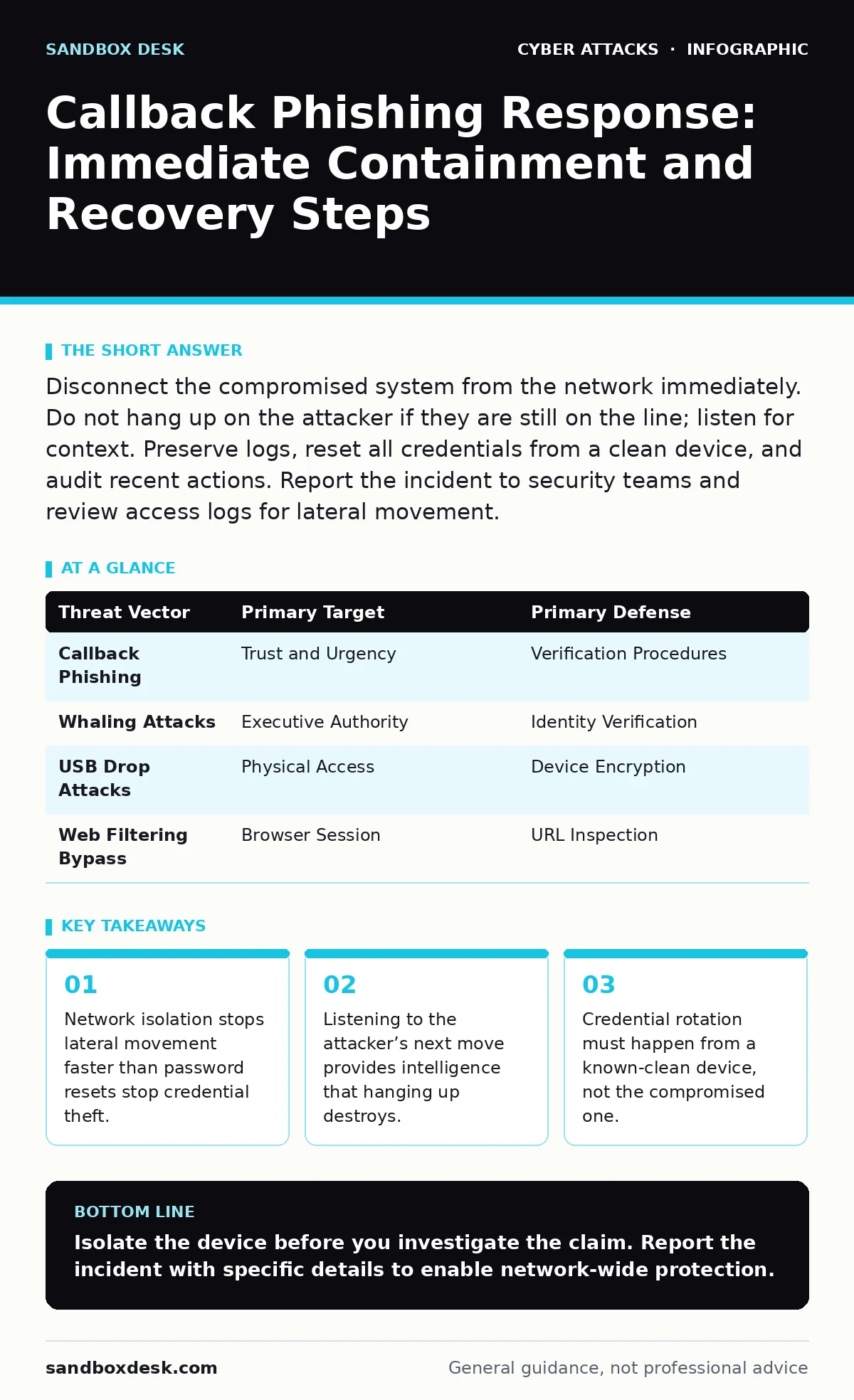
Disconnect the compromised system from the network immediately. Do not hang up on the attacker if they are still on the line; listen for context. Preserve logs, reset all credentials from a clean device, and audit recent actions. Report the incident to security teams and review access logs for lateral movement.
The Mechanics of Voice-Based Social Engineering
Callback phishing, often called vishing, relies on the psychological weight of a live voice. Unlike email, a phone call creates urgency and implies authority. The attacker does not need to bypass technical controls like SPF (Sender Policy Framework, which validates email sender identity) because they are bypassing the inbox entirely. They are targeting the human element of your security culture.
The attacker usually pretends to be IT support, a bank representative, or a vendor. They claim there is an urgent issue requiring immediate verification. The goal is to get you to read a code, click a link, or install remote management software. Once you provide that access, the technical attack begins.
First hour
Immediate Containment Actions
When you suspect a callback phishing attack, your first instinct is often to hang up. This is a mistake. The information you gather in the next sixty seconds determines the scope of the breach.
- Isolate the device: Disconnect the computer or phone from the network. If it is a Wi-Fi device, turn off Wi-Fi. If it is wired, unplug the cable. This prevents the attacker from exfiltrating data or moving laterally to other systems.
- Do not log out: If you are logged into a system, do not log out. Logging out may trigger session tokens that the attacker has already captured. Keep the session active but offline.
- Preserve the call: If the attacker is still on the line, keep them talking. Ask casual questions about why they need access. Do not reveal that you know it is a scam. Their answers can reveal their location, their tools, and their intent.
- Disconnect network interface
- Keep attacker on line for intelligence
- Note the phone number and time
- Do not enter any new credentials
First day
Credential Hygiene and Scope Assessment
Once the immediate threat is contained, you must assume that any credential used or visible on the compromised device is compromised. This includes session cookies, which are digital keys that allow you to stay logged in without re-entering passwords.
Reset passwords from a different, known-clean device. Do not use the compromised machine to change passwords. The attacker may have keyloggers installed that will capture the new credentials as you type them. Use a mobile device or a separate computer that was not connected to the same network during the attack.
Check for installed software. Attackers often use remote management tools to maintain access. Look for unfamiliar applications in your program list. Pay attention to background processes that consume unusual amounts of CPU or network resources. If you see something you did not install, do not delete it yet. Take a screenshot for evidence, then consult your security team.
First week
Deep Forensics and Access Review
The first day stops the bleeding. The first week determines if the attacker left any backdoors. You must review all recent actions on the compromised account. Look for new files, new users, or changes to system settings.
Check email sent folders. Attackers often use compromised accounts to send further phishing emails to your contacts. This is a common technique to expand their reach. If you find suspicious emails, report them to your email administrator. They can block the sender and warn other recipients.
Review access logs for your critical systems. If the attacker gained access to your email, they may have tried to access cloud storage or internal servers. Look for login attempts from unusual locations or at unusual times. If you see activity you did not perform, assume the attacker is still inside.
Who to Tell
Reporting the Incident
You must report the incident to your security team immediately. Do not wait to see if anything else happens. The sooner they know, the faster they can scan the network for similar patterns.
Provide them with all the details you collected. Include the phone number, the time of the call, and what the attacker asked for. If you kept them on the line, provide a summary of their demands. This information helps the security team update their intrusion detection systems to look for similar behavior in the future.
If the attack involved a financial institution or a government agency, consider reporting it to the relevant authorities. This helps law enforcement track criminal operations. Even if you think the attack failed, reporting it adds to the collective data used to combat these threats.
Preventing Repeat Attacks
Technical and Behavioral Controls
Technical controls alone cannot stop vishing. You need a combination of technical barriers and behavioral awareness. Implement multi-factor authentication that does not rely on SMS codes. SMS codes can be intercepted via SIM swapping, a technique where attackers transfer your phone number to their own device.
Use app-based authenticators or hardware security keys instead. These methods are resistant to remote interception. Ensure that your remote access tools require strong authentication and are not installed by default. Restrict the ability of users to install software. This prevents attackers from installing remote management tools even if they convince you to download them.
Educate your team on the signs of vishing. Teach them to verify identity through a second channel. If someone claims to be IT support, hang up and call the IT department using a known, official number. Do not use the number provided by the caller. This simple step breaks the attacker’s chain of trust.
The Hidden Costs of Panic
Why Standard Advice Fails
Standard advice often tells you to "stay vigilant" or "use strong passwords." These are vague and unhelpful in a crisis. Under stress, people revert to habit. If the habit is to comply with authority figures, no amount of general advice will stop them.
You need specific, actionable steps. The checklist in the first hour section provides that specificity. It removes the need for decision-making during the panic phase. By following a predefined process, you reduce the cognitive load and increase the chance of a successful containment.
Another hidden cost is the erosion of trust. If employees feel blamed for falling for a scam, they will hide future incidents. This creates a blind spot for your security team. Foster a culture where reporting mistakes is encouraged, not punished. This ensures that incidents are detected early, when they are easiest to contain.
Related Threat Vectors
Understanding the Broader Context
Callback phishing is often part of a larger attack campaign. Attackers may use whaling attacks to target high-level executives, using similar social engineering tactics. They may also use USB drop attacks to deliver malware to devices that are not connected to the network.
Understanding these related threats helps you build a more resilient defense. Initial access is the hardest part of an attack for many criminals. By hardening your defenses against social engineering, you make it difficult for them to even start.
Web filtering can help block malicious links that may be sent after the initial phone call. But it cannot stop the call itself. You must address the human element directly. Combine technical controls with clear, specific procedures for handling unexpected requests.
| Threat Vector | Primary Target | Primary Defense |
|---|---|---|
| Callback Phishing | Trust and Urgency | Verification Procedures |
| Whaling Attacks | Executive Authority | Identity Verification |
| USB Drop Attacks | Physical Access | Device Encryption |
| Web Filtering Bypass | Browser Session | URL Inspection |
Key takeaways
- Network isolation stops lateral movement faster than password resets stop credential theft.
- Listening to the attacker’s next move provides intelligence that hanging up destroys.
- Credential rotation must happen from a known-clean device, not the compromised one.
Isolate the device before you investigate the claim. Report the incident with specific details to enable network-wide protection.
Frequently asked questions
Should I change my password if I just talked to the attacker but didn't give them anything?
Yes. The attacker may have recorded your voice or gathered enough context to impersonate you later. Changing credentials is a low-cost precaution.
Can attackers hack my phone just by calling me?
No. A standard phone call cannot install malware on your device. They need you to install software or provide credentials to gain access.
How do I verify if a caller is really from IT support?
Hang up and call the official IT support number listed on your company’s intranet or official documentation. Do not use the number they provided.
What if I installed software they sent me?
Disconnect from the network immediately. Do not use the device for any other tasks. Report it to your security team for forensic analysis.
How this guide was produced: written by the Sandbox Desk editorial team with AI assistance, checked against the public references listed below, and reviewed when the facts change. See our editorial policy or report an error.