Weak Password Policy Myths: What Actually Breaks Your Security
Mandatory periodic resets increase credential theft risk by encouraging predictable password patterns and reducing user memory capacity.

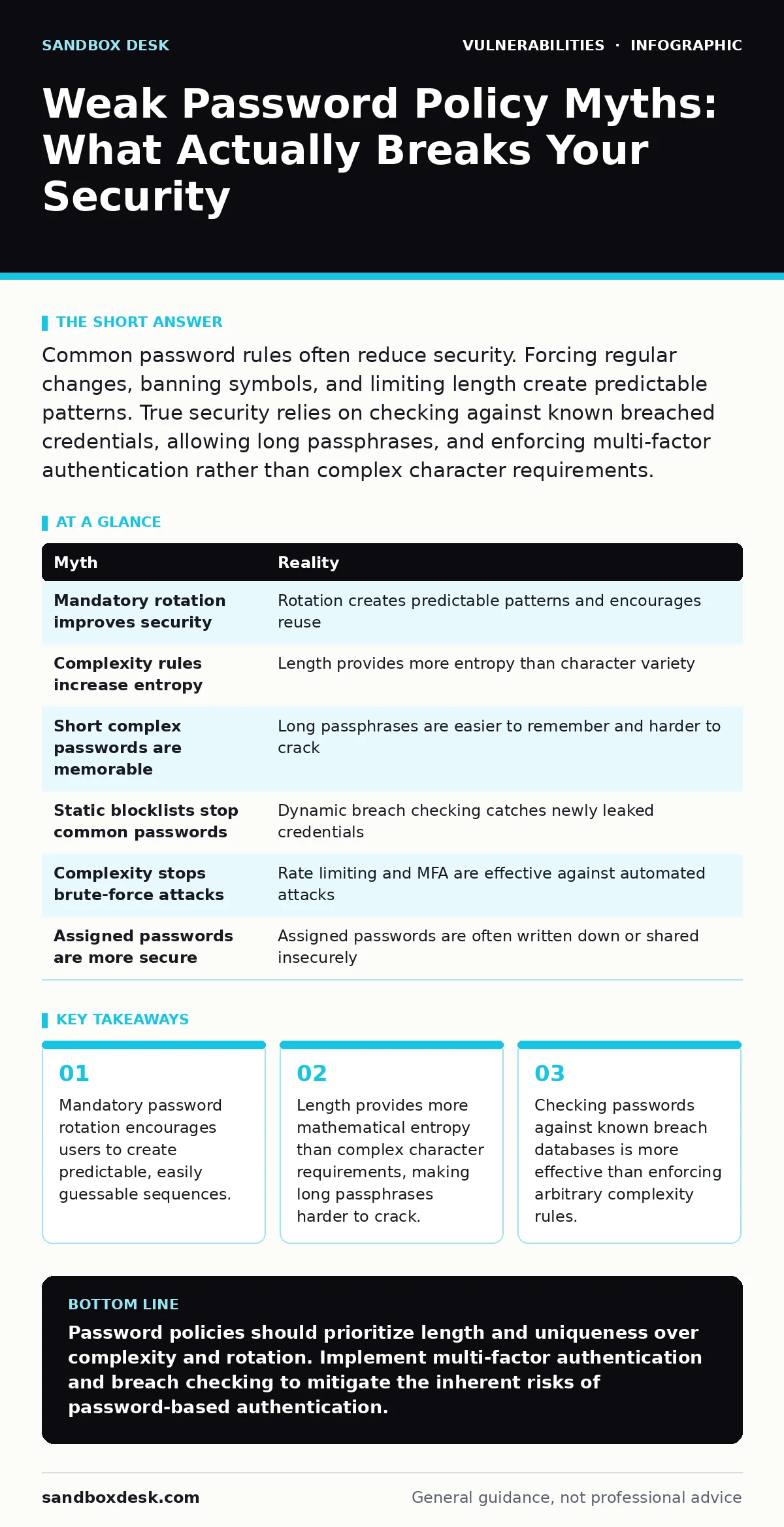
Common password rules often reduce security. Forcing regular changes, banning symbols, and limiting length create predictable patterns. True security relies on checking against known breached credentials, allowing long passphrases, and enforcing multi-factor authentication rather than complex character requirements.
Myth: Users must change passwords every 90 days
Reality: Mandatory periodic password rotation creates more vulnerabilities than it prevents. When users are forced to change credentials frequently, they tend to follow predictable patterns. A user with the password "Summer2023!" might change it to "Summer2024!" or "Winter2024!" when the deadline arrives. Attackers who obtain one version of the password can easily guess the next iteration. This behavior reduces the effective entropy of the credential over time.
This policy also encourages users to write passwords down or reuse slight variations across multiple accounts. The cognitive load of remembering many complex, changing passwords leads to poor security hygiene. Modern authentication frameworks recommend against forced rotation unless there is evidence of compromise. Instead, focus on detecting unauthorized access and requiring re-authentication only when suspicious activity occurs.
Myth: Passwords must contain uppercase, lowercase, numbers, and symbols
Reality: Complex character requirements do not significantly increase security compared to length. A short password with mixed characters is easier to crack than a long passphrase using only lowercase letters. Entropy, or the measure of uncertainty, increases exponentially with length but only linearly with character set size. A sixteen-character lowercase phrase has more entropy than an eight-character password with all four character types.
Users often satisfy complexity rules in predictable ways. They might replace "a" with "@" or add "1!" to the end of a common word. Dictionary attacks and rule-based brute-force tools account for these common substitutions. By focusing on length, you allow users to create memorable passphrases that are computationally expensive to crack. This approach improves usability without sacrificing security.
Myth: Longer passwords are too hard to remember, so short complex ones are better
Reality: Humans are poor at generating random data but excellent at remembering stories and phrases. A sequence of four random words, such as "correct horse battery staple," is far more secure and easier to recall than a short string like "Tr0ub4dor&3". The latter requires active effort to maintain and is susceptible to common transformation rules used by attackers.
Passphrases leverage the structure of natural language to create high-entropy credentials. The number of possible combinations grows rapidly with each additional word. This method reduces the likelihood of users choosing common passwords or writing them down. It also aligns with how human memory works, reducing the friction of security compliance.
Myth: Blocking common passwords is enough to stop attackers
Reality: Blocking a static list of common passwords is insufficient because attackers use dynamic wordlists. These lists are updated constantly with newly leaked credentials from various breaches. A password that was unique last year may appear in a public breach database today. Static blocklists quickly become outdated and ineffective.
Effective systems check new passwords against real-time breach databases. This practice, known as "have I been pwned" checking, identifies credentials that have appeared in known data leaks. It catches passwords that are not on the top ten common lists but are still compromised. This dynamic approach ensures that users cannot reuse credentials that are already known to attackers.
Myth: Password complexity rules protect against brute-force attacks
Reality: Complexity rules do not stop determined attackers with sufficient computational power. Modern hardware can test billions of password guesses per second. An eight-character password, even with mixed characters, can be cracked in minutes or hours. The primary defense against brute-force attacks is rate limiting and account lockout policies.
Rate limiting restricts the number of login attempts allowed in a given timeframe. This slows down automated attacks and makes them economically unviable. Account lockouts prevent further attempts after a threshold is reached, though they can be abused for denial-of-service attacks. Combining these measures with multi-factor authentication adds a layer that brute-force attacks cannot bypass.
Myth: If users pick their own passwords, they will choose weak ones
Reality: Users will choose weak passwords regardless of whether they pick them or are assigned them. Assigned passwords are often written on sticky notes or shared insecurely. Giving users autonomy allows them to create memorable credentials that they do not need to document physically. The key is guiding them toward high-entropy choices rather than restricting their freedom.
Providing feedback on password strength helps users make better choices without being prescriptive. Visual indicators that show entropy in real-time educate users on what makes a password strong. This approach shifts the focus from compliance to understanding. It encourages the use of password managers, which generate and store high-entropy credentials that users do not need to remember.
| Myth | Reality |
|---|---|
| Mandatory rotation improves security | Rotation creates predictable patterns and encourages reuse |
| Complexity rules increase entropy | Length provides more entropy than character variety |
| Short complex passwords are memorable | Long passphrases are easier to remember and harder to crack |
| Static blocklists stop common passwords | Dynamic breach checking catches newly leaked credentials |
| Complexity stops brute-force attacks | Rate limiting and MFA are effective against automated attacks |
| Assigned passwords are more secure | Assigned passwords are often written down or shared insecurely |
Key takeaways
- Mandatory password rotation encourages users to create predictable, easily guessable sequences.
- Length provides more mathematical entropy than complex character requirements, making long passphrases harder to crack.
- Checking passwords against known breach databases is more effective than enforcing arbitrary complexity rules.
- Multi-factor authentication mitigates the risk of password theft regardless of password strength.
Password policies should prioritize length and uniqueness over complexity and rotation. Implement multi-factor authentication and breach checking to mitigate the inherent risks of password-based authentication.
Frequently asked questions
How does multi-factor authentication improve password security?
MFA adds a second verification step, such as a hardware token or biometric scan, which an attacker cannot bypass even if they have the password.
Should I use a password manager for all accounts?
Yes, password managers generate unique, high-entropy passwords for each account, eliminating the risk of credential stuffing attacks.
What is the risk of reusing passwords across sites?
If one site is breached, attackers can use those credentials to access other accounts, a technique known as credential stuffing.
How do I handle password resets securely?
Use secure, out-of-band verification methods like email or SMS codes, and avoid security questions that can be researched or guessed.
How this guide was produced: written by the Sandbox Desk editorial team with AI assistance, checked against the public references listed below, and reviewed when the facts change. See our editorial policy or report an error.