Prevent Default Credentials: 4 Steps to Eliminate Factory Access
Most breaches exploit unchanged factory settings because deployment tools copy configuration files that contain the original passwords.

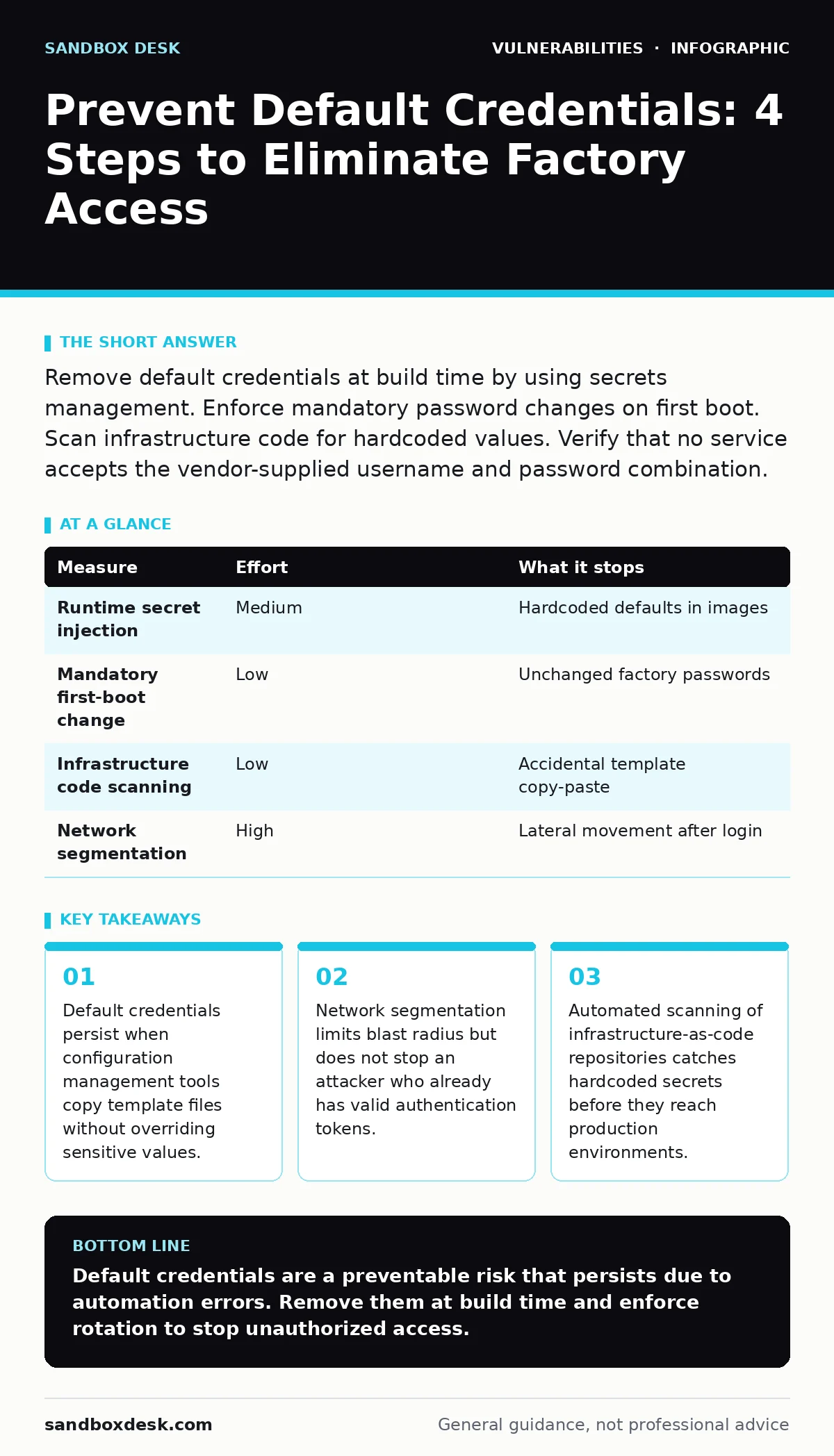
Remove default credentials at build time by using secrets management. Enforce mandatory password changes on first boot. Scan infrastructure code for hardcoded values. Verify that no service accepts the vendor-supplied username and password combination.
Why Default Credentials Persist in Production
Default credentials are the username and password pairs shipped with hardware or software for initial setup. Vendors include these to simplify out-of-the-box testing. Developers often copy these templates into production environments to speed up deployment. The risk arises when the initialization script fails to prompt for a new password. The system reboots with the factory settings active. Attackers use automated scanners to test thousands of common default pairs against exposed ports. A single successful login grants full access to the underlying system. You must treat default credentials as a critical vulnerability in your secure software development lifecycle.
Priority 1: Eliminate Defaults at Build Time
The most effective prevention stops the credential from existing in the first place. Modify your build pipeline to inject unique secrets during the image creation process. Do not bake static passwords into Docker images or virtual machine templates. Use environment variables or secret stores to provide credentials at runtime. This approach ensures that every instance has a unique authentication factor. It prevents an attacker from using a single known password to compromise multiple servers. If your build process fails to inject the secret, the service should refuse to start. This fail-safe mechanism forces developers to address the configuration error immediately.
Priority 2: Enforce First-Boot Credential Rotation
Some legacy systems do not support runtime secret injection. These systems require a mandatory password change upon the first successful login. Configure the account status to "password expired" or "must change" before deployment. This forces the administrator or the automated provisioning script to set a new password. The system must reject the default credentials after this initial change. You must verify that the rotation logic works for all user accounts, including service accounts and administrative roles. Failure to rotate service account passwords leaves a persistent backdoor for attackers who discover the default pair.
| Measure | Effort | What it stops |
|---|---|---|
| Runtime secret injection | Medium | Hardcoded defaults in images |
| Mandatory first-boot change | Low | Unchanged factory passwords |
| Infrastructure code scanning | Low | Accidental template copy-paste |
| Network segmentation | High | Lateral movement after login |
Priority 3: Scan Infrastructure Code for Secrets
Developers often store default credentials in configuration files for convenience. These files are committed to version control systems. Automated tools can scan your repository for known default pairs before merging code. Integrate this scanning into your continuous integration pipeline. The scan should block merges that contain hardcoded secrets. This measure catches human error before it reaches production. It complements runtime injection by ensuring the source code itself is clean. You should also scan for patterns that resemble passwords, even if they are not known defaults. This reduces the attack surface for brute-force attempts.
What Does Not Work: Relying on Obscurity
Hiding the management interface behind a non-standard port does not remove the credential. Attackers scan entire IP ranges for open ports. They will find the service regardless of the port number. Changing the URL path provides no security benefit. This practice creates a false sense of safety. Developers may neglect proper authentication because they believe the interface is hidden. You must implement strong authentication regardless of how the service is exposed. Obscurity adds no cryptographic strength. It only delays discovery by a few seconds. This delay is insufficient against automated scanning tools.
Edge Cases: IoT and Embedded Devices
Internet of Things devices often lack a console for password changes. These devices ship with hardcoded credentials in firmware. You cannot change the password on first boot. The only mitigation is to block external access to the device management interface. Place these devices on an isolated network segment. Use a firewall to deny all inbound traffic except from a specific management workstation. This approach limits exposure but does not fix the underlying flaw. If the device is compromised, you must replace it or reflash the firmware. Always check the National Vulnerability Database for known issues in embedded devices before deployment.
Maintenance: Prevent Credential Drift
Configuration drift occurs when production settings diverge from the intended state. A developer may reset a password to the default for debugging and forget to change it back. Implement regular audits of authentication configurations. Compare current settings against the approved baseline. Alert on any deviation. This process catches accidental reversion to defaults. It also identifies accounts that have not been rotated in a long time. Combine this audit with change management for security patches. Ensure that updates do not reset credentials to factory defaults. Verify the integrity of configuration files after any system update.
Closing Checklist for Immediate Action
Review your current deployment pipeline for hardcoded secrets. Scan your infrastructure code for known default credentials. Verify that all new instances require password rotation on first boot. Block external access to management interfaces that cannot be updated. These steps remove the risk of default credential exploitation. They also establish a baseline for secure configuration. Implementing these measures reduces the likelihood of unauthorized access. You should repeat this review after every major system update.
- Scan infrastructure code for hardcoded secrets
- Verify mandatory password rotation on first boot
- Block external access to unpatchable management interfaces
Key takeaways
- Default credentials persist when configuration management tools copy template files without overriding sensitive values.
- Network segmentation limits blast radius but does not stop an attacker who already has valid authentication tokens.
- Automated scanning of infrastructure-as-code repositories catches hardcoded secrets before they reach production environments.
Default credentials are a preventable risk that persists due to automation errors. Remove them at build time and enforce rotation to stop unauthorized access.
Frequently asked questions
How do I find default credentials in my code?
Use static analysis tools that scan for known vendor default pairs. Configure your CI pipeline to fail builds that contain these patterns.
Does changing the default username help?
Changing the username adds minimal security. Attackers will still attempt common default pairs. You must change both the username and password.
What if the vendor does not allow password changes?
Isolate the device on a restricted network segment. Block all inbound traffic except from a trusted management station.
How often should I audit for default credentials?
Audit after every deployment and system update. Integrate scanning into your continuous integration process for continuous monitoring.
How this guide was produced: written by the Sandbox Desk editorial team with AI assistance, checked against the public references listed below, and reviewed when the facts change. See our editorial policy or report an error.