Attack vectors examples: how adversaries breach defenses
Attack vectors exploit the intersection of human habit and software logic, turning standard features into unauthorized entry points for remote code execution.

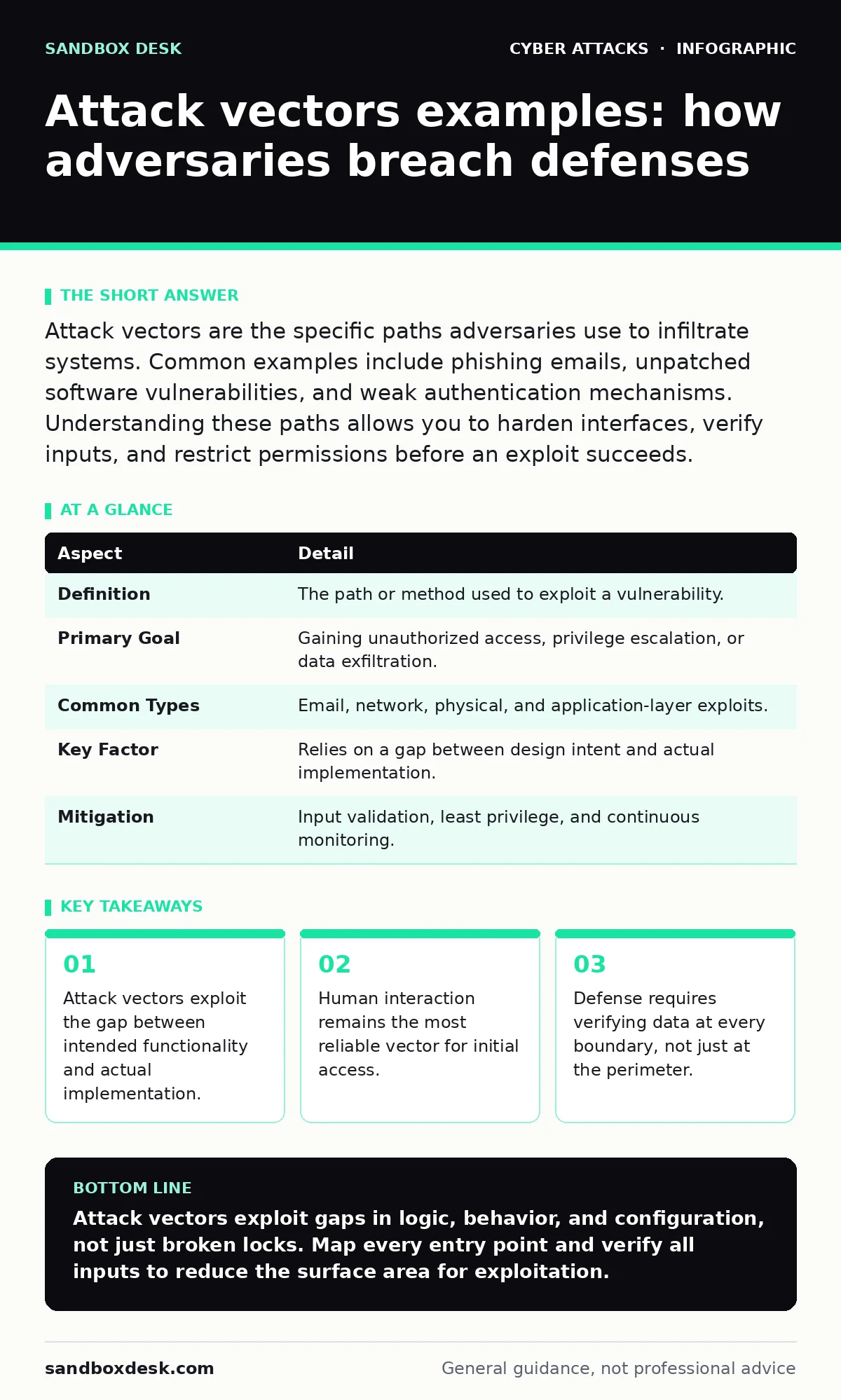
Attack vectors are the specific paths adversaries use to infiltrate systems. Common examples include phishing emails, unpatched software vulnerabilities, and weak authentication mechanisms. Understanding these paths allows you to harden interfaces, verify inputs, and restrict permissions before an exploit succeeds.
Everyday analogy for entry points
Imagine a house with a locked front door, a reinforced back door, and sealed windows. The locks represent your security controls. An attack vector is not the lock itself. It is the unlocked basement window left open for ventilation, or the neighbor who trusts you and lets you in. The adversary does not break the lock. They use the opening you created or the trust you granted. This distinction matters because securing the front door does nothing if the basement window remains open. You must map every possible entry, not just the primary ones.
What are attack vectors examples
Attack vectors examples reveal how attackers move from external access to internal control. A vector is the method or pathway used to exploit a vulnerability. It is the vehicle for the attack, not the attack itself. Common vectors include email attachments, network protocols, and physical media. Each vector relies on a specific weakness in configuration, code, or behavior. Identifying the vector allows you to block the path rather than just reacting to the breach. You cannot stop every attack, but you can close the most common doors.
| Aspect | Detail |
|---|---|
| Definition | The path or method used to exploit a vulnerability. |
| Primary Goal | Gaining unauthorized access, privilege escalation, or data exfiltration. |
| Common Types | Email, network, physical, and application-layer exploits. |
| Key Factor | Relies on a gap between design intent and actual implementation. |
| Mitigation | Input validation, least privilege, and continuous monitoring. |
How technical vectors operate
Technical vectors exploit flaws in software logic or protocol implementation. Buffer overflows occur when a program writes more data to a memory block than it can hold. This overwrites adjacent memory, potentially allowing an attacker to execute arbitrary code. SQL injection happens when user input is inserted directly into a database query without sanitization. The database interprets the input as commands rather than data. These vectors work because software often trusts input. You must assume all input is hostile. Validate every string, integer, and file before processing. Trust nothing from the outside.
Human-centric attack vectors
Human behavior provides a reliable entry point because people are inconsistent. Phishing emails mimic trusted senders to trick recipients into clicking malicious links. These links lead to credential harvesting sites or download malware. Whaling attacks target senior executives with highly personalized messages. The goal is to bypass technical controls by exploiting authority and urgency. USB drop attacks involve leaving infected drives in public areas. Curious employees plug them in, executing the malware. These vectors succeed because they bypass technical filters by using social engineering. You cannot patch human curiosity. You must train recognition and enforce verification procedures.
Network and protocol exploitation
Network vectors exploit the protocols that allow systems to communicate. BGP hijacking manipulates the routing information used to direct internet traffic. An attacker announces false routes, diverting traffic through their servers. This allows them to intercept or modify data in transit. Bluetooth attacks target short-range wireless connections. Attackers use brute-force methods to pair with devices and extract data. These vectors exploit the assumption that network paths are secure. You must encrypt traffic end-to-end and verify routing integrity. Assume the network is hostile. Do not trust the path between two points.
Application-layer vulnerabilities
Application vectors target the logic within software. Dictionary attacks attempt to guess passwords by cycling through a list of common words. This works against weak or reused passwords. Account takeover occurs when an attacker gains access to a user's session or credentials. This often happens through session fixation or cookie theft. Web filtering helps block access to known malicious sites, but it does not stop zero-day exploits. You must implement multi-factor authentication and rotate session tokens frequently. Do not rely on obscurity. Secure the application logic itself.
What people usually get wrong
Many assume that firewalls stop all external attacks. Firewalls filter traffic based on rules, but they do not inspect application logic. A firewall allows legitimate traffic, which includes attacks hidden in valid protocols. Another mistake is believing that internal networks are safe. Lateral movement allows attackers to move from one compromised host to another. Intrusion detection systems can alert on suspicious activity, but they cannot prevent all exploits. You must assume breach. Segment networks and limit privileges. Monitor for unusual behavior inside the perimeter, not just at the edge.
Mitigation strategies for common vectors
Mitigation requires a layered approach. Input validation prevents injection attacks by rejecting malformed data. Least privilege ensures that users and processes have only the permissions they need. This limits the damage if a vector is exploited. Regular patching addresses known vulnerabilities in software and operating systems. Multi-factor authentication adds a second layer of verification, stopping credential theft. You must also monitor logs for anomalies. Automation helps detect patterns that humans miss. Combine technical controls with user training. No single measure stops every vector. Layer them to increase the cost of attack.
Key takeaways
- Attack vectors exploit the gap between intended functionality and actual implementation.
- Human interaction remains the most reliable vector for initial access.
- Defense requires verifying data at every boundary, not just at the perimeter.
Attack vectors exploit gaps in logic, behavior, and configuration, not just broken locks. Map every entry point and verify all inputs to reduce the surface area for exploitation.
Frequently asked questions
How do I identify the attack vector in a breach?
Analyze logs for the first unauthorized access point. Look for unusual network connections, failed login attempts, or unexpected file executions. Trace the path back to the initial entry method.
Can an attack vector change over time?
Yes, attackers adapt when defenses improve. They may shift from email phishing to supply chain compromises or exploit new vulnerabilities in popular software. Continuous monitoring is required to detect new methods.
Why do technical controls fail against human-centric vectors?
Technical controls cannot read intent. A firewall allows an email to pass if it looks legitimate. If a user clicks a link, the technical control has already done its job. Human verification is the final barrier.
Is patching enough to stop attack vectors?
No, patching fixes known software flaws. It does not stop phishing, misconfigurations, or weak passwords. You need a combination of patching, user training, and strict access controls to cover all vector types.
How this guide was produced: written by the Sandbox Desk editorial team with AI assistance, checked against the public references listed below, and reviewed when the facts change. See our editorial policy or report an error.