Microsoft Defender Misunderstandings: Fix 6 Common Setup Errors
Microsoft Defender Antivirus relies on local policy settings and network isolation more than cloud telemetry, making default configurations surprisingly vulnerable to targeted attacks.

Users often assume Microsoft Defender Antivirus provides automatic, full-spectrum protection without configuration. This guide corrects six common misconceptions about its scope, performance impact, and integration limits. You will learn how to verify your actual security posture rather than relying on dashboard indicators that may hide critical gaps in endpoint defense.
Misreading: The shield icon means all threats are blocked
Correct reading: The system tray icon indicates that the service is running, not that your environment is secure. Microsoft Defender Antivirus operates as a local agent that checks files against known signatures and behavioral heuristics. It does not monitor network traffic for command and control servers. A running service leaves lateral movement open if an attacker has already bypassed initial execution controls. You must separate endpoint detection from network perimeter security.
Imagine a scenario where a script runs from a trusted domain. The antivirus engine sees the file as benign because it lacks a malicious signature. The script then downloads a payload from an external server. The antivirus agent does not inspect the HTTP traffic for anomalies. You see a green shield, but the threat is already in memory.
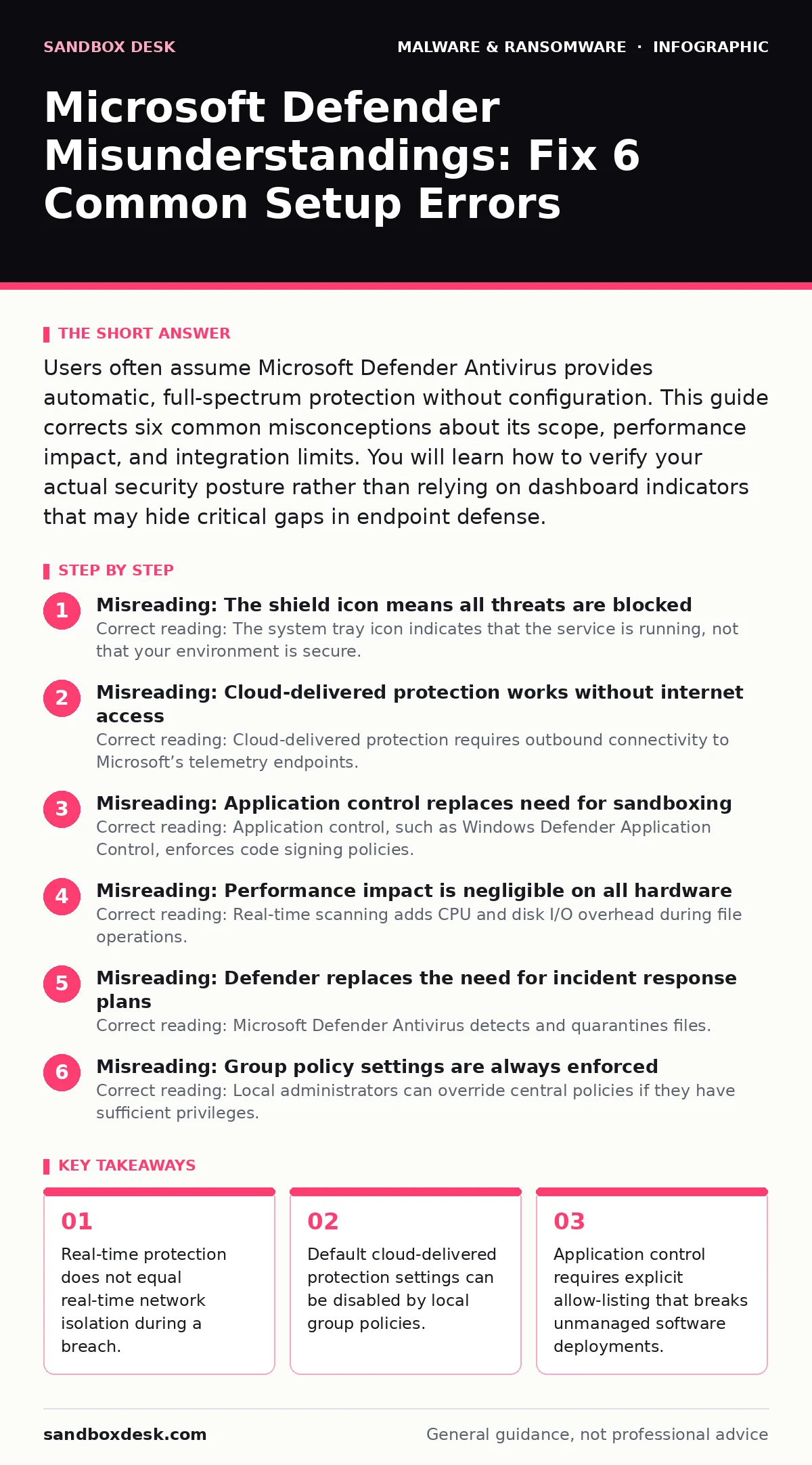
Misreading: Cloud-delivered protection works without internet access
Correct reading: Cloud-delivered protection requires outbound connectivity to Microsoft’s telemetry endpoints. If your network policy blocks outbound HTTPS traffic to these specific domains, the feature falls back to local engine capabilities. Local signatures are updated less frequently than cloud models. You lose access to real-time analysis of unknown threats. This creates a blind spot for zero-day exploits that rely on novel code structures.
Misreading: Application control replaces need for sandboxing
Correct reading: Application control, such as Windows Defender Application Control, enforces code signing policies. It blocks executables that lack a valid certificate or match a known bad hash. It does not analyze the behavior of allowed applications. A legitimate tool can still execute malicious payloads if the attacker injects code into its process space. Sandboxing isolates the execution environment. Application control only gates entry. You need both mechanisms to prevent supply chain attacks.
Misreading: Performance impact is negligible on all hardware
Correct reading: Real-time scanning adds CPU and disk I/O overhead during file operations. This impact scales with the volume of data processed. Build servers, database nodes, and high-frequency trading systems experience measurable latency. The engine pauses scanning for known safe processes, but custom applications may trigger deep inspection. You must tune exclusion paths for temporary directories and build artifacts. Untuned exclusions risk excluding malware that mimics legitimate build outputs.
Misreading: Defender replaces the need for incident response plans
Correct reading: Microsoft Defender Antivirus detects and quarantines files. It does not coordinate containment across your infrastructure. When ransomware incident response protocols activate, you need manual steps to isolate hosts and restore data. The antivirus tool provides telemetry, but it does not execute your disaster recovery plans. Relying solely on automated remediation leaves gaps in communication and legal compliance. You must define human-led procedures for critical system failures.
See also: SEO Poisoning Mistakes That Compromise Your Site Authority
Misreading: Group policy settings are always enforced
Correct reading: Local administrators can override central policies if they have sufficient privileges. Attackers with admin rights can disable real-time protection or clear event logs. Microsoft Defender Antivirus respects the principle of least privilege, but misconfigured permissions allow local bypass. You must audit who can modify antivirus settings. Use registry hardening to prevent unauthorized changes to the service configuration.
Misreading: Behavioral detection catches all unknown threats
Correct reading: Behavior-based detection analyzes process activity for suspicious patterns. It looks for rapid file encryption or unusual registry modifications. However, it generates false positives for legitimate tools that modify system files extensively. You must balance sensitivity with operational stability. Tuning these rules requires understanding your normal application behavior. Without proper tuning, you either miss subtle attacks or disrupt business processes.
The integration between Microsoft Defender Antivirus and other security tools depends on proper configuration. Antivirus software is just one layer. You must combine it with endpoint detection and response platforms for complete visibility. Do not assume that a single product solves all security challenges.
Key takeaways
- Real-time protection does not equal real-time network isolation during a breach.
- Default cloud-delivered protection settings can be disabled by local group policies.
- Application control requires explicit allow-listing that breaks unmanaged software deployments.
Frequently asked questions
Does Microsoft Defender Antivirus protect against clipboard hijackers?
No. Clipboard hijackers operate at the user interface level, often through memory injection or hooking. The antivirus engine scans files and processes, not the clipboard contents. You need additional endpoint monitoring to detect unauthorized clipboard access.
Can I use Microsoft Defender Antivirus with other antivirus software?
Generally no. Running multiple real-time antivirus solutions causes conflicts. They fight for file access, leading to system instability and reduced protection. Disable third-party antivirus if you use Microsoft Defender as your primary endpoint security solution.
How do I know if my Defender version is current?
Check the Windows Update settings. Defender updates are delivered through Windows Update. You can also use PowerShell to query the version number. Outdated versions lack the latest signatures and behavioral models, reducing your protection against new threats.
Does Defender block SEO poisoning attacks?
No. SEO poisoning affects how search engines index malicious sites. Defender runs on endpoints. It does not influence search engine algorithms. You must rely on web filtering and safe browsing features to avoid landing on poisoned sites. BOTTOM LINE: Microsoft Defender Antivirus is a powerful baseline tool, but it requires active configuration and network integration to be effective. Audit your exclusion lists and verify outbound telemetry connectivity today.
How this guide was produced: written by the Sandbox Desk editorial team with AI assistance, checked against the public references listed below, and reviewed when the facts change. See our editorial policy or report an error.