Implement Least Privilege Access: A Step-by-Step Guide for Systems
Restricting permissions reduces the blast radius of a compromise but introduces friction that often leads teams to bypass controls unless the path of least resistance is designed into the workflow.

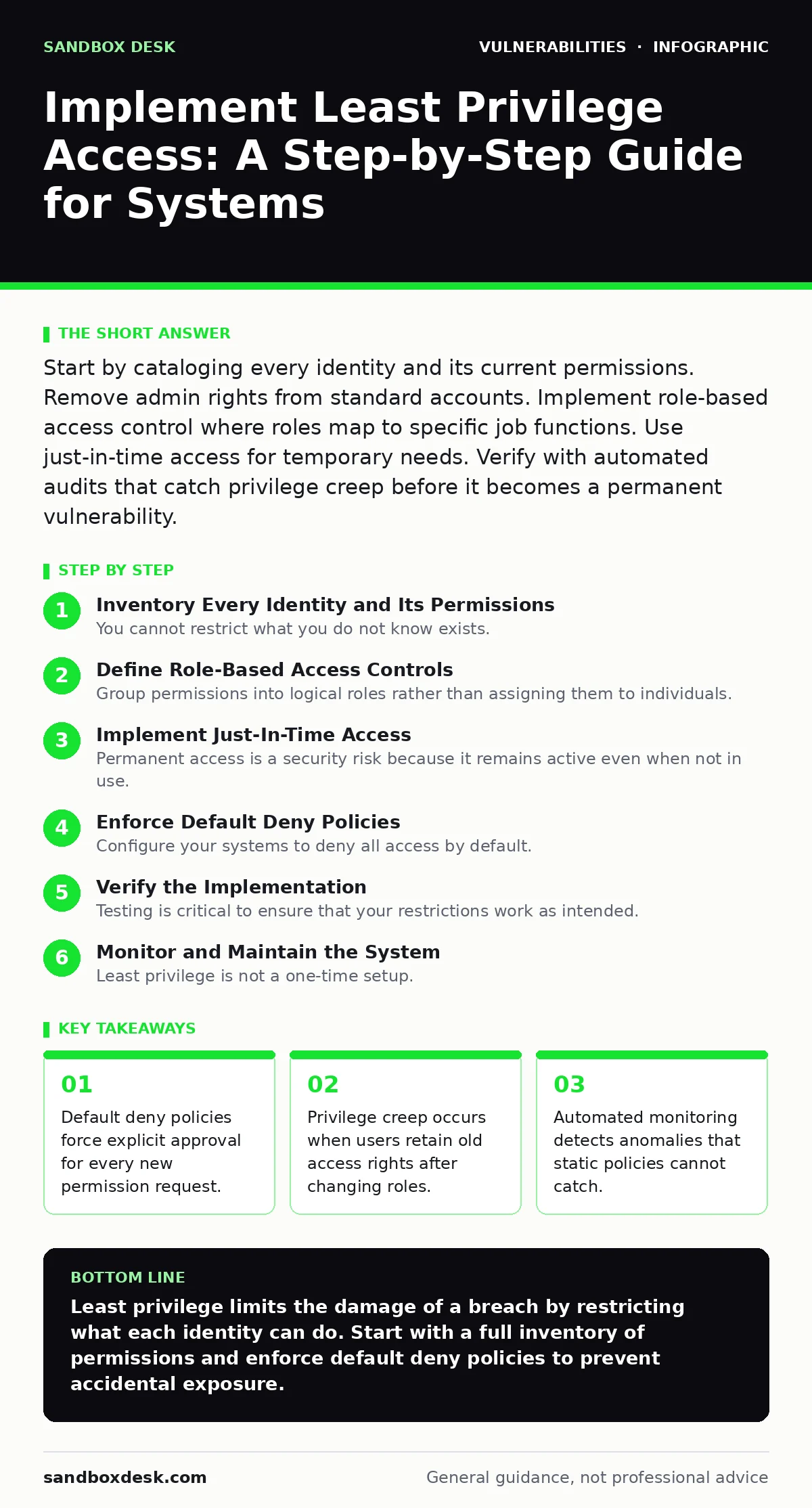
Start by cataloging every identity and its current permissions. Remove admin rights from standard accounts. Implement role-based access control where roles map to specific job functions. Use just-in-time access for temporary needs. Verify with automated audits that catch privilege creep before it becomes a permanent vulnerability.
Inventory Every Identity and Its Permissions
You cannot restrict what you do not know exists. Begin by mapping every user, service account, and application to the resources it touches. This includes database connections, file system paths, and API endpoints. Many organizations overlook service accounts, which often hold persistent, high-level privileges.
Identify the baseline requirements for each role. A developer needs write access to code repositories but should not have root access to production servers. A marketing tool needs read access to customer data but should not be able to delete records. Document these requirements before changing any configuration.
Define Role-Based Access Controls
Group permissions into logical roles rather than assigning them to individuals. This approach, known as role-based access control, simplifies management and reduces human error. Create roles that align with job functions, such as "read-only analyst" or "deployment engineer."
Ensure that each role contains only the permissions necessary to perform its specific tasks. Avoid creating a "super user" role that grants access to everything. If a role requires access to multiple systems, define the exact boundaries. This granularity prevents lateral movement if one part of the system is compromised.
Implement Just-In-Time Access
Permanent access is a security risk because it remains active even when not in use. Implement just-in-time access, where privileges are granted only when needed and revoked immediately after the task is complete. This requires an automated workflow that approves and provisions access on demand.
For example, a database administrator might need elevated privileges to fix a query. The system grants access for thirty minutes, logs the action, and then revokes the privilege. This reduces the window of opportunity for an attacker to exploit stolen credentials. It also creates a clear audit trail for every privileged action.
Enforce Default Deny Policies
Configure your systems to deny all access by default. Explicitly allow only the traffic and actions defined in your role policies. This contrasts with default allow policies, which permit everything except what is explicitly blocked. Default deny ensures that new threats or misconfigurations do not automatically gain access.
This principle applies to network traffic, file system access, and application permissions. If a new service is deployed, it should have no access until explicitly granted. This forces a review of each new component’s security posture before it goes live. It also prevents accidental exposure of sensitive data.
Verify the Implementation
Testing is critical to ensure that your restrictions work as intended. Attempt to perform actions that should be blocked, such as a developer trying to delete a production database. The system should reject the request and log the attempt. If the action succeeds, your policy is too permissive.
Use automated tools to scan for privilege creep. These tools compare current permissions against the defined roles and flag any deviations. Regular audits help identify accounts that have accumulated unnecessary permissions over time. Check the logs for failed access attempts, which may indicate misconfiguration or an attack.
- Verify that standard users cannot escalate privileges.
- Confirm that service accounts have minimal necessary permissions.
- Test that just-in-time access expires automatically.
- Review logs for unauthorized access attempts.
Monitor and Maintain the System
Least privilege is not a one-time setup. It requires ongoing maintenance to adapt to changes in your environment. As employees change roles, their permissions must be updated immediately. Delayed updates create gaps that attackers can exploit.
Automate the review process where possible. Integrate permission checks into your secure software development lifecycle to catch issues early. Monitor for anomalous behavior, such as a user accessing resources outside their normal pattern. This helps detect compromised accounts before they cause significant damage.
Refer to the National Vulnerability Database for known issues that might affect your access controls. Ensure that your implementation aligns with current security bulletins to address emerging threats. Regularly review your policies to ensure they remain effective against new attack vectors.
Handle Edge Cases and Exceptions
There will be times when standard policies do not fit, such as during emergency maintenance or when integrating a new third-party service. Establish a formal process for requesting and granting temporary exceptions. These exceptions must be time-bound and require explicit approval from a security officer.
Document the reason for each exception and the steps taken to mitigate the risk. After the exception period ends, revert the permissions to their original state. Failure to do so leads to privilege creep, where temporary access becomes permanent. This undermines the entire least privilege framework.
Consider the impact on API vulnerabilities. If an API endpoint requires elevated privileges, ensure that the authentication mechanism is strong and that the data exposure is minimal. Weak password policies can also undermine least privilege if attackers can easily guess credentials for privileged accounts.
Balance Security with Usability
Overly restrictive policies can frustrate users, leading them to find workarounds that bypass security controls. For example, users might save credentials in plain text files to avoid the hassle of frequent authentication. Design your system to make the secure path the easiest path.
Use single sign-on to reduce the number of credentials users must manage. Implement seamless authentication methods that do not interrupt workflow. Provide clear feedback when an action is denied, explaining why and how to request access. This transparency builds trust and encourages compliance.
Remember that least privilege does not eliminate all risks. It reduces the impact of a breach by limiting what an attacker can do. Combine it with other security measures, such as encryption and intrusion detection, for a layered defense. This approach addresses the limitations of any single control.
Key takeaways
- Default deny policies force explicit approval for every new permission request.
- Privilege creep occurs when users retain old access rights after changing roles.
- Automated monitoring detects anomalies that static policies cannot catch.
Least privilege limits the damage of a breach by restricting what each identity can do. Start with a full inventory of permissions and enforce default deny policies to prevent accidental exposure.
Frequently asked questions
How do I handle legacy systems that do not support role-based access?
Wrap legacy systems with a proxy or gateway that enforces access controls. This allows you to apply modern security policies without modifying the legacy application code.
What is the difference between least privilege and zero trust?
Least privilege is a principle of limiting access. Zero trust is an architecture that assumes no implicit trust and verifies every request. Least privilege is a key component of zero trust.
How often should I review user permissions?
Review permissions whenever a user changes roles or leaves the organization. Conduct automated audits quarterly to catch privilege creep and ensure compliance with your policies.
Can least privilege slow down development teams?
It can if implemented poorly. Automate access provisioning and use just-in-time access to minimize friction. Clear documentation and easy-to-use request processes help maintain productivity.
How this guide was produced: written by the Sandbox Desk editorial team with AI assistance, checked against the public references listed below, and reviewed when the facts change. See our editorial policy or report an error.