Shadow IT Data Exposure: Risks and Protection for Small Businesses
Unapproved tools often bypass network security, creating hidden channels where sensitive data leaks without triggering any monitoring alerts.

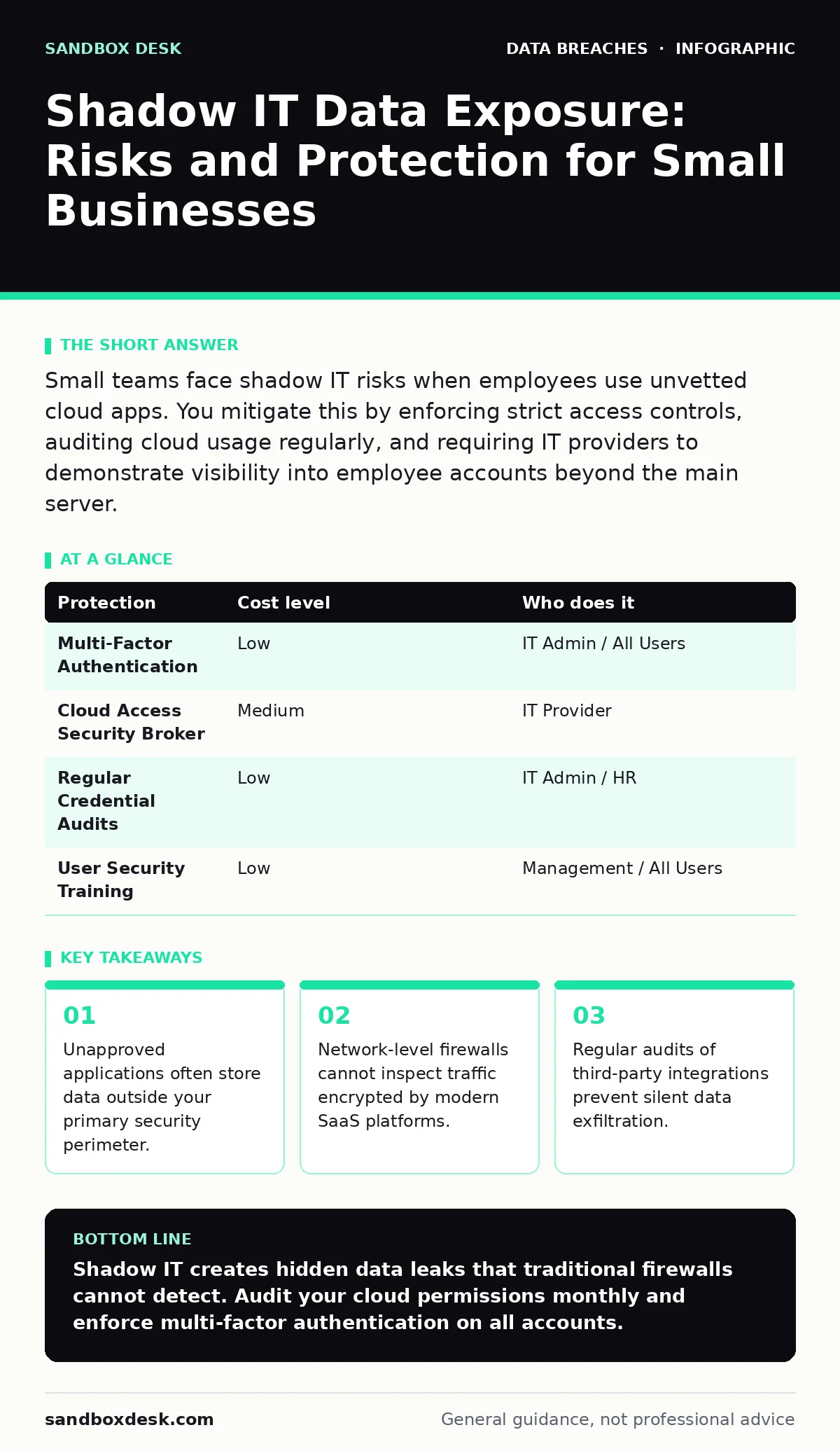
Small teams face shadow IT risks when employees use unvetted cloud apps. You mitigate this by enforcing strict access controls, auditing cloud usage regularly, and requiring IT providers to demonstrate visibility into employee accounts beyond the main server.
The Mechanics of Unapproved Cloud Usage
Shadow IT refers to information technology systems, devices, software, or services that users access without the explicit approval or knowledge of their organization’s IT department. This is not always malicious. Employees often adopt these tools to improve speed or bypass bureaucratic delays. The risk arises because these tools operate outside your defined security boundary.
Your firewall protects the network perimeter, but it cannot inspect the data flowing through encrypted connections to legitimate cloud providers. If an employee uploads a client database to an unapproved analytics platform, your network logs show only that traffic left the building. They do not show what data was sent or who can now access it.
This creates a blind spot in your data inventory and mapping efforts. You cannot protect data you do not know exists. The assumption that all sensitive data resides on company servers is factually incorrect in most modern organizations. Data resides wherever the workflow takes it.
Why Small Organizations Remain Vulnerable
Small teams rarely have dedicated security staff. This resource constraint leads to a reliance on manual oversight, which scales poorly. As the team grows, the number of potential entry points increases exponentially. One new hire might introduce three new SaaS tools, each with its own login credentials and privacy policy.
The lack of formal procurement processes accelerates this exposure. In larger enterprises, a vendor risk assessment might block a weak provider. In a small business, the need for immediate functionality often overrides security concerns. The trade-off is speed today for vulnerability tomorrow.
Furthermore, small businesses are frequent targets because they often lack the detection capabilities of larger firms. Attackers know that if they compromise a single employee’s credentials for an unvetted app, they may gain a foothold into the wider network through integrated workflows.
The Hidden Cost of Convenience
The primary driver of shadow IT is user friction. If the approved way to share a file takes ten minutes and requires approval, users will find a five-minute alternative. This is a rational response to poor usability. Security measures that ignore human behavior will fail.
However, the cost of this convenience is rarely measured in immediate terms. The hidden cost is the accumulation of digital liability. Every unvetted app adds a potential vector for identity theft protection failures. If that app suffers a breach, your users’ personal data may be exposed, leading to regulatory fines and reputational damage.
Consider the integration chains. Many modern apps connect to others via APIs. An unvetted scheduling tool might connect to your corporate email system. If the scheduling tool is compromised, the attacker gains access to the email account via the granted permissions. This chain reaction turns a minor tool into a major vulnerability.
Low-Cost Protections for Limited Budgets
You do not need enterprise-grade software to reduce shadow IT risks. Basic hygiene goes a long way. Implementing multi-factor authentication across all accounts, including personal ones used for work, is the single most effective control. This prevents attackers from using stolen passwords to access unvetted services.
Regularly review connected applications. Most major platforms like Microsoft 365 or Google Workspace allow users to see which third-party apps have access to their data. You can configure policies to block unknown apps from accessing sensitive data. This is often a free feature within your existing subscription.
Educate staff on the concept of data subject rights. When employees understand that they are responsible for the data they handle, they are less likely to upload it to obscure services. Clear policies on what data can leave the organization must be simple and actionable.
| Protection | Cost level | Who does it |
|---|---|---|
| Multi-Factor Authentication | Low | IT Admin / All Users |
| Cloud Access Security Broker | Medium | IT Provider |
| Regular Credential Audits | Low | IT Admin / HR |
| User Security Training | Low | Management / All Users |
What to Ask Your IT Provider
If you outsource your IT, you must verify their visibility into shadow IT. A provider that only manages your servers is ignoring half the battle. You need a partner who understands cloud identity management.
Ask them how they monitor user activity beyond the network edge. Specifically, inquire about their ability to detect unauthorized SaaS usage. Do they have tools that scan for shadow IT, or do they rely on manual reports?
Request a sample report of connected applications for a test account. This demonstrates their capability to audit and manage permissions. If they cannot show you this, they cannot protect you from shadow IT risks.
Also, ask about their incident response plan for credential leaks. If a user’s password is found in a combo list, how quickly can your provider revoke access to all connected services? Speed of containment is critical in these scenarios.
See also: Tax Identity Theft: How Stolen Data Becomes Fraudulent Returns · Jailbreaking AI Chatbots: Risks and Protection for Small Businesses
Integrating Security into Workflow
Security should not be a barrier to productivity. The goal is to reduce the incentive for shadow IT by making the approved tools easier to use. This requires collaboration between IT and the rest of the organization.
Implement a "bring your own app" policy with clear guidelines. Allow employees to request new tools, but require a quick security check. This gives them autonomy while maintaining oversight. It transforms shadow IT from a hidden risk into a managed process.
Regularly update your data inventory. As new tools are approved, document where data flows and who has access. This living document ensures you always know where your sensitive information resides. It also simplifies the process of responding to healthcare data breaches or other incidents involving regulated data.
The Reality of Total Visibility
Even large corporations struggle with this. The goal is risk reduction, not perfection. Focus on protecting the most sensitive data and the most privileged accounts.
Accept that some shadow IT will exist. The key is to ensure it does not contain sensitive information. By enforcing strict access controls and educating users, you can contain the damage. Regular audits and clear policies are your best defenses.
Remember that backup data exposure is another risk if your backups include data from unvetted sources. Ensure your backup strategy excludes unnecessary third-party data. This limits the scope of potential loss.
Key takeaways
- Unapproved applications often store data outside your primary security perimeter.
- Network-level firewalls cannot inspect traffic encrypted by modern SaaS platforms.
- Regular audits of third-party integrations prevent silent data exfiltration.
Shadow IT creates hidden data leaks that traditional firewalls cannot detect. Audit your cloud permissions monthly and enforce multi-factor authentication on all accounts.
Frequently asked questions
How do I find out what apps my employees are using?
Use built-in audit logs in your email or identity provider to list all third-party applications connected to user accounts.
Is shadow IT illegal?
No, using unapproved software is not inherently illegal, but it may violate company policy and data protection regulations.
Can a firewall stop shadow IT?
Standard firewalls cannot inspect encrypted traffic to legitimate cloud services, so they often miss shadow IT activity.
What is the biggest risk of using free tools?
Free tools often have weaker security and may sell user data, increasing the risk of data breaches and privacy violations.
How this guide was produced: written by the Sandbox Desk editorial team with AI assistance, checked against the public references listed below, and reviewed when the facts change. See our editorial policy or report an error.