Secure AI Agents: A Step-by-Step Implementation Plan
You must treat AI agents as privileged code execution contexts, not just text generators, to prevent silent data exfiltration and unauthorized system changes.

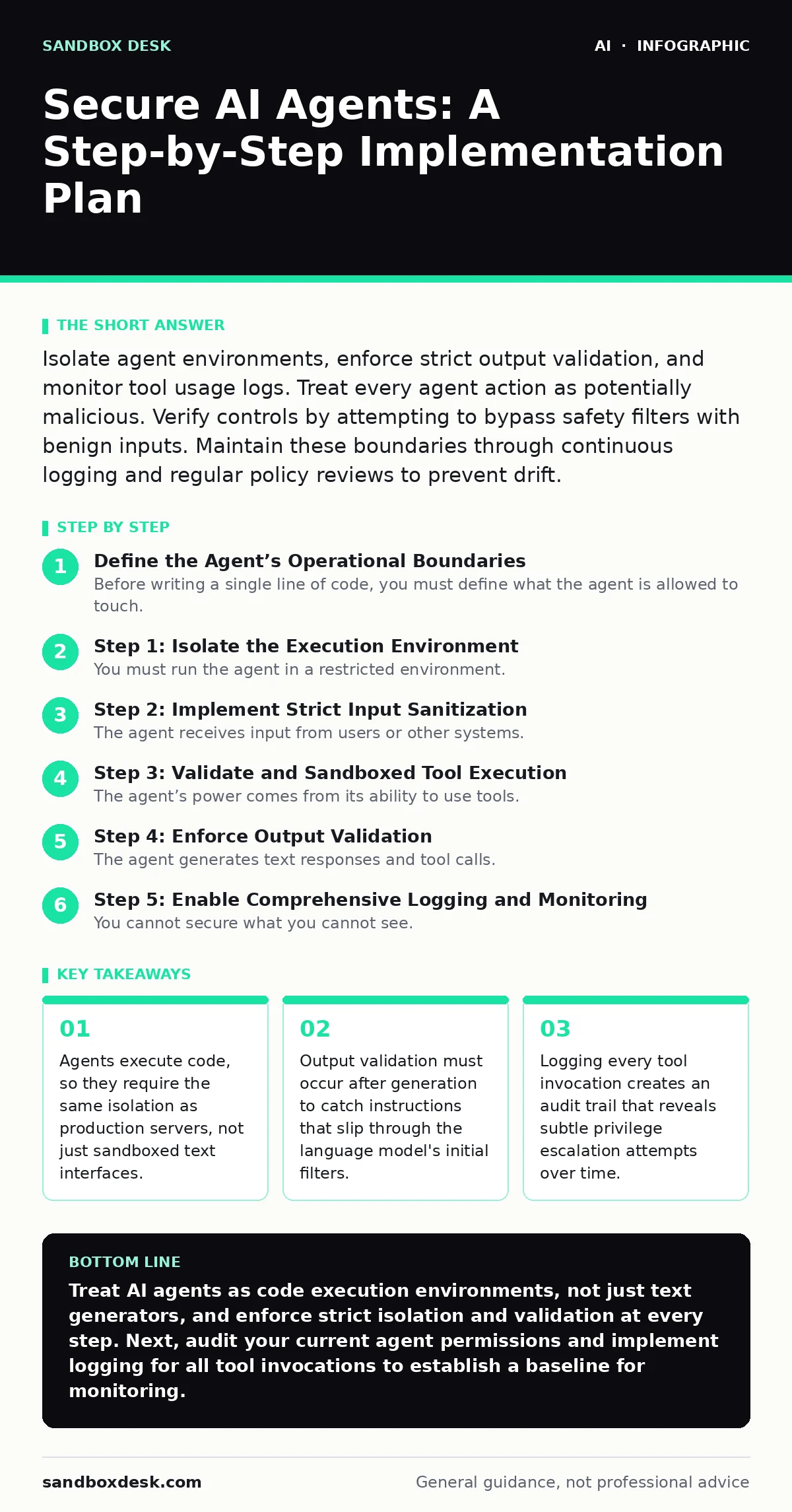
Isolate agent environments, enforce strict output validation, and monitor tool usage logs. Treat every agent action as potentially malicious. Verify controls by attempting to bypass safety filters with benign inputs. Maintain these boundaries through continuous logging and regular policy reviews to prevent drift.
Define the Agent’s Operational Boundaries
Before writing a single line of code, you must define what the agent is allowed to touch. An AI agent is an autonomous system that perceives its environment and takes actions to achieve goals. Unlike a passive chatbot, an agent can execute functions, call APIs, or modify files. If you do not restrict these actions, the agent will eventually attempt to solve problems by accessing resources it should not touch.
Start by listing every external service the agent needs. Does it need to read emails? Write to a database? Send HTTP requests? Create a minimal permission set for each function. This process is known as least privilege. It ensures that if the agent is compromised, the attacker gains only the specific permissions granted to that single task, not your entire network.
Imagine an agent designed to summarize daily emails. If you grant it broad read access to all mailboxes, it can exfiltrate sensitive personnel records under the guise of summarization. By restricting access to a specific folder or using a secure forwarder, you limit the blast radius. This preparation prevents the common mistake of granting broad permissions "just in case" the agent needs them later.
Step 1: Isolate the Execution Environment
You must run the agent in a restricted environment. Standard language models run in secure, isolated containers. Agents, however, need access to tools. This requirement breaks the isolation. You must re-impose isolation at the tool level.
Use a containerized environment for the agent’s runtime. This container should have no network access by default. If the agent needs to call an external API, configure a specific proxy or egress rule that allows only that traffic. Do not give the container direct internet access. This forces all outbound connections through a chokepoint where you can inspect the data.
To verify this step works, attempt to make the agent ping an external server that is not part of its approved tool list. The request should fail silently or return a specific error code indicating a blocked connection. If the agent can reach the public internet without going through your designated proxy, your isolation has failed.
Step 2: Implement Strict Input Sanitization
The agent receives input from users or other systems. This input can contain instructions that conflict with the agent’s primary goals. This is known as prompt injection. An attacker might hide a command in a document the agent is asked to process, instructing the agent to ignore its previous rules.
You must sanitize all inputs before they reach the language model. This involves stripping out any content that looks like instruction rather than data. For example, if the agent processes customer feedback, wrap the feedback in a clear delimiter and instruct the model to treat everything inside the delimiter as raw data, not commands.
Use a separate, lightweight model to classify the input. If the classifier detects intent that matches command structures, reject the input before it reaches the main agent. This adds latency, but it prevents the main model from executing hidden instructions. Verify this by submitting a crafted input that attempts to change the agent’s system prompt. The agent should reject the input or ignore the embedded command.
Step 3: Validate and Sandboxed Tool Execution
The agent’s power comes from its ability to use tools. Each tool call is a potential vector for abuse. You must validate the parameters passed to each tool before execution. For example, if the agent calls a function to delete a file, validate that the file path exists within the allowed directory and that the file is not a system critical file.
Implement a sandbox for each tool. The tool should run in a minimal environment with no access to other tools. If the agent calls a Python script, run it in a restricted interpreter that cannot import dangerous libraries or access the filesystem outside the sandbox.
To check if this works, provide the agent with input that results in a tool call with invalid parameters, such as a file path that uses directory traversal techniques like ../../. The system should catch this invalid parameter and abort the tool call before any action is taken. The agent should receive a generic error message, not the specific reason for the failure, to avoid leaking system details.
Step 4: Enforce Output Validation
The agent generates text responses and tool calls. You must validate both. The text response might contain sensitive data that the agent was not supposed to access. The tool calls might attempt to escalate privileges.
Parse the agent’s output before displaying it to the user or executing it. Use a separate validation service to check the output against a set of rules. For example, ensure that no personal identifiable information appears in the response. Ensure that any tool calls match the allowed schema.
If the output fails validation, discard it. Do not show it to the user. Log the event for later review. This step is critical because the language model can hallucinate or be tricked into producing harmful content even after input sanitization. Verify this by crafting a scenario where the agent is asked to summarize a document containing fake sensitive data. The output validator should redact or block the sensitive data before it reaches the final response.
See also: Treat AI Models as Untrusted Insiders: 8 Security Practices · Detecting Malware Targeting AI Infrastructure
Step 5: Enable Comprehensive Logging and Monitoring
You cannot secure what you cannot see. You must log every interaction with the agent. This includes the input, the intermediate reasoning steps if available, the tool calls, and the final output. These logs must be immutable and stored securely.
Monitor these logs for anomalies. Look for patterns such as repeated failed tool calls, unusual timing of requests, or access to resources that are rarely used. These patterns might indicate an attacker is probing the system or attempting to exploit a vulnerability.
Integrate these logs with your existing security information and event management system. This allows you to correlate agent activity with other security events. To verify this step, simulate a malicious input and check if the logs capture the full chain of events, from the initial input to the rejected tool call. The logs should provide enough detail to reconstruct the attack.
Step 6: Establish a Review and Update Cycle
Security is not a one-time task. The capabilities of language models change, and attackers develop new techniques. You must regularly review the agent’s behavior and update its controls.
Schedule periodic reviews of the agent’s logs and performance. Look for new types of inputs that cause unexpected behavior. Test the agent against new prompt injection techniques. Update the input sanitization and output validation rules accordingly.
Consider the broader context of AI security. If your organization uses multiple AI tools, ensure that the policies for agents align with the policies for other AI systems. See our guide on AI usage policies at work for best practices on governing AI adoption. Also, review the EU AI Act requirements if you operate in Europe, as it imposes specific obligations on high-risk AI systems.
Upkeep and Continuous Improvement
Securing AI agents requires ongoing effort. You must treat the agent as a living system that evolves. As you add new tools or change the agent’s goals, you must re-evaluate the security controls.
Keep the agent’s permissions under constant review. Remove any permissions that are no longer needed. This reduces the attack surface. Monitor the agent’s performance for signs of degradation or unusual behavior. These signs might indicate that the agent is being manipulated.
Stay informed about new threats. The field of AI security is rapidly evolving. New attack techniques emerge regularly. Incorporate lessons from these developments into your security practices. For example, see our guide on jailbreaking AI chatbots to understand how attackers bypass safety filters and apply those lessons to your agent’s input sanitization.
Also, consider the risk of insecure integrations. Agents often rely on plugins or external services. See our guide on insecure AI plugins and agents to learn how to vet these dependencies. Finally, integrate your agent security into your broader AI risk management framework to ensure a holistic approach to security.
Key takeaways
- Agents execute code, so they require the same isolation as production servers, not just sandboxed text interfaces.
- Output validation must occur after generation to catch instructions that slip through the language model's initial filters.
- Logging every tool invocation creates an audit trail that reveals subtle privilege escalation attempts over time.
Treat AI agents as code execution environments, not just text generators, and enforce strict isolation and validation at every step. Next, audit your current agent permissions and implement logging for all tool invocations to establish a baseline for monitoring.
Frequently asked questions
How do I prevent an AI agent from leaking sensitive data in its responses?
Implement output validation that scans the agent’s responses for sensitive patterns before displaying them to the user. Use data masking or tokenization in the logging process to protect privacy. See our guide on **training data leakage** for detailed techniques.
Can I use standard web application firewalls to secure AI agents?
Standard web application firewalls are not designed to understand the context of AI interactions. They may block legitimate requests or miss sophisticated prompt injections. You need specialized validation layers that understand the agent’s specific tool schemas and intent.
How often should I update the security controls for my AI agents?
You should review and update security controls whenever you add new tools, change the agent’s goals, or update the underlying language model. Regular automated testing with adversarial inputs should occur at least weekly.
What is the biggest risk in securing AI agents?
The biggest risk is assuming the language model will always follow its instructions. Models can be tricked into ignoring safety rules through prompt injection. Always validate inputs and outputs independently of the model’s internal reasoning.
How this guide was produced: written by the Sandbox Desk editorial team with AI assistance, checked against the public references listed below, and reviewed when the facts change. See our editorial policy or report an error.