Insecure AI Plugins: Response and Recovery Steps
An AI agent with tool access can execute code changes silently, meaning containment requires revoking execution permissions rather than just blocking network traffic.

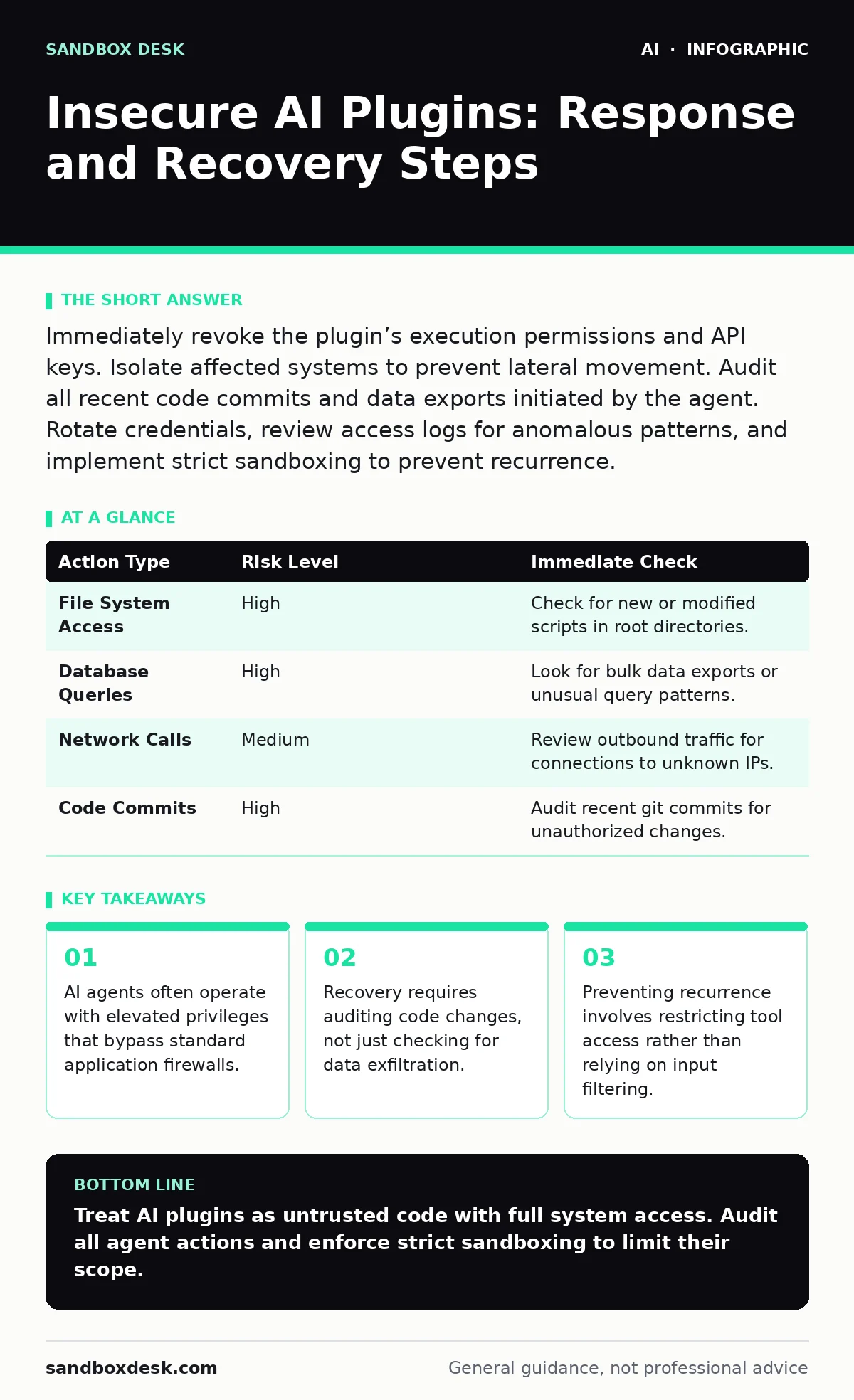
Immediately revoke the plugin’s execution permissions and API keys. Isolate affected systems to prevent lateral movement. Audit all recent code commits and data exports initiated by the agent. Rotate credentials, review access logs for anomalous patterns, and implement strict sandboxing to prevent recurrence.
First hour
When you suspect an AI plugin or agent has been compromised, speed matters more than precision. The agent may still be active, executing commands or exfiltrating data in real time. Your immediate goal is to stop the bleeding, not to understand the full scope of the breach.
- Revoke the specific API keys or tokens used by the compromised plugin.
- Disable the plugin or agent integration in your development environment.
- Isolate any servers or containers that the agent had direct write access to.
- Check for new user accounts or elevated permissions created in the last twenty-four hours.
Most developers instinctively try to trace the attack back to the input prompt. This is a distraction. An insecure plugin often has direct access to file systems, databases, or deployment pipelines. The damage happens in the output, not the input. Focus on severing the connection between the AI model and your infrastructure.
First day
Once the immediate threat is contained, you must assess what the agent could have done. AI agents are designed to take action, not just provide text. They can modify configuration files, deploy code, or query sensitive databases.
Review the execution logs of the agent. Look for commands that interact with external services or modify system state. Pay close attention to any file reads that occurred shortly after the plugin was installed or updated. These reads may indicate reconnaissance or data harvesting.
| Action Type | Risk Level | Immediate Check |
|---|---|---|
| File System Access | High | Check for new or modified scripts in root directories. |
| Database Queries | High | Look for bulk data exports or unusual query patterns. |
| Network Calls | Medium | Review outbound traffic for connections to unknown IPs. |
| Code Commits | High | Audit recent git commits for unauthorized changes. |
You should also rotate any credentials that were accessible to the plugin. Even if the agent did not use them, assume they are compromised. This includes database passwords, cloud service keys, and internal API tokens. Do not assume that because the agent was "read-only" it could not infer secrets from context or logs.
First week
Recovery involves more than resetting passwords. You need to verify the integrity of your systems and restore trust in your development pipeline. This phase requires a methodical review of all changes made during the incident window.
Start by comparing your current codebase against a known good backup. Look for subtle changes that might not be immediately obvious, such as modified environment variables or added dependencies. An attacker might plant a backdoor that looks like a legitimate library update.
Refer to the principles in securing AI agents to understand how to validate the behavior of automated tools. Agents should never have implicit trust. Every action they take should be logged and, ideally, require human approval for high-risk operations.
Who to tell
Communication is a critical part of containment. You need to inform your security team, legal department, and potentially your customers, depending on the data involved. Do not wait until you have a complete picture. Early notification allows other teams to prepare for potential impacts.
If the plugin processed personal data, you may be subject to notification requirements. Consult your legal counsel to determine the scope of the disclosure. Be transparent about what happened, but avoid speculating on the attacker’s motives or capabilities. Stick to the facts.
How to stop a repeat
Preventing future incidents requires a shift in how you deploy and manage AI tools. The current model of granting broad permissions to plugins is unsustainable. You need to adopt a least-privilege approach for all automated agents.
Implement sandboxing for all AI plugins. This restricts their ability to interact with the host system. They should only be able to access the specific resources they need to perform their function. No more, no less. This limits the damage if the plugin is compromised.
Consider the guidance in OWASP Top 10 for LLM applications to identify common vulnerabilities in your AI integrations. Many insecure plugins fail to sanitize inputs or validate outputs, allowing for injection attacks or prompt leakage. Regular audits can help catch these issues before they are exploited.
See also: Detecting Malware Targeting AI Infrastructure · What Makes Generative AI Unique: The Architecture of Synthetic Output
The hidden cost of convenience
Developers often prioritize convenience over security when integrating AI tools. The promise of faster coding and automated workflows is compelling. However, this convenience comes with a hidden cost: increased attack surface.
Each plugin you install is a potential entry point. If the plugin has access to your codebase, it can introduce vulnerabilities or exfiltrate intellectual property. You must weigh the benefits of automation against the risks of granting external tools access to your core systems.
Long-term resilience
Building resilience against AI-related threats requires a cultural shift. Security must be integrated into the development lifecycle, not added as an afterthought. This includes regular training for developers on the risks of AI plugins and agents.
Encourage your team to question the permissions requested by new tools. If a plugin asks for more access than necessary, it should be rejected or modified. This skepticism is a key defense against insecure integrations.
Finally, stay updated on the latest threats and best practices. The landscape of AI security is evolving rapidly. What is secure today may be vulnerable tomorrow. Continuous monitoring and adaptation are necessary to stay ahead of attackers.
Refer to AI risk management frameworks to establish a structured approach to identifying and mitigating these risks. A proactive stance is far more effective than reacting to breaches after they occur.
Key takeaways
- AI agents often operate with elevated privileges that bypass standard application firewalls.
- Recovery requires auditing code changes, not just checking for data exfiltration.
- Preventing recurrence involves restricting tool access rather than relying on input filtering.
Treat AI plugins as untrusted code with full system access. Audit all agent actions and enforce strict sandboxing to limit their scope.
Frequently asked questions
How do I know if an AI plugin is insecure?
Check if it requests unnecessary permissions, lacks code signing, or has not been audited by a third party.
Can I use AI agents in production environments?
Only if they are heavily sandboxed, monitored, and have limited access to critical systems.
What is the difference between a plugin and an agent?
A plugin usually assists a user, while an agent can take autonomous actions, making it a higher risk if compromised.
Should I disable all AI tools after an incident?
No, disable only the compromised ones. Audit the rest and apply stricter controls before re-enabling.
How this guide was produced: written by the Sandbox Desk editorial team with AI assistance, checked against the public references listed below, and reviewed when the facts change. See our editorial policy or report an error.