Detecting Malware Targeting AI Infrastructure
Standard endpoint protection misses attacks that steal model weights or corrupt training data through legitimate API calls.

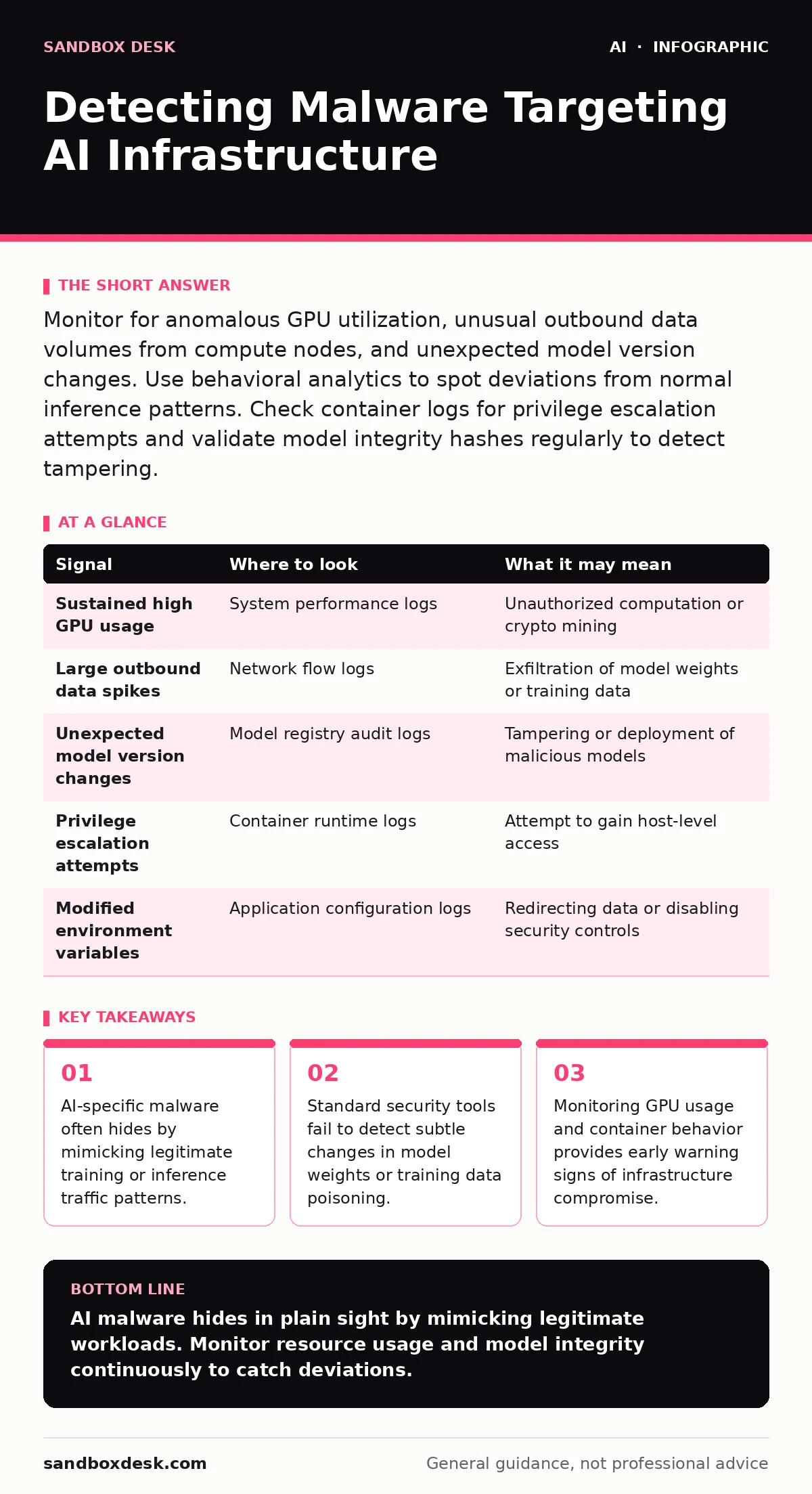
Monitor for anomalous GPU utilization, unusual outbound data volumes from compute nodes, and unexpected model version changes. Use behavioral analytics to spot deviations from normal inference patterns. Check container logs for privilege escalation attempts and validate model integrity hashes regularly to detect tampering.
Understanding the Attack Surface
AI infrastructure presents unique targets that differ from traditional servers. Attackers do not just seek access; they seek intellectual property embedded in model weights. These weights represent the learned parameters of a machine learning model. Stealing them allows adversaries to recreate proprietary systems. Malware targeting this stack often operates silently, avoiding detection by blending into high-volume data processing tasks. You must recognize that the asset is no longer just the server, but the mathematical state it maintains.
The attack surface expands beyond the operating system. It includes the training pipeline, the model registry, and the inference endpoints. Each stage offers different entry points. A breach in one stage can compromise the entire lifecycle. Understanding where evidence appears helps you prioritize monitoring efforts. You need to look at compute resources, data movement, and model artifacts separately.
Signals in System Logs
System logs reveal resource abuse that standard applications rarely exhibit. Look for sustained high GPU utilization outside of scheduled training windows. AI workloads are predictable. Deviations from this pattern often indicate unauthorized computation. Check for processes spawning unexpected child processes on compute nodes. Malware may use these nodes to mine cryptocurrency or train stolen models.
Container logs provide another layer of visibility. Inspect for repeated failed authentication attempts against model registries. Watch for containers requesting elevated privileges unexpectedly. A container running an inference service should not need root access. If it does, something is wrong. Review audit logs for changes to environment variables. Attackers may modify these to redirect data flows or disable security checks.
| Signal | Where to look | What it may mean |
|---|---|---|
| Sustained high GPU usage | System performance logs | Unauthorized computation or crypto mining |
| Large outbound data spikes | Network flow logs | Exfiltration of model weights or training data |
| Unexpected model version changes | Model registry audit logs | Tampering or deployment of malicious models |
| Privilege escalation attempts | Container runtime logs | Attempt to gain host-level access |
| Modified environment variables | Application configuration logs | Redirecting data or disabling security controls |
Network Behavior Analysis
Network traffic patterns change when malware targets AI systems. Standard tools often miss these changes because they focus on protocol compliance rather than volume anomalies. Monitor for large data transfers from compute nodes to external IP addresses. Model weights can be gigabytes in size. Legitimate backups usually go to known storage endpoints. Transfers to unknown destinations suggest exfiltration.
Look for connections to uncommon ports or protocols. AI services typically use standard HTTP or gRPC endpoints. Unexpected protocols may indicate command-and-control channels. Inspect DNS queries for domains that resolve to new IP addresses frequently. This technique, known as domain generation algorithm activity, helps malware avoid blacklists. You should also monitor for internal lateral movement between AI services. Attackers often move from a compromised inference server to a more valuable training cluster.
Model Artifact Integrity
The model file itself is a critical artifact. Malware may alter model weights to introduce backdoors or degrade performance. This is known as model poisoning. You must verify the integrity of model files before deployment. Use cryptographic hashes to ensure files have not changed. Store these hashes in a secure, immutable ledger. Compare current hashes against known good values regularly.
Check for unexpected metadata changes in model files. Attackers may embed malicious code in metadata fields. These fields are often ignored by standard validation processes. Inspect the dependency list of the model environment. Malicious packages may be injected into the supply chain. Verify that all dependencies come from trusted sources. This practice aligns with secure software development principles. For deeper insights on monitoring these artifacts, see our guide on AI model monitoring.
Container and Orchestration Risks
Container orchestration platforms manage AI workloads at scale. They introduce complexity that attackers exploit. Look for containers running with host network access. This allows them to see all traffic on the node. Check for volumes mounted from the host filesystem. This gives the container access to sensitive data and keys. Restrict these permissions strictly.
Inspect the orchestration configuration for overly permissive roles. Service accounts with broad access can be used to pivot to other services. Limit permissions to the minimum required for each workload. Monitor for new containers created by unknown images. Attackers may deploy their own containers to steal data. Validate image signatures before allowing deployment. This reduces the risk of supply chain attacks. For more on securing these components, refer to our guide on insecure AI plugins and agents.
See also: What Makes Generative AI Unique: The Architecture of Synthetic Output
Common Blind Spots
Many security teams focus on perimeter defenses. This leaves internal AI infrastructure exposed. A common blind spot is the assumption that encrypted traffic is safe. Malware can operate entirely within encrypted channels. You must decrypt and inspect traffic where possible. Another blind spot is ignoring the training data pipeline. Attackers may poison training data to influence model behavior. This is difficult to detect post-deployment.
Monitoring often stops at the application layer. Infrastructure-level attacks go unnoticed. You must monitor the underlying hardware and virtualization layer. Look for unusual hypervisor calls or DMA access. These indicate attempts to bypass container isolation. Finally, many teams neglect to monitor for data leakage during development. Developers may accidentally expose sensitive data in logs or error messages. See our guide on training data leakage for mitigation strategies.
Detection Tooling Strategy
No single tool detects all AI-specific threats. You need a layered approach. Start with endpoint detection and response agents on all compute nodes. Configure them to monitor for process creation and network connections. Use network detection and response tools to analyze traffic patterns. Look for anomalies in volume and destination.
Implement a security information and event management system to correlate logs. Ingest logs from containers, orchestration platforms, and network devices. Create dashboards that highlight AI-specific metrics. Use user and entity behavior analytics to spot unusual user activity. This helps identify compromised accounts. Integrate these tools with your incident response workflow. Ensure alerts trigger automated containment actions when possible.
Key takeaways
- AI-specific malware often hides by mimicking legitimate training or inference traffic patterns.
- Standard security tools fail to detect subtle changes in model weights or training data poisoning.
- Monitoring GPU usage and container behavior provides early warning signs of infrastructure compromise.
AI malware hides in plain sight by mimicking legitimate workloads. Monitor resource usage and model integrity continuously to catch deviations.
Frequently asked questions
How do I detect model poisoning?
Monitor for unexpected changes in model performance metrics. Compare model outputs against known benchmarks. Use version control to track changes to model weights and training data.
Can standard antivirus detect AI malware?
Standard antivirus may detect known signatures. It often misses novel attacks that exploit AI-specific vulnerabilities. Use behavioral analytics and endpoint detection for better coverage.
What is the biggest risk to AI infrastructure?
Theft of intellectual property through model weight exfiltration. This allows adversaries to replicate proprietary models. Protect access to model registries and monitor outbound data transfers.
How often should I verify model integrity?
Verify model integrity at every stage of the lifecycle. Check hashes before training, before deployment, and periodically after deployment. Automate this process to ensure consistency.
How this guide was produced: written by the Sandbox Desk editorial team with AI assistance, checked against the public references listed below, and reviewed when the facts change. See our editorial policy or report an error.