Threat Intelligence Reports: Utility and Blind Spots
Most threat reports provide context rather than detection rules, forcing security teams to translate vague narratives into specific defensive actions.
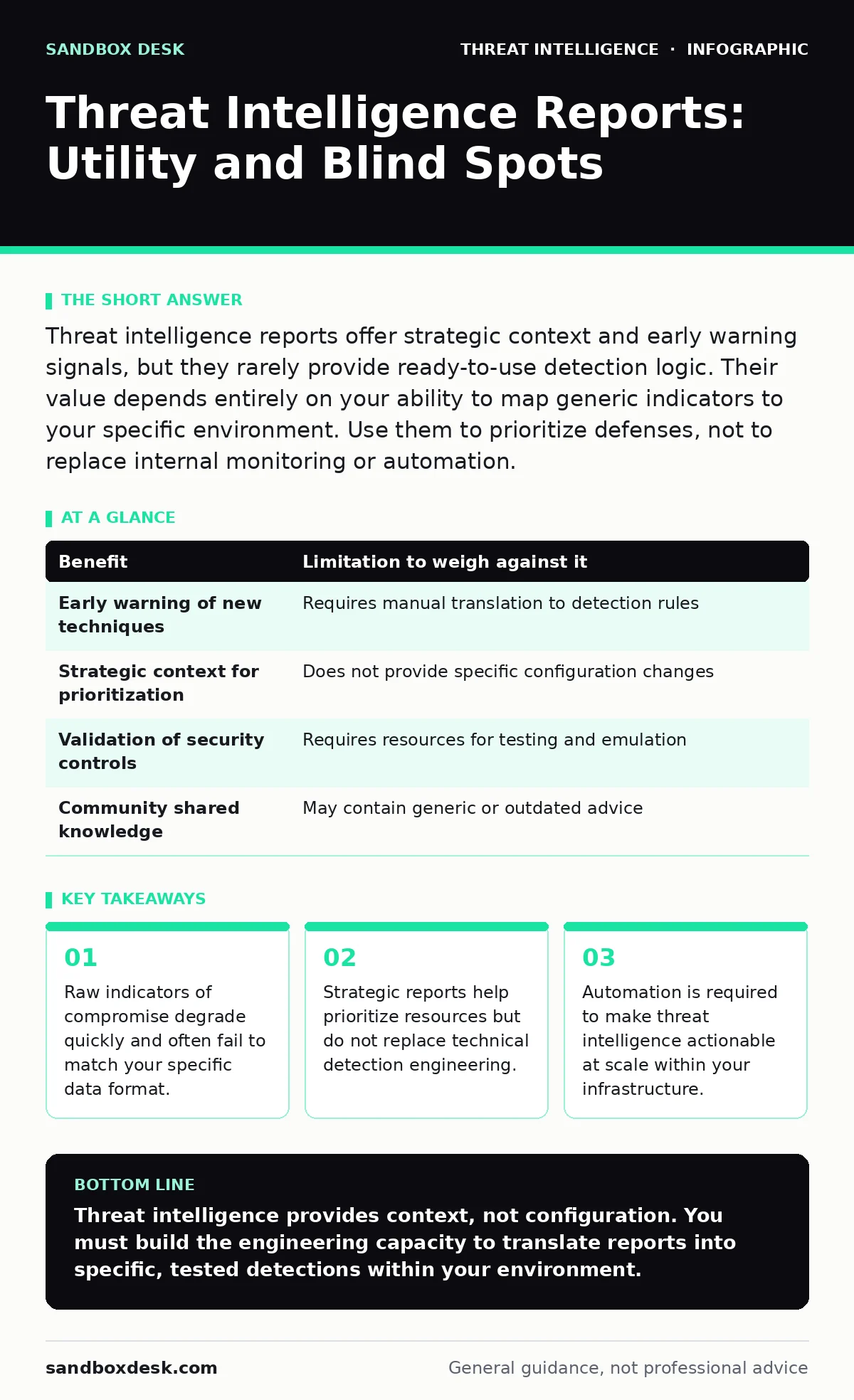
Threat intelligence reports offer strategic context and early warning signals, but they rarely provide ready-to-use detection logic. Their value depends entirely on your ability to map generic indicators to your specific environment. Use them to prioritize defenses, not to replace internal monitoring or automation.
The Illusion of Actionable Data
Many teams treat threat intelligence reports as a direct input for security controls. This expectation is rarely met. Most reports describe adversary behavior in narrative form. They explain how an attacker moved laterally or exfiltrated data. They rarely provide the exact configuration changes needed to detect that behavior in your environment.
You receive a report stating that adversaries use a specific tool for credential dumping. The report may list the tool’s name and common command-line arguments. It usually does not tell you how to parse your specific log format to catch those arguments. You must perform the translation work yourself.
This gap exists because threat intelligence is often collected in a generic context. The collector observes behavior across many environments. Your environment has unique logging standards, data retention policies, and security tooling. The report cannot know these details.
Mapping Indicators to Local Reality
Indicators of compromise are specific artifacts like file hashes, IP addresses, or domain names. They are the most concrete part of a threat report. They are also the most fragile. An IP address is valid only for the duration of the attacker’s use. A file hash changes if the attacker modifies the code slightly.
You must integrate these indicators into your detection systems. This requires normalization. Your firewall logs might store IPs in hexadecimal. Your endpoint logs might store hashes in uppercase. If your systems do not normalize data, the indicator will not match.
This integration creates a hidden cost. You spend engineering hours building parsers and normalizers. You spend more time maintaining them as your infrastructure changes. The intelligence itself is free or cheap. The plumbing to use it is expensive.
Strategic Context Over Tactical Noise
Tactical intelligence focuses on specific threats. Strategic intelligence focuses on trends and motivations. It explains why an adversary targets a specific sector or uses a new technique. This context helps you prioritize your defenses.
Imagine you see a rise in reports about supply chain compromises. A tactical report might list compromised packages. A strategic report explains the shift in adversary behavior. It suggests that trusting third-party dependencies is becoming riskier.
This allows you to adjust your security posture. You might decide to increase scrutiny on vendor access. You might implement stricter code signing requirements. This is a proactive change based on context. It is more valuable than blocking a single malicious IP address.
The Limitations of Generic Advice
Threat reports often recommend generic defenses. They suggest enabling multi-factor authentication or patching systems. These are correct but unhelpful if you already do them. The report does not know your current state.
It may recommend monitoring for specific registry changes. Your operating system might not log those changes by default. You must enable advanced auditing first. This creates a dependency chain. The intelligence is useless until you change your system configuration.
This friction leads to alert fatigue. You implement the recommended detection. It triggers thousands of false positives because normal users also trigger that behavior. You disable the detection. The intelligence has failed to protect you.
When It Is Worth It
Threat intelligence is worth it when you have the capacity to translate it. You need a team that can read a report and write a detection rule. You need systems that can ingest and correlate data.
It is valuable for understanding emerging threats. New techniques often appear in reports before they appear in your environment. This gives you a head start. You can build detections before the attack happens.
It is also useful for validating your defenses. If a report describes an attack path, you can test your own systems against it. This is related to adversary emulation. You simulate the attack to see if your controls work. The report provides the blueprint. You provide the test.
See also: Incident Response Runbooks Explained: How to Automate Chaos · Implement Incident Response Runbooks: A Step-by-Step Guide
When It Is Not
Threat intelligence is not worth it if you lack integration capabilities. If you cannot automate the ingestion of indicators, you will fall behind. Manual updates are too slow. The indicators will expire before you can use them.
It is not worth it if you expect it to replace monitoring. Intelligence tells you what to look for. It does not tell you if it is happening. You still need comprehensive logging and analysis.
It is not worth it if your team is overwhelmed. Adding another source of alerts can degrade your response time. You need to filter and prioritize. If you cannot do that, the intelligence becomes noise.
Balancing Benefits and Costs
The table below outlines the trade-offs. You must weigh the benefit of early warning against the cost of implementation.
| Benefit | Limitation to weigh against it |
|---|---|
| Early warning of new techniques | Requires manual translation to detection rules |
| Strategic context for prioritization | Does not provide specific configuration changes |
| Validation of security controls | Requires resources for testing and emulation |
| Community shared knowledge | May contain generic or outdated advice |
Integrating with Existing Operations
Threat intelligence works best when integrated into your existing workflows. It should feed into your incident response runbooks. If a specific indicator is seen, the runbook tells you what to do.
It should also inform your blue team operations. The team can use the intelligence to tune their tools. They can adjust thresholds to reduce false positives.
Consider how remote desktop abuse is often highlighted in reports. Instead of just blocking RDP, you can use the report’s details to create specific alerts for unusual RDP sessions. This makes the intelligence actionable.
Similarly, understanding DCSync attacks involves knowing specific RPC calls. A report might mention these calls. You must configure your domain controllers to log these events. The report provides the target. You provide the capability.
Key takeaways
- Raw indicators of compromise degrade quickly and often fail to match your specific data format.
- Strategic reports help prioritize resources but do not replace technical detection engineering.
- Automation is required to make threat intelligence actionable at scale within your infrastructure.
Threat intelligence provides context, not configuration. You must build the engineering capacity to translate reports into specific, tested detections within your environment.
Frequently asked questions
How do I verify the accuracy of a threat intelligence report?
Cross-reference the indicators with multiple sources. Check if the reported behavior matches known techniques in frameworks like the MITRE ATT&CK Navigator. Validate the technical details against your own environment.
Should I automate the ingestion of all threat intelligence feeds?
No. Automate only the feeds that align with your specific risk profile. Filtering is necessary to prevent alert fatigue. Start with high-confidence sources relevant to your industry.
Can threat intelligence replace internal threat hunting?
No. Internal threat hunting uses your own data to find hidden threats. External intelligence provides hypotheses. You use the intelligence to guide the hunt, but the hunt itself relies on your internal data.
How often should I review threat intelligence reports?
Review strategic reports regularly to adjust your roadmap. Review tactical reports only if you have the capacity to act on them immediately. Prioritize quality over quantity.
How this guide was produced: written by the Sandbox Desk editorial team with AI assistance, checked against the public references listed below, and reviewed when the facts change. See our editorial policy or report an error.