Remote Desktop Abuse: The Step-by-Step Attack Chain
Remote desktop abuse rarely begins with a brute-force login; it usually starts with a stolen credential moving silently through lateral pathways before the session opens.

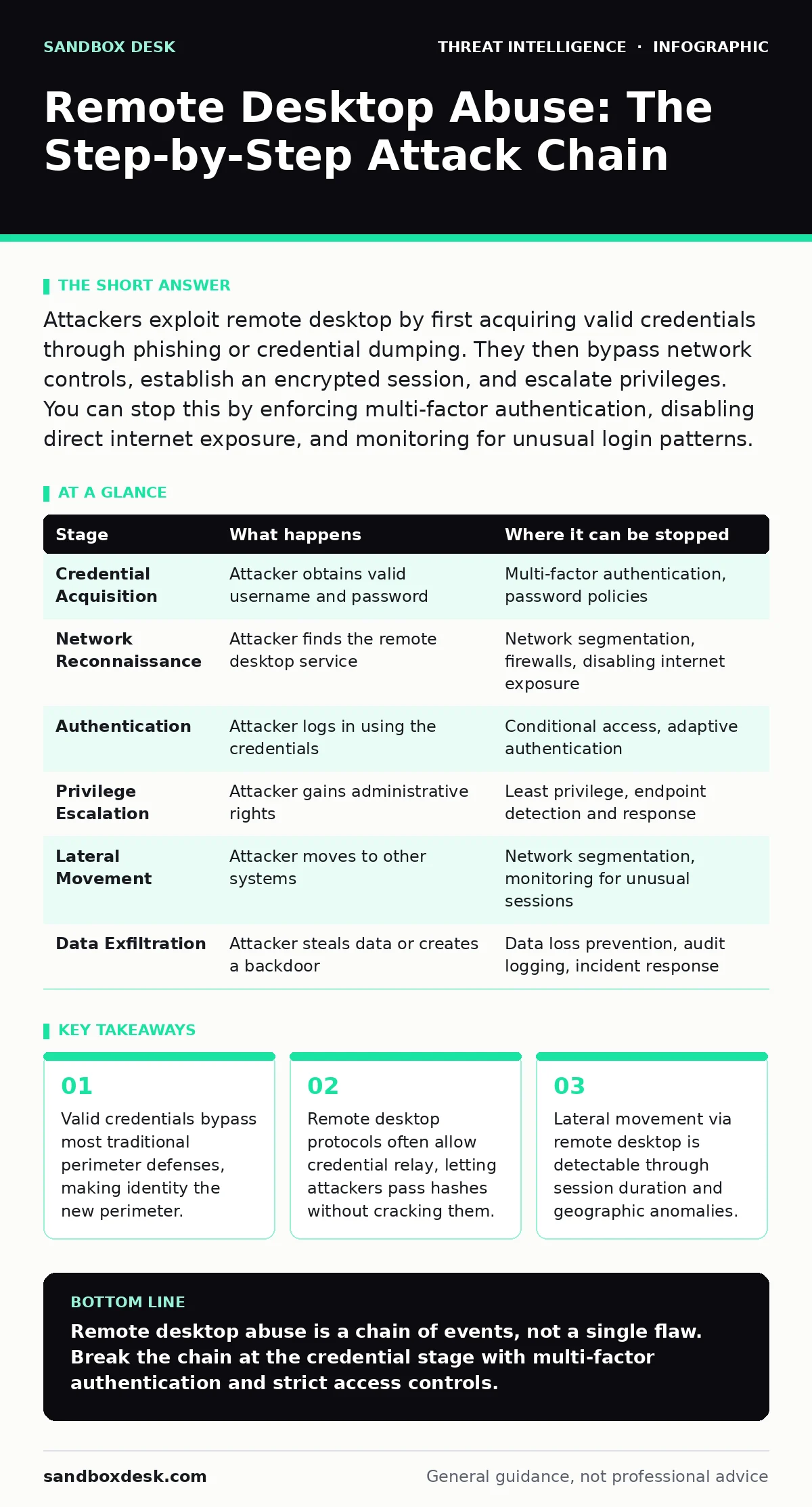
Attackers exploit remote desktop by first acquiring valid credentials through phishing or credential dumping. They then bypass network controls, establish an encrypted session, and escalate privileges. You can stop this by enforcing multi-factor authentication, disabling direct internet exposure, and monitoring for unusual login patterns.
The Credential Acquisition Phase
Remote desktop abuse rarely begins with a direct attack on the remote desktop service itself. Instead, the adversary starts by acquiring a valid username and password combination. This credential may come from a phishing campaign, a data breach, or a local exploit that dumps memory. The attacker does not need to guess the password; they need to possess it.
This distinction matters because firewalls and intrusion detection systems often allow legitimate traffic. A valid credential looks exactly like a user logging in from home. The defense at this stage relies entirely on identity security, not network segmentation. If the credential is weak or reused, the attacker succeeds before they ever touch the remote desktop protocol.
Stage 1: Credential Harvesting or Theft
The attacker obtains access to a user account. This account does not need administrative privileges initially. A standard user account is often sufficient to begin the process. The mechanism relies on the assumption that the user’s password is strong and unique. If the user reuses passwords across services, the attacker can try those credentials on internal systems.
This is known as a pass-the-hash or credential stuffing attack. The flaw here is human behavior, not software configuration. You cannot patch a user who writes their password on a sticky note. The interruption point is multi-factor authentication. If the system requires a second factor, the stolen password alone is useless. Without that second factor, the attacker has a key to the door.
The Network Pathway Discovery
Once the attacker has credentials, they must find a route to the target system. They do not always know which machine hosts the service they want. They may scan the internal network for open ports. Remote desktop typically listens on a specific port, but administrators can change this. The attacker may also use legitimate tools to map the network. They look for systems that are exposed to the internet or poorly segmented from the rest of the network.
The reliance here is on poor network design. If the remote desktop service is directly accessible from the public internet, the attack surface is massive. Even if it is internal, the attacker may move laterally to reach it. The defense is network segmentation and denying direct internet access. You must force all remote connections through a controlled gateway.
Stage 2: Network Reconnaissance and Access
The attacker identifies the target system and verifies connectivity. They may perform a port scan to confirm the remote desktop service is active. If the service is exposed, they proceed immediately. If it is behind a firewall, they may use a compromised internal machine to pivot. This stage relies on the absence of network visibility.
If you do not know where your remote desktop services are, you cannot protect them. The interruption point is strict access control lists. Only specific IP ranges should be allowed to connect. Additionally, you should disable the service on machines that do not require it. Every enabled instance is a potential entry point. Reducing the number of targets reduces the chance of success.
The Authentication and Session Establishment
With a valid credential and a network path, the attacker attempts to log in. The remote desktop protocol encrypts the traffic, which hides the contents from casual inspection. This encryption is a feature for users but a challenge for defenders. You cannot easily inspect the traffic for malicious commands. The attacker enters the username and password. If multi-factor authentication is not enforced, the system grants access.
The session is established. The attacker now has a graphical interface to the system. This is the moment of truth. If the previous stages failed, this fails. If they succeeded, the attacker is inside. The reliance here is on the strength of the authentication method. Passwords alone are insufficient. The interruption point is conditional access policies. You can block logins from unusual locations or devices.
Stage 3: Authentication and Session Initiation
The attacker submits credentials to the remote desktop service. The system validates the user. If the credentials are valid, a session is created. The attacker gains interactive access. This stage relies on the system accepting the credential without further verification. The flaw is the assumption that a password proves identity. It only proves that the attacker knows the password.
The interruption point is adaptive authentication. The system should analyze the login context. Is the user logging in from a new country? Is the device unfamiliar? If the context is suspicious, the system should block the login or require additional verification. This adds friction for attackers but may inconvenience legitimate users. You must balance security with usability.
Privilege Escalation and Lateral Movement
Once inside, the attacker assesses their privileges. A standard user account has limited capabilities. The attacker needs more access to be useful. They may look for vulnerabilities in the operating system that allow privilege escalation. They may also look for other systems they can access. This is lateral movement. The attacker uses the remote desktop protocol to jump from one machine to another.
They use the same credentials or dump new ones from the current machine. The reliance here is on the principle of least privilege. If every user has administrative rights, the attacker has immediate power. The interruption point is strict privilege management. Users should only have the permissions they need to do their job. Administrative accounts should be separate and highly protected.
Stage 4: Privilege Escalation and Expansion
The attacker attempts to gain higher privileges. They may exploit a known vulnerability in the operating system. They may also look for misconfigured permissions. If successful, they gain administrative control. This allows them to install software, change settings, and access sensitive data. The attacker may then move to other systems. They use the remote desktop protocol to connect to other machines.
This stage relies on the lack of segmentation and weak privilege controls. The interruption point is endpoint detection and response. You must monitor for unusual process creation and privilege changes. If a standard user account suddenly gains administrative rights, it should trigger an alert. You must also monitor for new remote desktop sessions. A sudden burst of connections from a single machine is suspicious.
See also: Spotting NTLM Relay Attacks: Early Warning Signs and Response Steps
Data Exfiltration and Persistence
The final stage is the objective. The attacker wants data or persistent access. They may copy files to a removable drive or upload them to a cloud service. They may also create a new user account with administrative rights. This ensures they can return even if the original credential is changed. The reliance here is on the lack of data loss prevention controls.
If you do not monitor data movement, the attacker can take what they want. The interruption point is data loss prevention and audit logging. You must log all remote desktop sessions. You must also monitor for data transfers. If a user copies a large amount of data, it should trigger an alert. You must also review user accounts regularly. Remove any accounts that are not needed. This reduces the risk of persistent access.
Stage 5: Objective Completion and Persistence
The attacker achieves their goal. They may steal data or establish a backdoor. The session may end, but the damage is done. The reliance here is on the assumption that the attack will be detected in real-time. Often, it is not. The interruption point is incident response. You must have a plan to detect and respond to such attacks. You must also have backups to restore data if it is encrypted or deleted. This stage highlights the importance of defense in depth. No single control is sufficient. You need multiple layers of security. Each layer must fail independently. This ensures that if one layer is bypassed, the next layer stops the attacker.
| Stage | What happens | Where it can be stopped |
|---|---|---|
| Credential Acquisition | Attacker obtains valid username and password | Multi-factor authentication, password policies |
| Network Reconnaissance | Attacker finds the remote desktop service | Network segmentation, firewalls, disabling internet exposure |
| Authentication | Attacker logs in using the credentials | Conditional access, adaptive authentication |
| Privilege Escalation | Attacker gains administrative rights | Least privilege, endpoint detection and response |
| Lateral Movement | Attacker moves to other systems | Network segmentation, monitoring for unusual sessions |
| Data Exfiltration | Attacker steals data or creates a backdoor | Data loss prevention, audit logging, incident response |
The integration of threat intelligence reports helps you understand the tactics attackers are using. You can adjust your defenses based on current trends. Blue team operations focus on detecting and responding to these attacks. You must practice your response to ensure you are ready. Packet capture analysis can reveal unusual traffic patterns. You should review logs regularly to identify anomalies. DCSync attacks are a different threat, but they often accompany remote desktop abuse.
You must protect your domain controllers. OSINT investigations can reveal exposed services. You should check your external footprint regularly. MITRE ATT&CK Navigator helps you map your defenses. You can identify gaps in your coverage. Adversary emulation tests your defenses. You should run regular tests to ensure your controls work. Incident response runbooks guide your team. You must have clear procedures for each stage of the attack.
Key takeaways
- Valid credentials bypass most traditional perimeter defenses, making identity the new perimeter.
- Remote desktop protocols often allow credential relay, letting attackers pass hashes without cracking them.
- Lateral movement via remote desktop is detectable through session duration and geographic anomalies.
Remote desktop abuse is a chain of events, not a single flaw. Break the chain at the credential stage with multi-factor authentication and strict access controls.
Frequently asked questions
Can a firewall stop remote desktop abuse?
A firewall can block unauthorized network access, but it cannot stop an attacker with valid credentials. You must also secure the identity layer.
Is multi-factor authentication enough?
Multi-factor authentication significantly reduces risk, but it is not foolproof. You must also monitor for unusual activity and enforce least privilege.
How do I detect lateral movement?
Monitor for remote desktop sessions from unusual sources or at unusual times. Look for a single machine connecting to many others.
Should I disable remote desktop entirely?
If you do not need it, disable it. If you do need it, restrict access to specific users and networks. Use a controlled gateway for all connections.
How this guide was produced: written by the Sandbox Desk editorial team with AI assistance, checked against the public references listed below, and reviewed when the facts change. See our editorial policy or report an error.