Pass-the-Ticket Attacks: Risks and Protection for Small Businesses
Ticket-granting tickets remain valid until expiration, allowing attackers to move laterally without passwords or local admin rights on the compromised host.

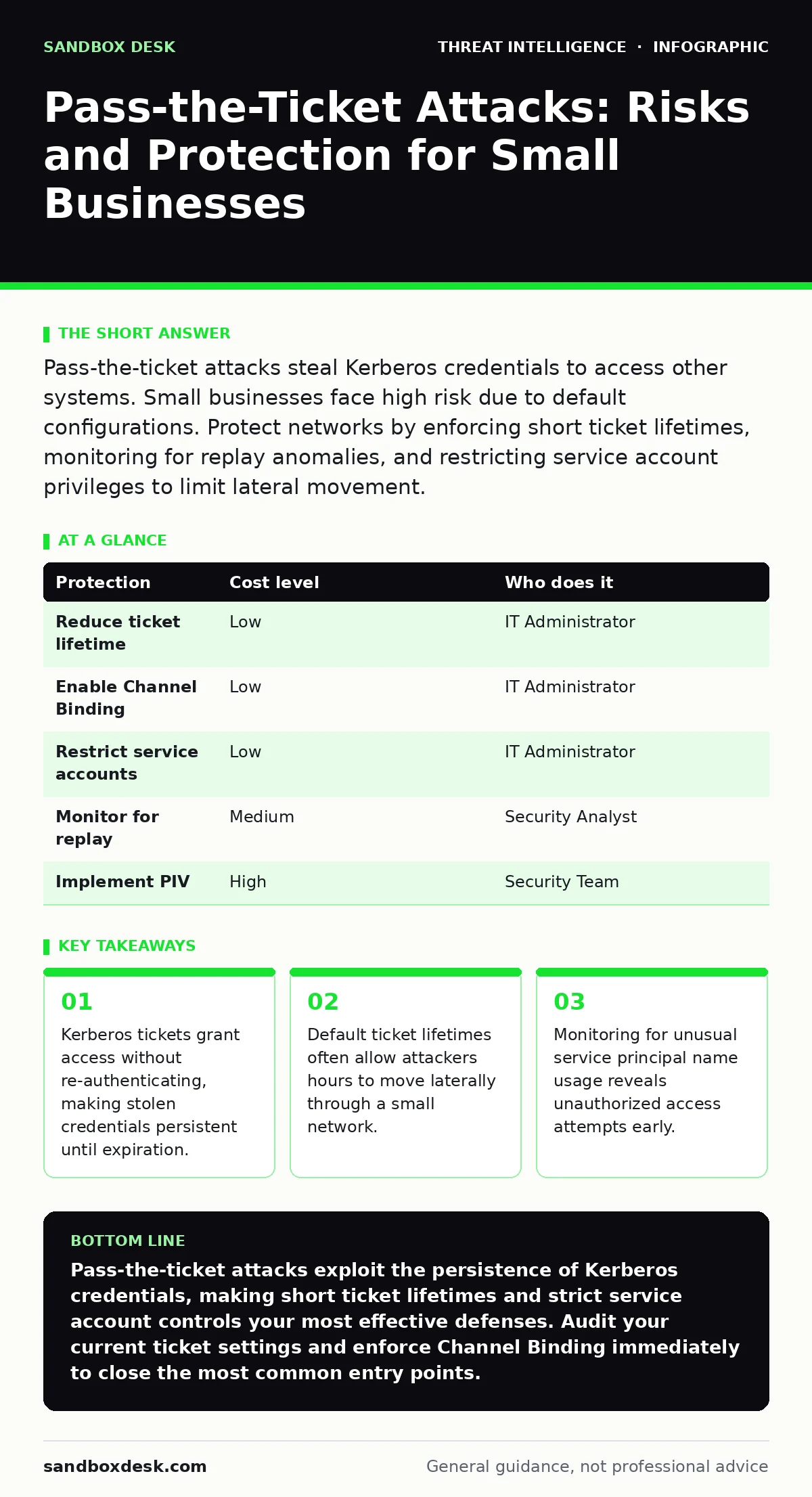
Pass-the-ticket attacks steal Kerberos credentials to access other systems. Small businesses face high risk due to default configurations. Protect networks by enforcing short ticket lifetimes, monitoring for replay anomalies, and restricting service account privileges to limit lateral movement.
The Hidden Persistence of Stolen Credentials
Imagine a ten-person marketing agency. An employee clicks a phishing link that installs a memory scraper. The tool does not capture the password. It extracts the Kerberos ticket currently held in the computer’s memory. The attacker now possesses a digital passkey. This passkey works on any server that trusts the issuing domain controller. The employee’s password remains unchanged. The login logs show a successful authentication. The breach persists until the ticket expires.
This mechanism differs from pass-the-hash. Pass-the-hash requires the attacker to be on the local machine or have network access to mimic the hash. Pass-the-ticket allows remote usage if the ticket is exported. Kerberos is the default authentication protocol for Windows domains. It uses tickets to prove identity. The ticket-granting ticket (TGT) is the master key. The TGT proves who you are to the Key Distribution Center. Once you have the TGT, you can request service tickets for any resource.
Why Small Organizations Face Disproportionate Risk
Small organizations often rely on default security configurations. These defaults prioritize ease of setup over defense depth. The default lifetime for a TGT is typically 10 hours. The default lifetime for a service ticket is 10 hours. This window is vast for an attacker. In a large enterprise, security teams monitor for anomalous ticket requests. Small teams often lack the volume of data to spot the needle in the haystack.
Another factor is the prevalence of service accounts. Small IT providers often create a single admin account for backups and monitoring. This account has high privileges. It logs into many systems. If an attacker compromises a system where this account is cached, they gain a golden ticket. The account is rarely disabled. It rarely changes passwords. It sits in memory for days.
The lack of segmentation exacerbates the issue. In a flat network, a service ticket for one server can often be replayed against another if the service principal names (SPN) are misconfigured. An SPN identifies a service instance to Kerberos. If multiple servers share the same SPN, a ticket for one works on the other. This misconfiguration is common in small setups where servers are cloned or manually configured without strict naming standards.
The Mechanics of Ticket Theft and Replay
The attack begins with credential theft. Malware scans the LSASS process. This process handles authentication. It holds the tickets in memory. Tools like Mimikatz can extract these tickets. The attacker saves them to a file. The file contains the encrypted ticket data. The attacker does not need to decrypt the password. They need the ticket blob.
Next comes the injection. The attacker uses a tool to inject the stolen ticket into their own session. The operating system accepts the ticket as valid. The attacker now acts as the victim. They can access resources the victim could access. This is lateral movement. The attacker moves from a low-privilege workstation to a high-privilege server.
Replay attacks are also possible. If the network traffic is not encrypted with strong channel binding, an attacker can capture the ticket on the wire. They replay it to the target server. The server validates the ticket. It grants access. Channel binding ties the ticket to the specific TLS connection. Without it, the ticket is portable. Many small businesses disable channel binding for compatibility with older software. This creates a blind spot.
Low-Cost Protections for Limited Budgets
You do not need expensive hardware to mitigate this risk. Configuration changes are the primary defense. Start by reducing ticket lifetimes. Set the maximum lifetime for TGTs to 60 minutes. Set the maximum lifetime for service tickets to 60 minutes. This forces re-authentication. It limits the window for lateral movement. If an attacker steals a ticket, they have only one hour to use it.
Enforce Channel Binding. This feature ensures that the Kerberos ticket is bound to the TLS session. It prevents replay attacks over the network. Most modern Windows servers support this. Enable it in the Group Policy. It adds a layer of verification. The server checks that the ticket was issued for this specific connection.
Restrict service account privileges. Use the principle of least privilege. Service accounts should only have access to the resources they need. Do not use domain admins for daily tasks. Create dedicated accounts for backups. Restrict their logon rights. Use Group Policy to limit which machines they can log into. This containment stops the spread.
| Protection | Cost level | Who does it |
|---|---|---|
| Reduce ticket lifetime | Low | IT Administrator |
| Enable Channel Binding | Low | IT Administrator |
| Restrict service accounts | Low | IT Administrator |
| Monitor for replay | Medium | Security Analyst |
| Implement PIV | High | Security Team |
What to Ask Your IT Provider
Your IT provider manages the domain controller. They control the Kerberos settings. You must verify their configuration. Ask specific questions. Do not accept vague answers.
- What is the current maximum lifetime for TGTs and service tickets?
- Is Channel Binding enforced for all Kerberos-authenticated services?
- How are service accounts managed and rotated?
- Do you monitor for anomalous Kerberos ticket requests?
- Are there any shared SPNs across different servers?
These questions reveal the depth of their security posture. A provider who knows the answer to the first question is likely competent. A provider who ignores the second is cutting corners. The third question addresses the root cause of many breaches. The fourth question shows proactive defense. The fifth question identifies configuration errors.
See also: Remote Desktop Abuse: The Step-by-Step Attack Chain · Spotting NTLM Relay Attacks: Early Warning Signs and Response Steps
Detecting the Unseen Movement
Detection is difficult because the activity looks legitimate. The logs show successful logons. The source IP is valid. The user account is valid. You must look for patterns. Monitor for logons from unusual locations. If a user usually logs in from the office, a login from a coffee shop is suspicious.
Look for rapid service ticket requests. An attacker may request tickets for many services in a short time. This is a sign of enumeration. They are mapping the network. Alert on high-frequency requests.
Review the security logs for the Kerberos pre-authentication failures. These can indicate an attacker trying to brute-force or exploit a vulnerability. While not a direct pass-the-ticket indicator, it shows targeted activity.
Integrate these logs into a central system. Correlate them with other events. If a ticket theft is followed by a file share access, the risk is high. This correlation is the basis of effective blue team operations. It turns raw data into actionable intelligence.
Beyond Basic Defenses
For higher security, consider Privileged Identity Management (PIM). PIM solutions manage access to privileged accounts. They require just-in-time access. The account is disabled by default. It is enabled only when needed. This reduces the window for theft.
Implement Kerberoasting defenses. Kerberoasting is related but distinct. It involves stealing service tickets and cracking them offline. Strong passwords for service accounts prevent this. Use complex passwords. Rotate them regularly.
Educate users. Phishing is the entry point. Users must recognize malicious links. Training reduces the initial compromise. It is the first line of defense.
Review your network segmentation. Ensure that workstations cannot directly access domain controllers. Block unnecessary ports. This limits the attacker’s ability to interact with the Kerberos service directly.
Key takeaways
- Kerberos tickets grant access without re-authenticating, making stolen credentials persistent until expiration.
- Default ticket lifetimes often allow attackers hours to move laterally through a small network.
- Monitoring for unusual service principal name usage reveals unauthorized access attempts early.
Pass-the-ticket attacks exploit the persistence of Kerberos credentials, making short ticket lifetimes and strict service account controls your most effective defenses. Audit your current ticket settings and enforce Channel Binding immediately to close the most common entry points.
Frequently asked questions
Does changing a password stop a pass-the-ticket attack?
No. The stolen ticket remains valid until its expiration time. Changing the password does not invalidate existing tickets in memory or on the network.
How long do Kerberos tickets last by default?
Default settings often allow tickets to remain valid for 10 hours. This long window gives attackers ample time to move laterally and access sensitive data.
Can antivirus software detect pass-the-ticket attacks?
Antivirus may detect the initial malware that steals the ticket. It usually cannot detect the subsequent use of the ticket, as that activity appears as legitimate system behavior.
What is the difference between pass-the-hash and pass-the-ticket?
Pass-the-hash uses the password hash to authenticate locally or remotely. Pass-the-ticket uses a pre-authenticated Kerberos ticket, allowing remote access without the hash or password.
How this guide was produced: written by the Sandbox Desk editorial team with AI assistance, checked against the public references listed below, and reviewed when the facts change. See our editorial policy or report an error.