Bluetooth Attacks Explained: How Nearby Signals Compromise Devices
Your phone can be forced to pair with a malicious device within seconds, allowing data theft without your physical interaction or knowledge.

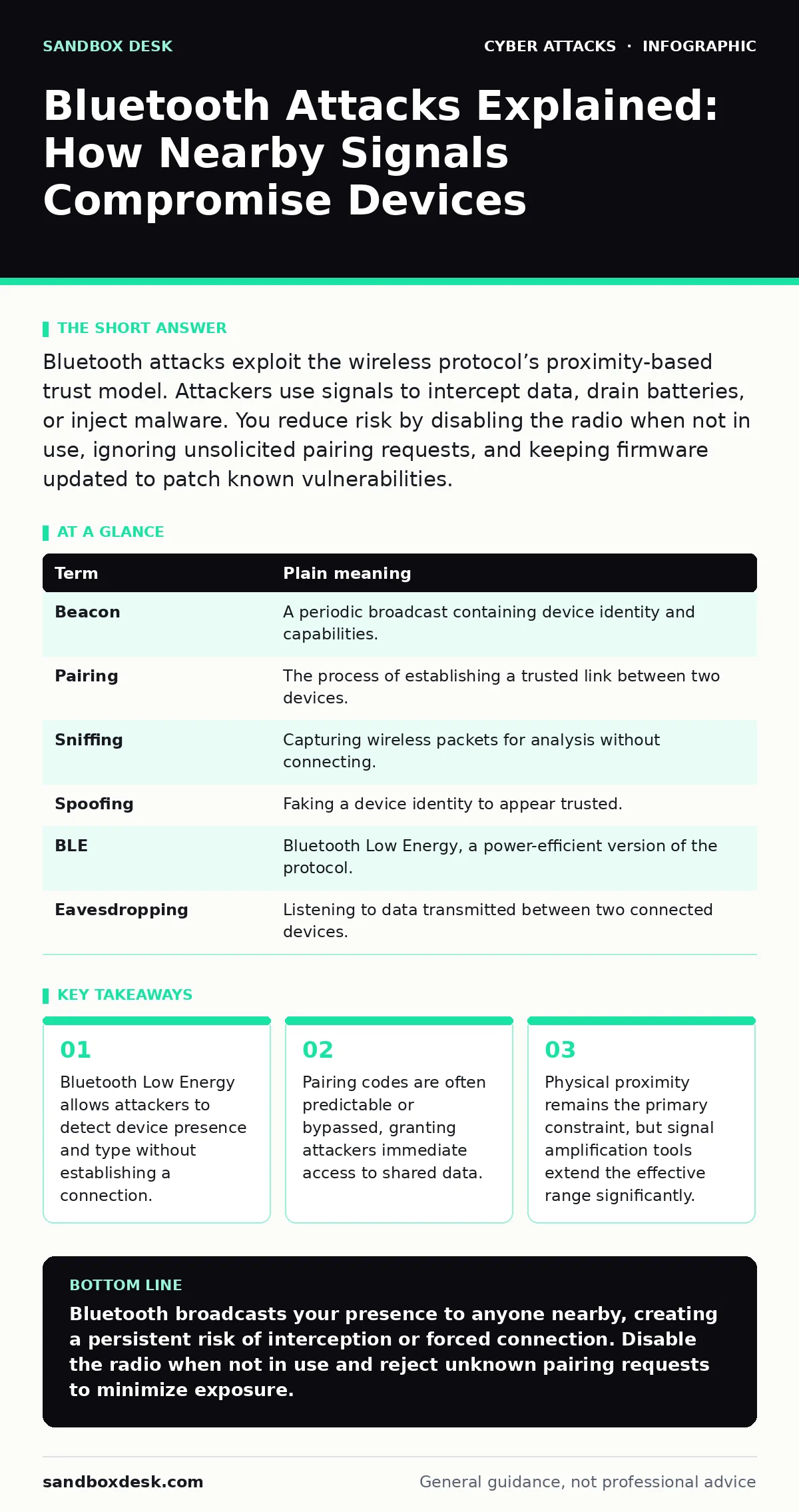
Bluetooth attacks exploit the wireless protocol’s proximity-based trust model. Attackers use signals to intercept data, drain batteries, or inject malware. You reduce risk by disabling the radio when not in use, ignoring unsolicited pairing requests, and keeping firmware updated to patch known vulnerabilities.
The Radio Beacon Analogy
Imagine your device is a person standing in a crowded room. Bluetooth is not a whispered conversation; it is a loud shout. When you enable Bluetooth, your device broadcasts a beacon containing its name and capabilities. Anyone within range can hear this shout. They do not need to know you personally. They only need to listen.
This broadcasting behavior is the foundation of most Bluetooth risks. The protocol was designed for convenience, not secrecy. It assumes that because two devices are close, they should be able to talk. An attacker exploits this assumption by pretending to be a trusted neighbor. They listen to the shouts, identify valuable targets, and then initiate a conversation you never agreed to have.
How Signal Interception Works
The most common attack vector involves sniffing. An attacker uses a specialized radio to capture the packets your device sends into the air. Even if the data is encrypted, the metadata reveals your location, device model, and connection patterns. This is similar to reading the envelope of a letter without opening it. You learn who sent it and where it is going, which is often enough to plan a more targeted strike.
This technique does not require breaking encryption. It requires only passive listening. The attacker stands nearby, records the traffic, and analyzes it later. This is why turning off Bluetooth when you are not actively using it is effective. If the radio is silent, there is nothing to hear. This principle aligns with the concepts found in intrusion detection systems, where monitoring network noise helps identify anomalies before they become breaches.
The Danger of Auto-Pairing
Many devices offer automatic pairing for convenience. Your headphones connect the moment you open the case. Your car recognizes your phone when you enter. This feature removes friction, but it also removes verification. An attacker can place a rogue device in your path. When your phone sees a familiar signal, it may connect automatically. Once connected, the rogue device can send commands or steal data.
This is not a hypothetical risk. It is a design trade-off. You gain ease of use; you lose control over who connects to you. The attack succeeds because your device trusts the signal more than it trusts your judgment. This mirrors the problem of initial access, where attackers exploit default configurations to gain a foothold. The device is open by default, and the attacker simply walks in.
Battery Drain and Denial of Service
Not all attacks steal data. Some aim to disrupt. An attacker can flood your device with connection requests. Your phone tries to respond to each one, consuming processing power and battery. This is a denial-of-service attack. It does not hack your files. It simply makes your device unusable. The battery drains rapidly, and the phone may freeze or restart.
This attack is difficult to defend against without disabling the radio. Filtering requests is possible, but aggressive attackers can generate enough noise to overwhelm the filter. The only complete defense is to turn off Bluetooth. This is a harsh trade-off. You must choose between connectivity and availability. In high-risk environments, availability often takes precedence.
Understanding the Terminology
To navigate these risks, you must understand the language. The table below defines the key terms you will encounter.
| Term | Plain meaning |
|---|---|
| Beacon | A periodic broadcast containing device identity and capabilities. |
| Pairing | The process of establishing a trusted link between two devices. |
| Sniffing | Capturing wireless packets for analysis without connecting. |
| Spoofing | Faking a device identity to appear trusted. |
| BLE | Bluetooth Low Energy, a power-efficient version of the protocol. |
| Eavesdropping | Listening to data transmitted between two connected devices. |
Mitigation Strategies for Users
You cannot stop the broadcast entirely if you need Bluetooth. But you can control it. The goal is to minimize the window of exposure. You should treat Bluetooth like a physical door. You do not leave it open when you leave the house. You lock it when you sleep.
Imagine you are at a coffee shop. You enable Bluetooth to connect your headphones. Once connected, you disable the radio. When you leave, you keep it disabled. This simple habit reduces your attack surface. It is not perfect. An attacker with a powerful antenna might still reach you. But it makes you a harder target. This approach supports a broader security culture, where small, consistent actions reduce overall risk.
Try This Now
- Disable Bluetooth when not in active use. Do not rely on "airplane mode" if it leaves Bluetooth on.
- Reject unsolicited pairing requests. Never accept a connection from a device you do not recognize.
- Update your device firmware. Manufacturers patch known vulnerabilities in the Bluetooth stack regularly.
The Limits of Protection
No setting makes you invisible. Bluetooth is a broadcast medium. Your device must shout to be found. You can lower your voice, but you cannot stop speaking entirely if you want to be heard. This is the fundamental limitation of wireless technology. Convenience requires exposure.
You must balance this exposure against your threat model. If you carry sensitive data, you should assume your Bluetooth traffic is visible. Use encryption for sensitive applications. Do not rely on Bluetooth for security. It is a transport layer, not a security layer. This mindset is similar to zero trust security, where you assume breach and verify explicitly.
Key takeaways
- Bluetooth Low Energy allows attackers to detect device presence and type without establishing a connection.
- Pairing codes are often predictable or bypassed, granting attackers immediate access to shared data.
- Physical proximity remains the primary constraint, but signal amplification tools extend the effective range significantly.
Bluetooth broadcasts your presence to anyone nearby, creating a persistent risk of interception or forced connection. Disable the radio when not in use and reject unknown pairing requests to minimize exposure.
Frequently asked questions
Can an attacker steal my credit card via Bluetooth?
Only if you use Bluetooth payments and the attacker is very close. Standard Bluetooth does not transmit payment data by default.
Does turning off Bluetooth protect me from all attacks?
It protects against Bluetooth-specific attacks. It does not protect against Wi-Fi, cellular, or physical access attacks.
Are newer Bluetooth versions safer?
Newer versions include better encryption and authentication. However, they also introduce new features that can be exploited if misconfigured.
Can I block specific devices?
You can block known devices, but you cannot block all unknown devices without disabling the radio entirely.
How this guide was produced: written by the Sandbox Desk editorial team with AI assistance, checked against the public references listed below, and reviewed when the facts change. See our editorial policy or report an error.